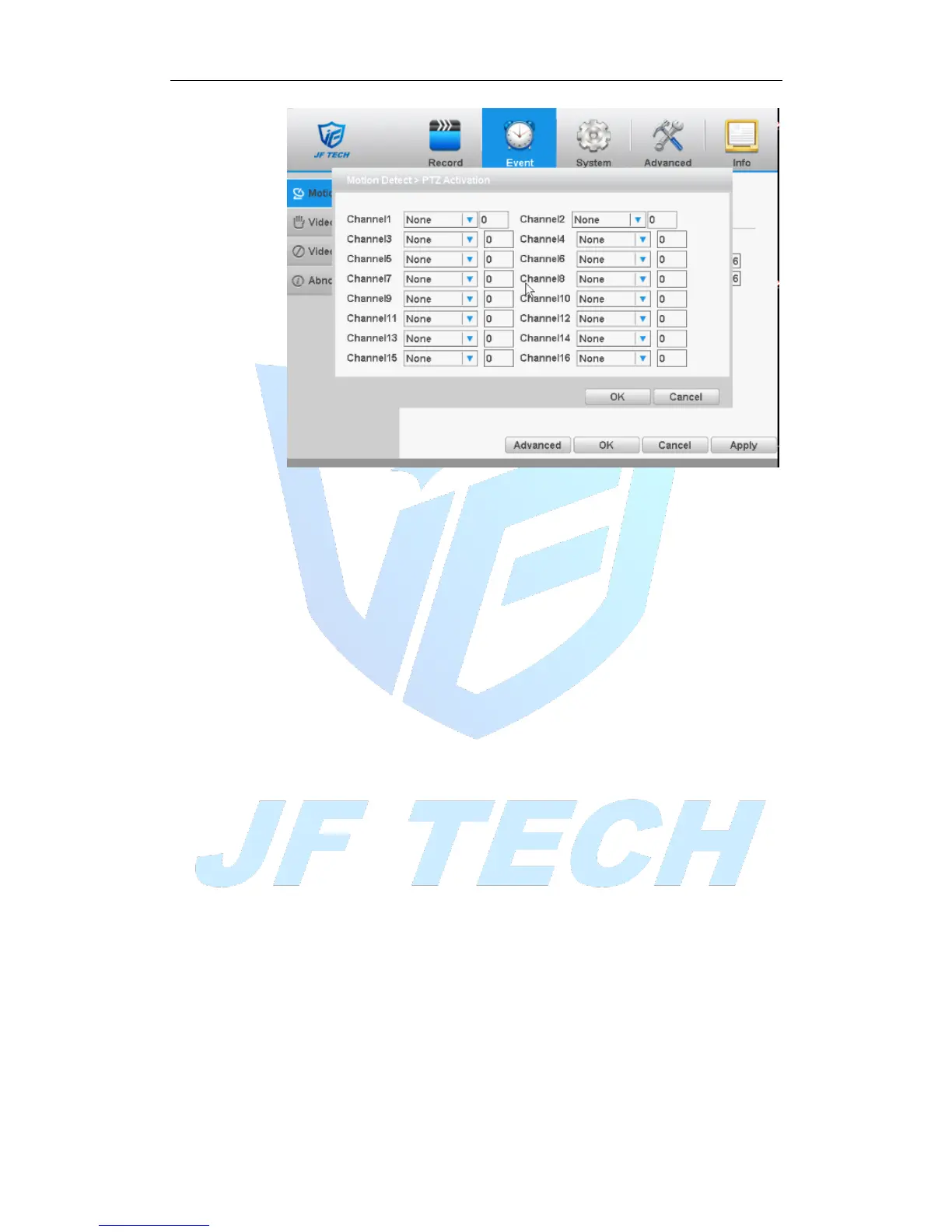
Figure 4.6PTZ Linkage
[MD interval]: After the alarm ends, the length of time to continue the local recording
can be set between 10 and 300S.
[Show message] on the local host screen, pop-up dialog box prompts warning
information;
[Send Email]: When an alarm is triggered, sends an alarm message to the specified
mailbox, mailbox settings.
[FTP Upload] ■means enable, Expressed alarm occurs if the selected channel or video
capture channel, the video file or image upload up to a specified location.
Note: Upload FTP, need to be set accordingly in the [Network Services].
[Buzzer]: when an alarm occurs, the device sends a "tick" sound long ring.
[Write Log]; when an alarm occurs, the device write a log which you can check on the
[Info]>[Log].
4.3.2 Video blind
When the device captured video images by outside influence, low light, to set the
sensitivity parameter, start the video occlusion alarm, and the linkage function.
Note: Advanced button is same to the right click button.
* Same with motion detection, the Mixed-mode / full analog and digital channels of
video blind function differently.



 To Next Page