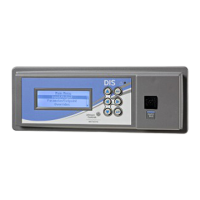
FX-DIS Local Controller Display Technical Bulletin8
Local Controller Display Configuration
FX-PC controllers with a local display, or controllers with the remote stand-alone
display, are configured with CCT. The CCT provides a Configure Display menu
option that allows you to:
• define which points appear on the display pages (Input/Output View,
Parameter/Setpoint View, and Idle View) and in which order
• define which points are read-only (cannot be commanded using the display)
• specify point names and descriptions
• set display attributes including contrast and backlight intensity
• select timeout settings
• select authorization, including password definition
These options are available in CCT through the Configure Display option found in
the Tools menu while in Configuration mode. For details, refer to
Controller Tool Help (LIT-12011147).
Local Controller Display Operation Overview
The Local Controller Display uses a fixed set of display pages to organize the
objects and data defined in the controller. Use the keypad to log on to the device
and navigate between and within each page. See Local Controller Display Keypad
for navigation information. You cannot change the order of the pages, but you can
change the contents of the pages when you configure the display with CCT.



 To Next Page
 Loading...