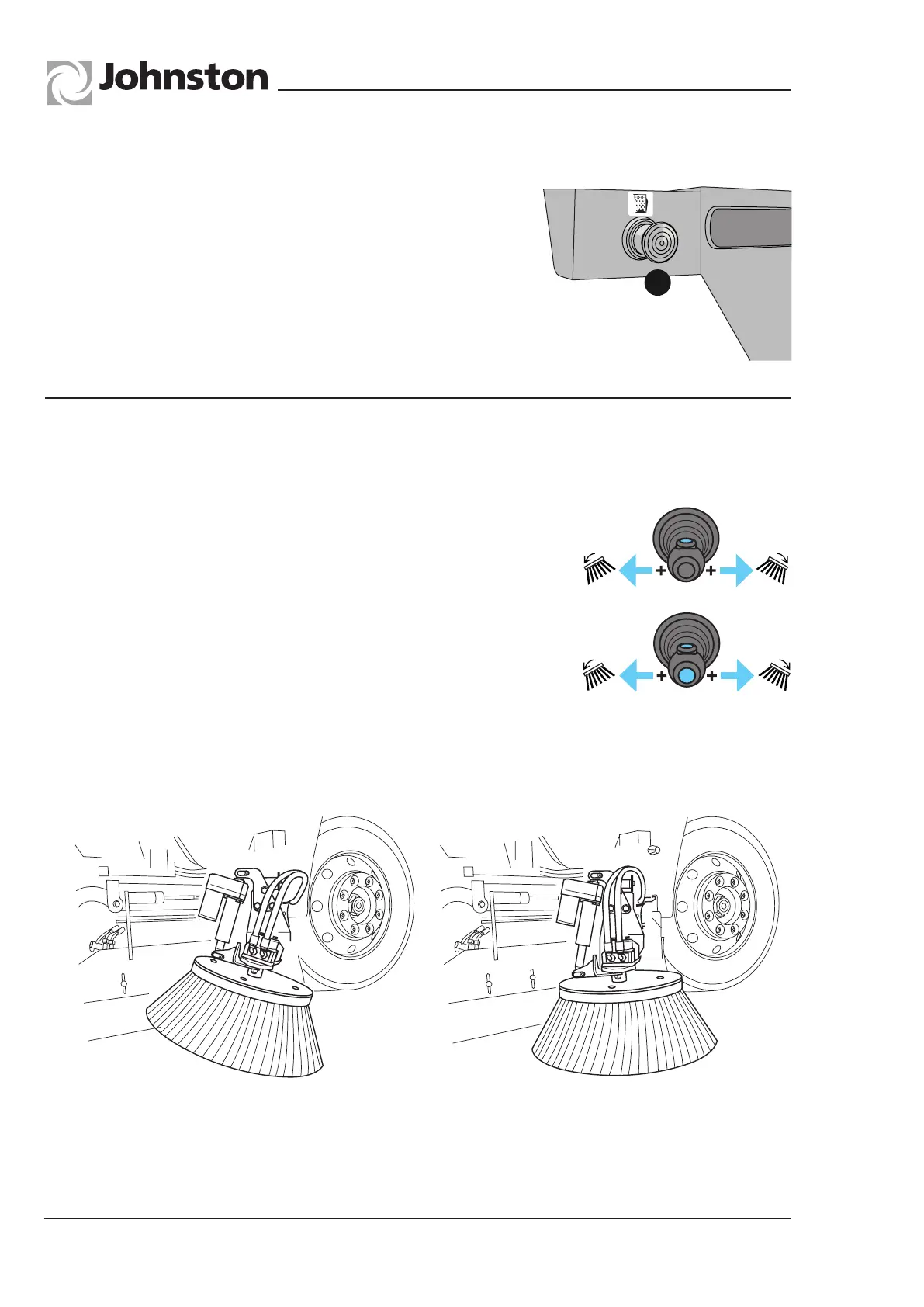
The angle of the channel brush can be adjusted from the cab when sweeping.
Operation
Operating the Joystick left/right together with the button on the
top positions the Prime-side Rotatilt.
Operating the Joystick left/right together with the button on the
top and the end positions the non Prime-side Rotatilt.
Note:
The Rotatilt will only function when channel brush is operating.
When stowing the channel brush, ensure the brush angle is reduced so that the brush stock
does not protrude beyond the vehicle width.
Chapter - Optional Equipment
Page Issue 01
OG
4:4
V Range 501 ● 651 ● 801 - Operator’s Guide
A push button (A) is fitted on the nearside at the rear of
the body. The auxiliary engine should be set at tickover, or
stopped, and with the main engine running press the button
for 10 seconds.
Repeat this process two times.
MO2OG-041
MAXIMUM ANGLE
MINIMUM ANGLE
MO2OG-044
A
REARMESHSHAKEROPTION
ROTATILT OPTION
All Copyright and rights are the property of Johnston Sweepers Ltd



 To Next Page