Chapter - Johnston Visual Module
Page Issue 02
OG
5:18
V Range 501 ● 651 ● 801 - Operator’s Guide
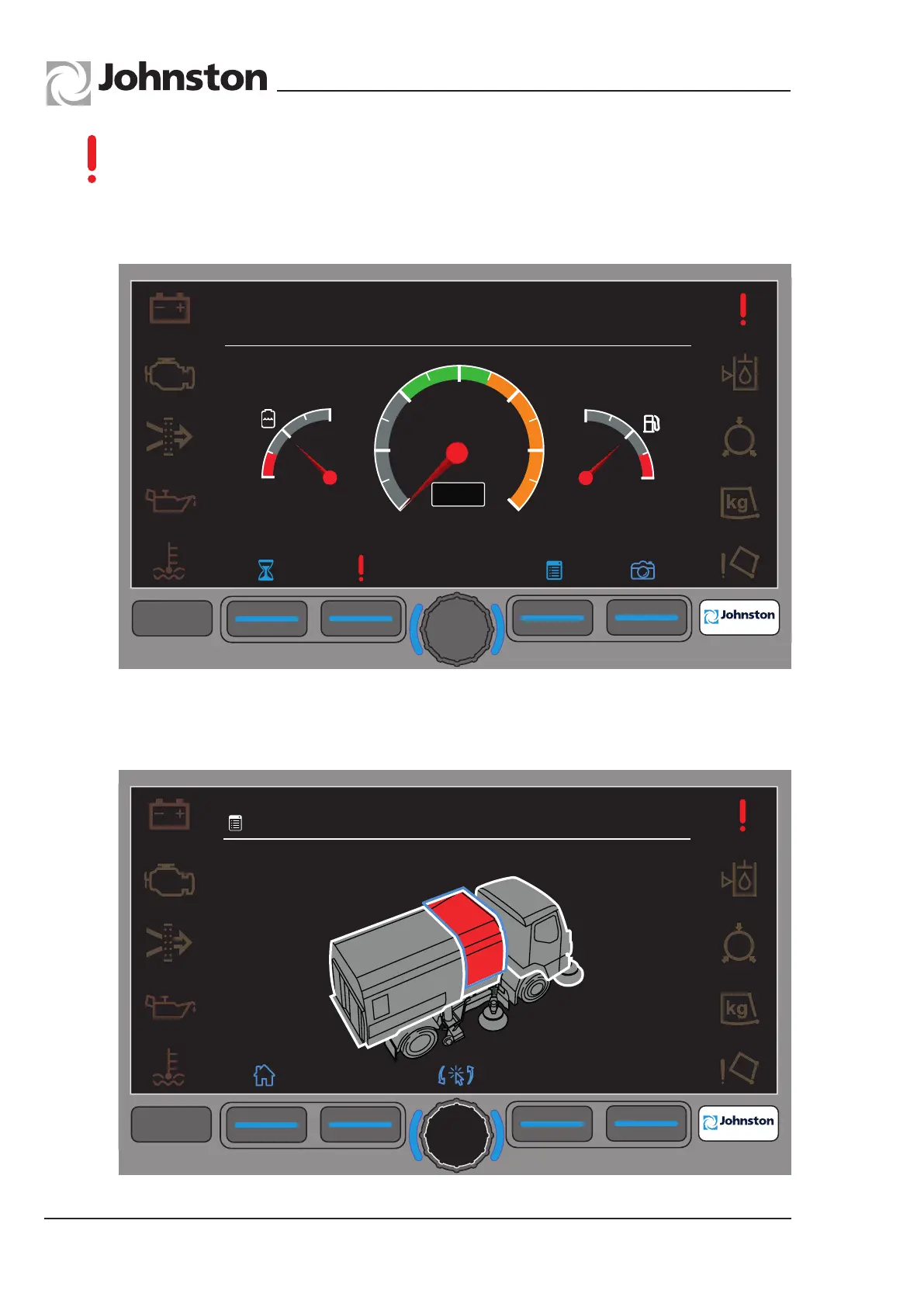
Should a fault occur in any of the equipment operating systems the fault icon (!) is
displayed over soft key F2.
Selecting F2 automatically opens Menu 4.2 (CANbus Network) which highlights the
location of the affected Node.
Menu4.2-CANbusNetworkFaults
Rotate the encoder to highlight the indicated area (Powapak).
Press the encoder to display the fault.
F1
F2
F3
F4
F4
09:45
23.03.2013
4.2
System Faults
F1
F2
F3
F4
F4
8
10
12
14
16
18
20
n/min
0
1
½
1
0
0
1
½
09:45
23.03.2013
All Copyright and rights are the property of Johnston Sweepers Ltd



 To Next Page