Chapter - Johnston Visual Module
Page Issue 01
OG
5:10
V Range 501 ● 651 ● 801 - Operator’s Guide
F1
F2
F3
F4
F4
09:45
23.03.2013
4.10.1.2
0.0v
F1
F2
F3
F4
F4
09:45
23.03.2013
4.10.1.1
0.0v
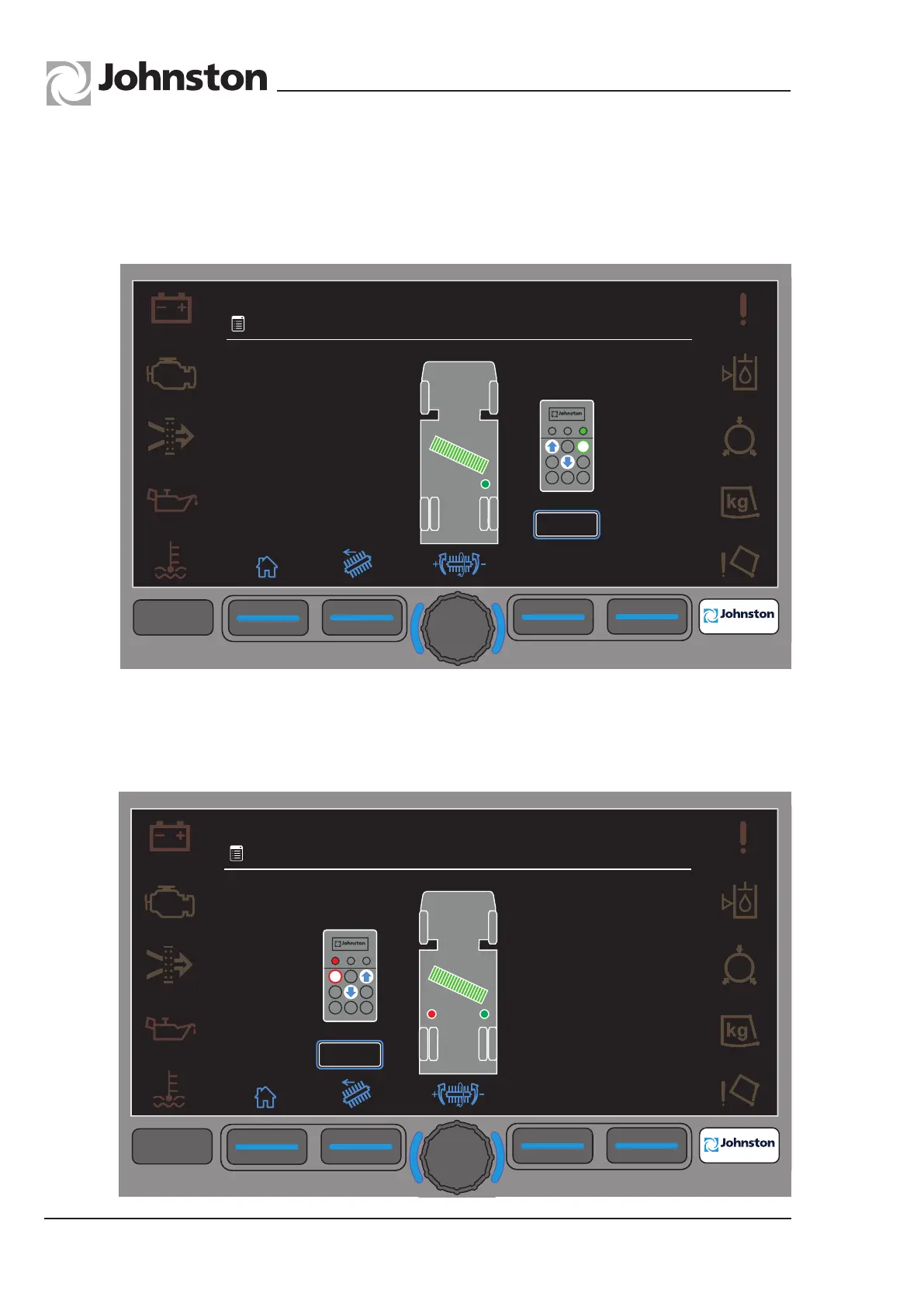
Menu 4.10.1.2 - LH Cylinder selected by holding down top LH button on pendant. Green
LED goes out. Adjust using upper and lower buttons. When adjusted, LH button is
released and screen returns to 4.10.1. Press F2 to select LH Slew and repeat process.
Pressing F1 exits the menu, and the Wide Sweep Brush goes to raised position.
Menu 4.10.1.1 - RH Cylinder selected by holding down top RH button on pendant. Red
LED goes out. Adjust using upper and lower buttons. When adjusted, RH button is
released and screen returns to 4.10.1.
Wide Sweep Brush Balance (continued)
All Copyright and rights are the property of Johnston Sweepers Ltd



 To Next Page