5-15
5.3.1.5 Long Range Message
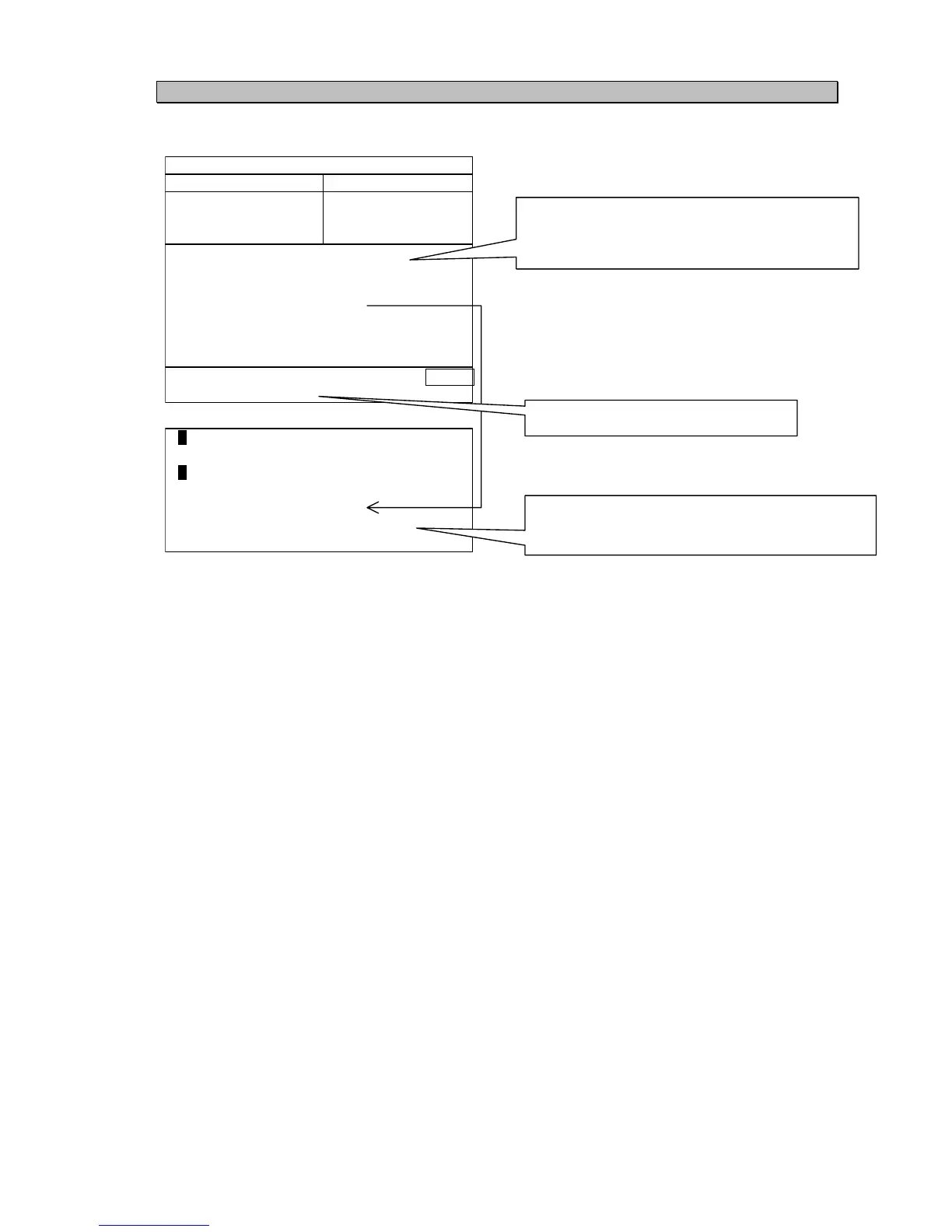
“Long Range Message” can be displayed by pressing [5] in “Message Menu”.
LONG RANGE UTC11:43
FROM 999999999 ACK>
OFFICE
○
○
○
○
C = Position
E = Course over ground
B = Date and time of message composition
I = Destination and ETA
↓
O = Draught
F = Speed over ground
A = Ship’s name, Call sign, IMO number
P = Ship / Cargo
U = Ship's length, breadth, and type
W = Number of persons on board
BRG : RANGE NAME/MMSI
270°: 0.18NM JRC MARU1
35°: 0.29NM JRC MARU2
22°: 0.92NM JRC MARU1
Pressing down-arrow key displays next page of the “Long range”.
Pressing up-arrow key displays previous page of the “Long range”.
Last received message from the Long range
or
Last transmitted message to the Long range
Destination MMSI and ship’s name
Pressing this select key starts the message
transmit.
Reversal letter indicates requested item.
Right side of the not requested item is blank.



 To Next Page