12
Preparing the machine / Using the machine
Looper cover
To open, press to the right with your thumb in the indent pro-
vided and tilt the cover towards you. To close push it up and
press lightly to the right. The cover engages automatically.
Safety device: The sewing machine is equipped with a
safety device in order to prevent malfunction. In any of the
following cases, the safety device works to prevent the sew-
ing machine from running.
* When the looper cover is opened
* When the cloth plate is opened
* When the presser foot is raised
Main Power/light switch
The main power/light switch is conveniently placed on the
handwheel side of the machine in front of the socket.
I = On with light
O = O
CAUTION:
Perform these following steps when you are not using
your sewing machine.
1. Be sure to turn OFF the power switch.
2. Be sure to remove the power plug from the wall outlet.
3. Do not place a thing on the foot controller.
A
B
A
B
D
C
Changing the position of the needle up/down
switch
CAUTION
If you want to change the position
of the needle up/down switch, be
sure to turn OFF the power switch
or unplug the controller.
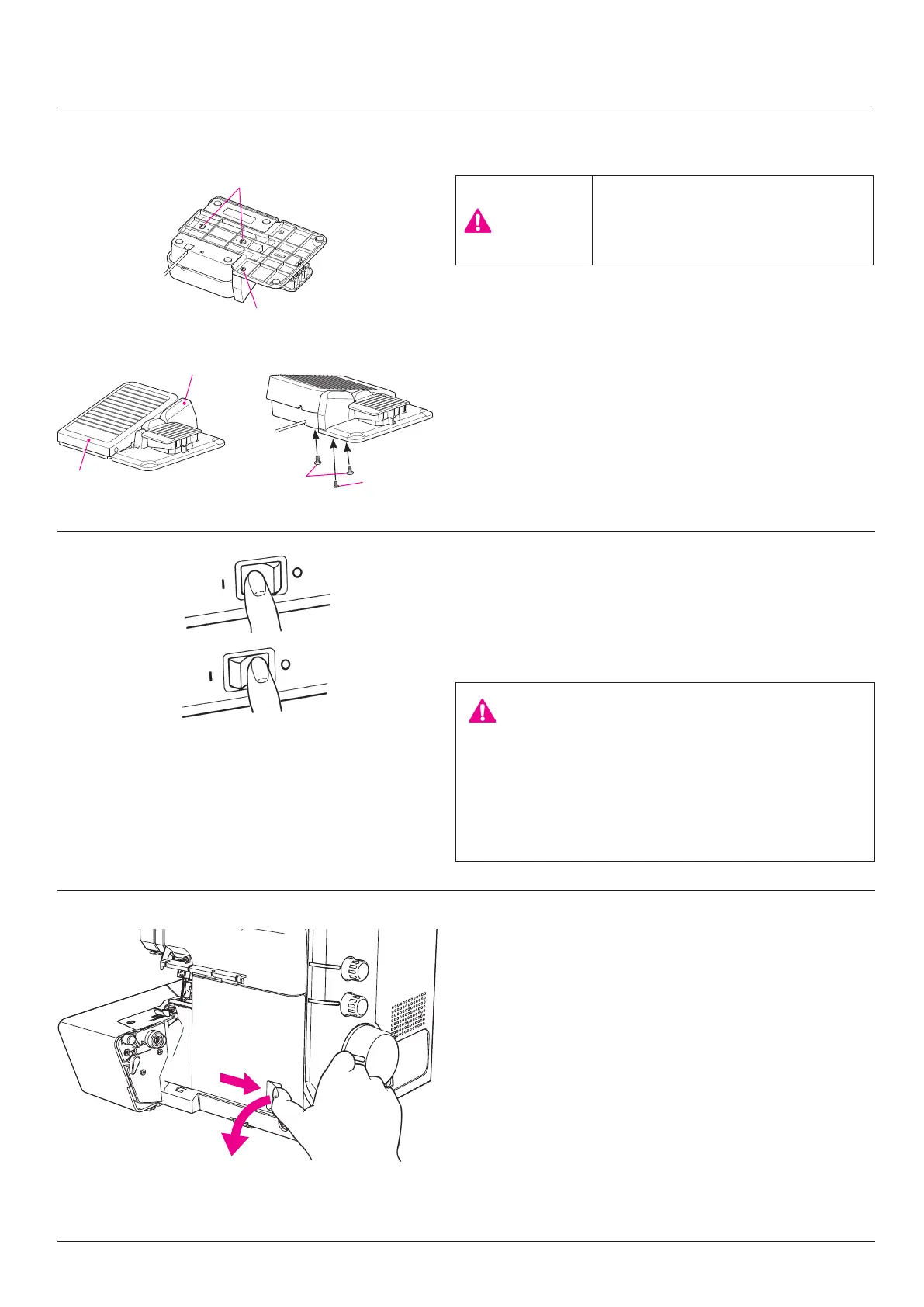
The lateral position of the needle up/down switch can be
changed in relation to the controller pedal. Adjust the needle
up/down switch to your preferred position for use.
[How to change]
1. Remove pedal setscrews (A) and block setscrew (B).
2. Reverse pedal (C) and block (D). Install pedal (C) to block
(D) to the opposite side. Then, secure them by tightening
pedal setscrews (A) and block setscrew (B).


 To Next Page