22
Automatic chain-o
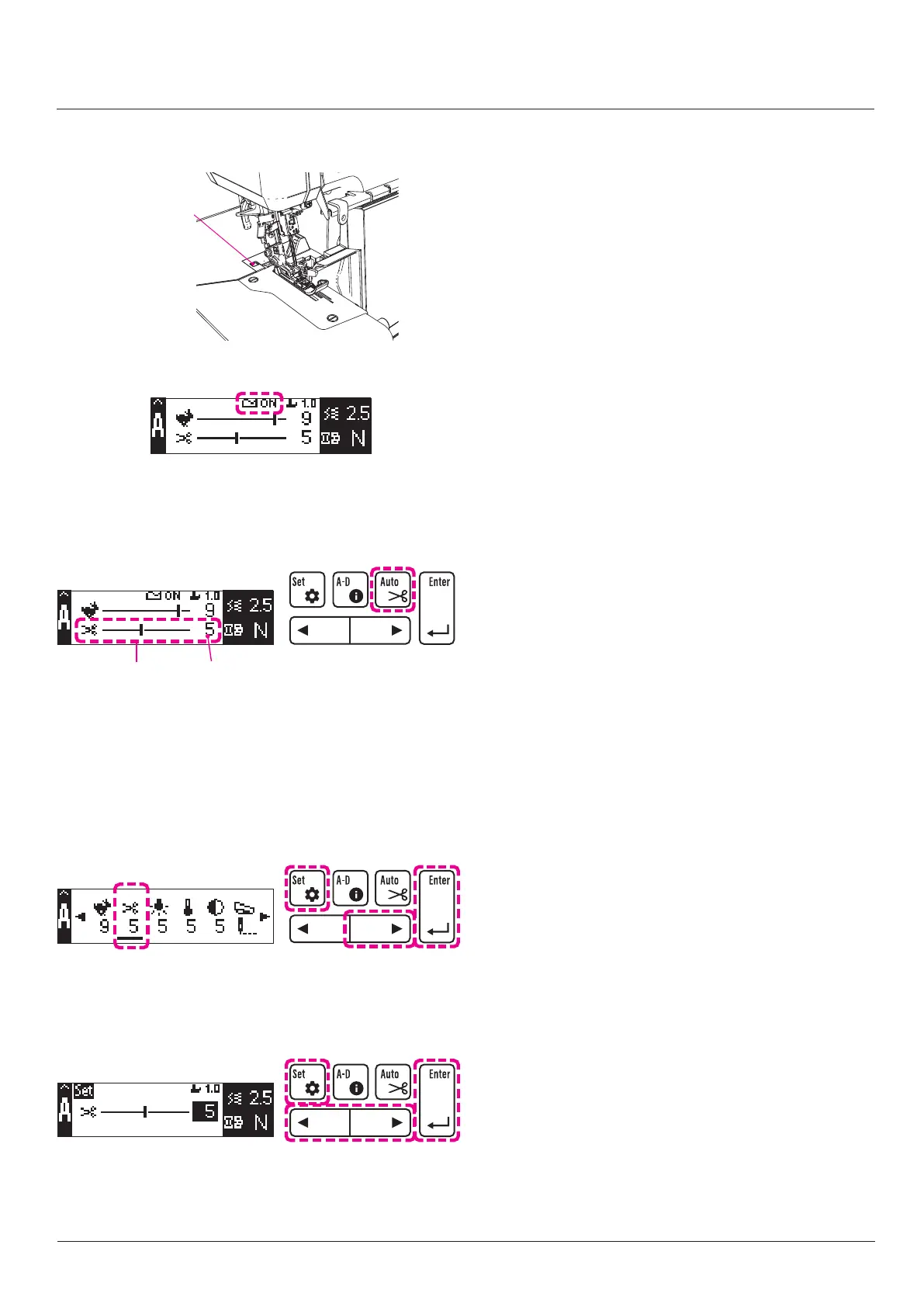
thread cutter sensor
■
Setting the automatic chain-o thread cutting
function
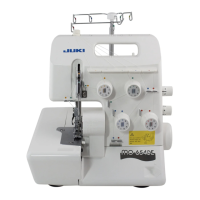
1. Press automatic chain-o thread cutting changeover
button
.
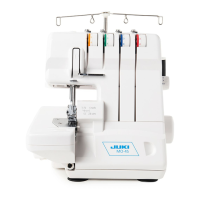
2. When the automatic chain-o thread cutting function is
set,
is displayed on the sewing screen (parameter
display).
3. If you want to disable the automatic chain-o thread
cutting function, press automatic chain-o thread cut-
ting changeover button
again.
■
Setting the length of chain-o thread
It is possible to set the chain-o thread length to be cut
automatically.
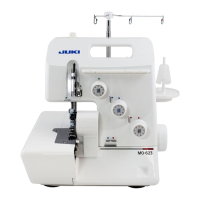
1. Press edit button
.
2. Press right button
to select the item (second from
the left) corresponding to the automatic chain-o
thread cutting length.
3. Press enter button
.
Automatic chain-o
thread cutting length
4. Press right or left button
to determine the chain-o
thread cutting length.
5. Press enter button
.
6. Press edit button
.
Adjustments and settings
Automatic chain-o thread cutting
When the automatic chain-o thread cutting function is
enabled, the material end is detected at the end of sewing
and chain-o thread is automatically cut to the set length.
* If the material is present on the sensor, the chain-o
thread cutter will not operate.
* Note that the automatic chain-o thread cutting function
may fail to work well depending on the material used
(such as a transparent material).
In such a case, place the automatic chain-o thread
cutting function in OFF and press the chain-o thread
cutting button manually.
* As long as the sensor recognizes the material,
is
displayed on the LCD screen.


 To Next Page