ENGLISH
106
A. Activating alert mode
On the remote control: Press
to activate.
On the Smart Panel: Check first that the Smart Panel is in standby mode and then activate alert
mode as instructed below.
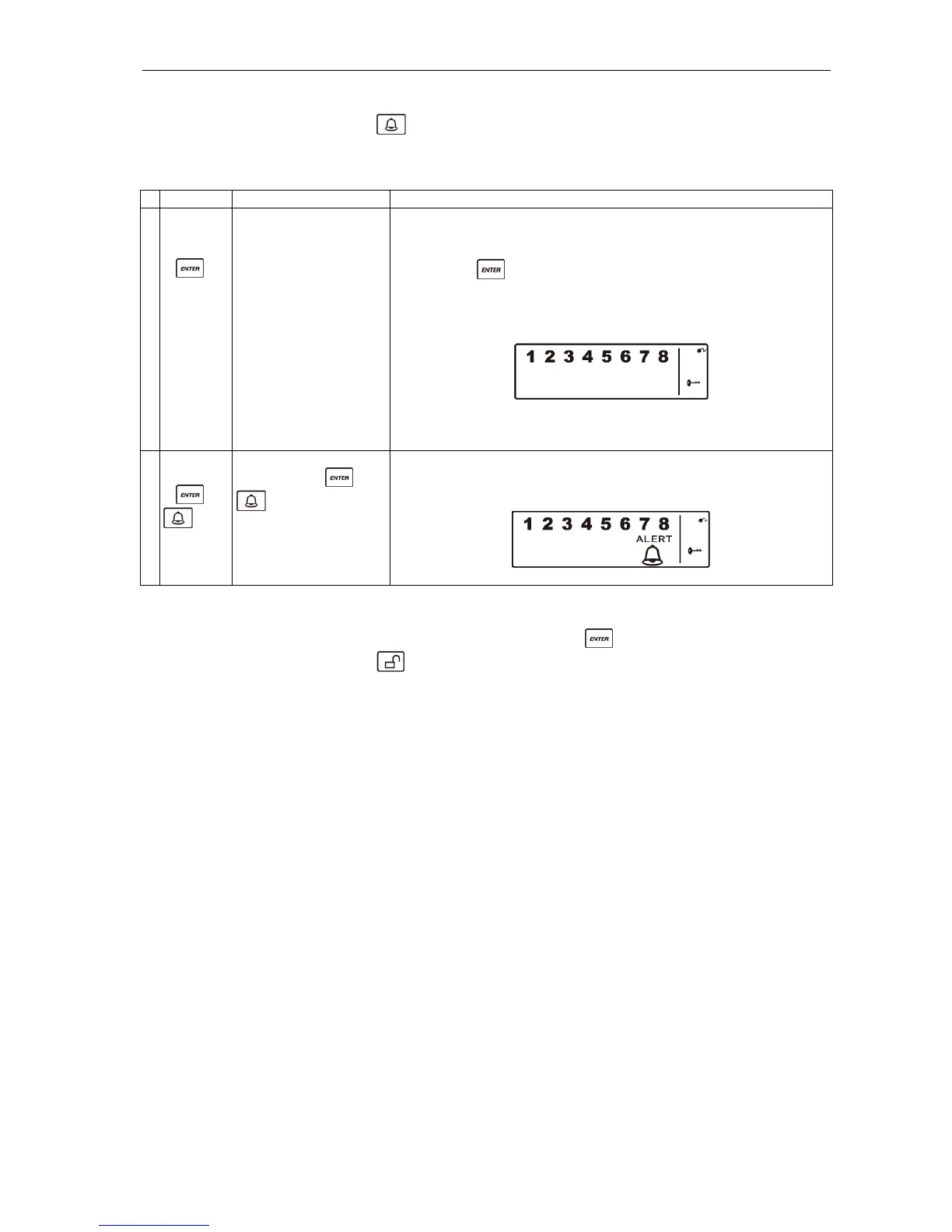
Buttons Description Note
1 (1234/4-
digit PIN
code)
+
You must be in
standby mode before
you can activate alert
mode.
* How to check you are in standby mode:
Key in the factory-set PIN code 1 2 3 4 or your new 4-digit
PIN code.
Press .
The following appears on the Smart Panel when in standby
mode.
(One beep indicates that you have entered a valid PIN code. Three
beeps indicate that you have entered an incorrect code.)
2 4-digit
PIN code
+
Key in the 4-digit PIN
code, press and
for alert mode.
The system now switches to alert mode.
If the zone is activated, a number is displayed as illustrated below:
B. Deactivating alert mode
On the Smart Panel: Key in your 4-digit PIN code followed by
to deactivate alert mode.
On the remote control: Press
to deactivate alert mode.


 To Next Page