ENGLISH
93
description in section Walking Test). If the walking test produces an approved result, you do not need to
change the sensitivity setting. Set the sensitivity to Middle or High, as required, if the walking test
indicates that the sensitivity is too low. A walking test should be performed each time the sensitivity is
changed.
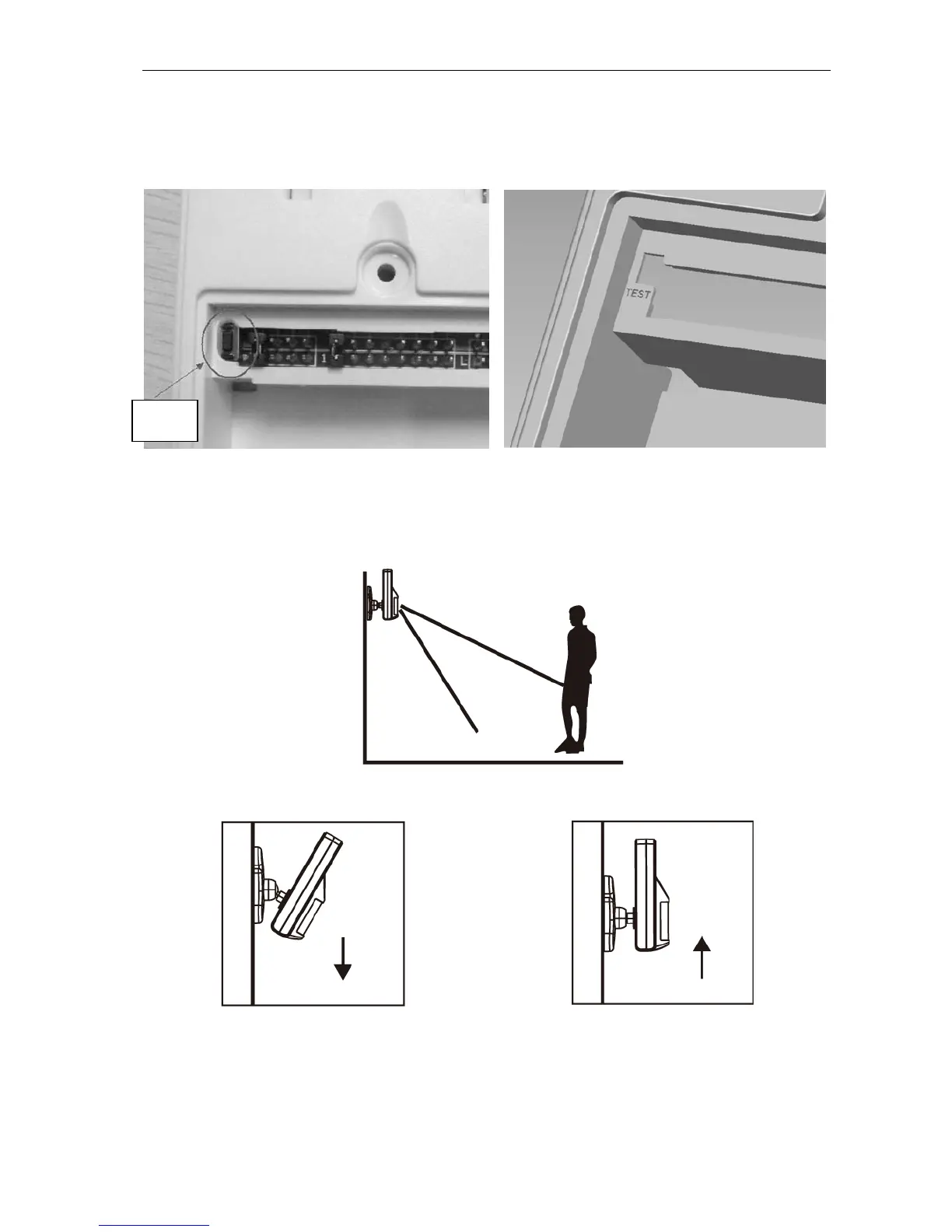
Test Motion Sensor by pressing the test button inside the battery compartment.
Walking test
When the sensor has been installed in the desired location, it is important to perform a walking test to
check that the sensor is monitoring the correct area.
Angle the sensor down to reduce the area. Angle the sensor up to maximise the area.
The detection range of the sensor can be adjusted by changing the angle of the sensor. Angle the sensor
down to reduce the detection range. Angle the sensor up to maximise the range. NOTE! Activate alert
mode before performing the walking test. Otherwise the alarm will be triggered.
You should walk within the area you want the sensor to monitor. When movement is detected, the red
lamp inside the unit lights up. If the red lamp does not light, you have to adjust the installation angle. Wait
Test


 To Next Page