ENGLISH
90
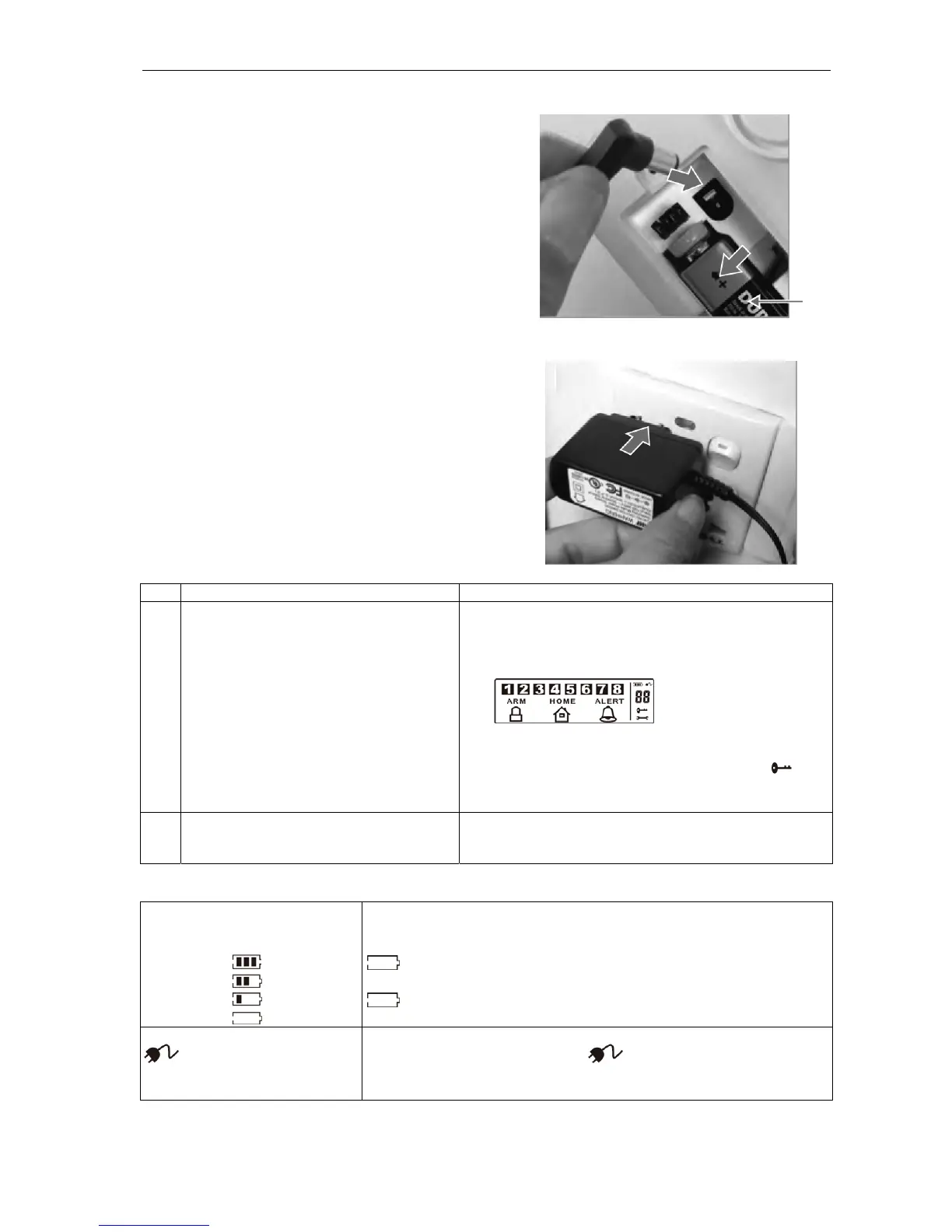
Insert a new 9V battery (1) and connect the
mains adapter to the Smart Panel. Replace the
battery cover.
The adapter can now be plugged into a wall
socket.
Description Note
1 Insert the alkaline 9V back-up battery.
beep will be heard and the background lighting will
flash within one second (yellow→red→green→yellow).
The following screen appears on the Smart Panel:
[ARM HOME ALERT]
The Smart Panel switches to standby mode once the
automatic internal check has been completed. then
appears in the display. Key in the factory-set PIN code
1234.
2 Low battery level warning
Connect the mains adapter to the DC
input on the rear of the Smart Panel.
The mains supply (with the mains adapter) must always
be connected. The 9V battery is only intended for back-
up operation in the event of a power failure.
Explanation of the symbols for battery and mains adapter
The battery symbol indicates the
battery charge level as shown
below.
The battery symbol indicates that the mains power supply has been
disconnected or interrupted.
The 9V battery is only intended for BACK-UP OPERATION and the
symbol means LOW BATTERY LEVEL.
The display’s background lighting flashes YELLOW for 30 seconds and
flashes until a new battery has been inserted or the mains power
supply has been connected via the mains adapter.
Full –
High –
Medium –
Low –
Mains adapter symbol
When the mains adapter for the Smart Panel is connected to a wall
socket, the mains adapter symbol is displayed.
The background lighting is lit for ten seconds while the mains adapter
is connected to the mains power supply.
1


 To Next Page