51
8 Configuration
8.9 Locking
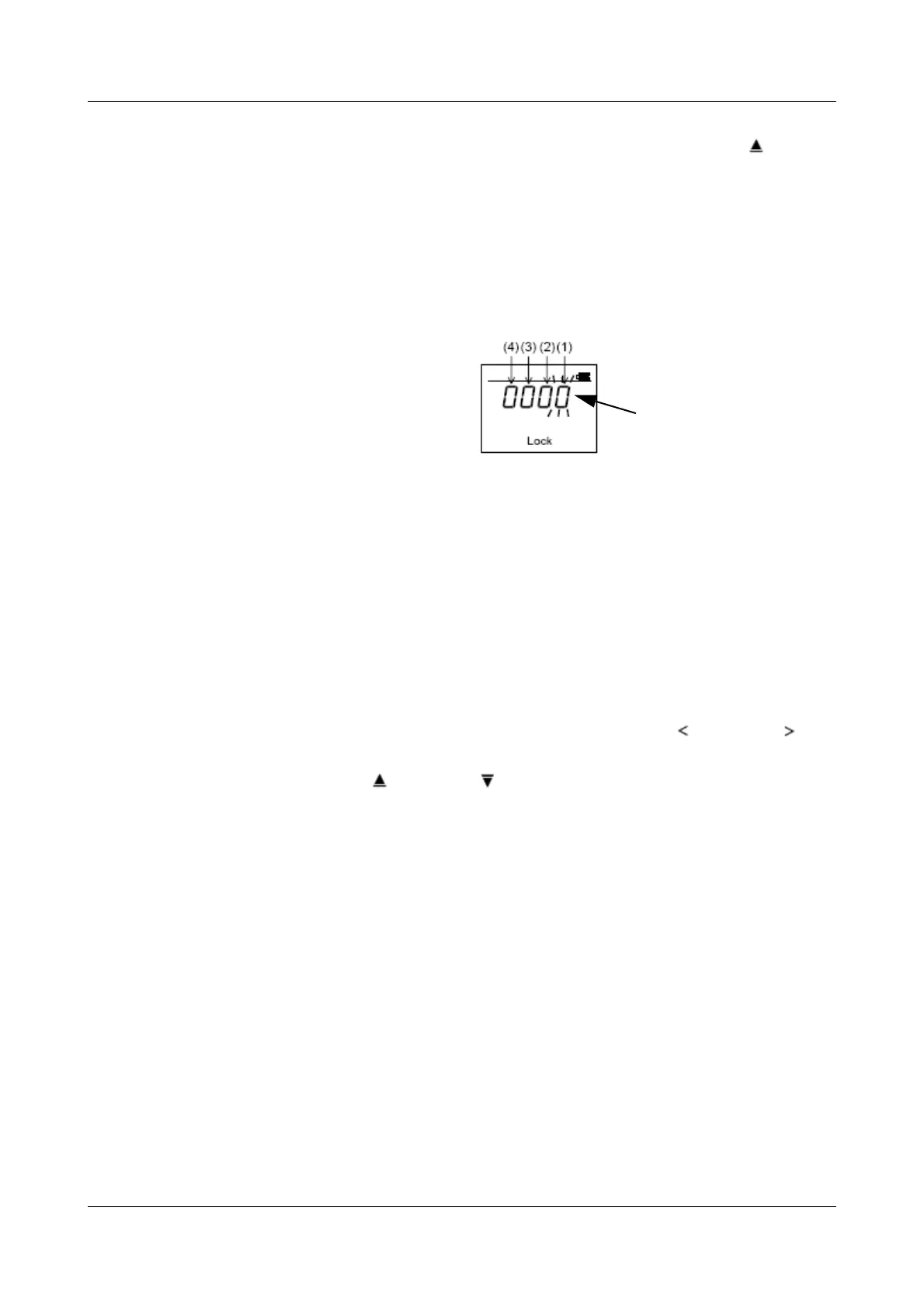
Lock Different menus and individual parameters can be protected against
accidental alteration through this parameter; the display for the current
settings remains visible.
Select between: (1) 0 = Date and time can be altered.
1 = Date and time cannot be altered.
(2) 0 = Menus Fn3, Fn8 and Fn9 are not
locked.
1 = Menus Fn3, Fn8 and Fn9 are locked
against alterations.
(3) 0 = Menu Fn2 is not locked.
1 = Menu Fn2 is locked against alterations.
(4) 0 = Measurements (one or all) can be
deleted.
1 = Measurements cannot be deleted.
factory-set: 0000 (locking inactive)
h Select the digit you want to alter by pressing the LEFT ( ) or RIGHT ( ) key
(digit is shown blinking).
h Press the UP ( ) or DOWN ( ) key to alter the value.
h Press the SET key to activate the selected correction.
h Press the ESC key twice to return to normal display.
If switch-off is not active (OFF), then press the UP key () once to
activate it. Afterwards, you can alter the time as described.



 To Next Page