1-34 (No.MB563)
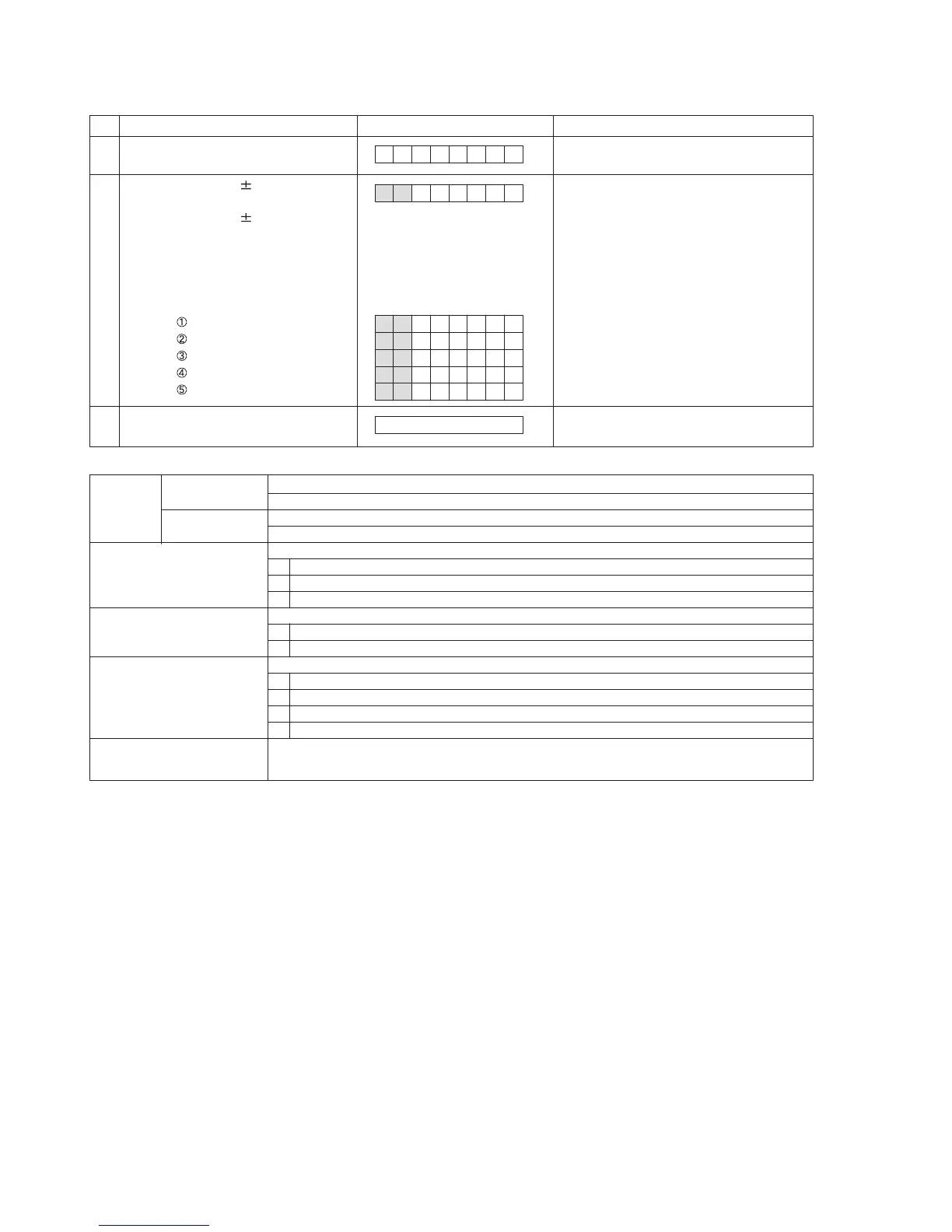
4.3.3 Reading the ERROR HISTORY
4.3.4 ERROR details
The reading method is done by the following ways.
No. Operation Indication System micon processing
1
Receive the remocon code.
[STOP]+[ 3 ]+[POWER]
ER I OFNR
Read out the ERROR HISTORY
information from EEPROM.
3
Cancel the mode by remocon code.
[STOP]+[ 3 ]+[POWER]
Return to normal function indication.
2
Address change to 1 by <<, >> key
of the remote controller.
Address change to 0x10 by |<<, >>|
key of the remote controller.
Indication is start address to 00 then
indicate step by 1 byte.
operation exp.) address 00 indicating
00 01:
01 05:
F0 00:
00 01:
0F 11:
10 21:
Read out the ERROR HISTORY
information from EEPROM.
Press >> key
Press >>| key
Press << key
Press |<< key
Press |<< key
address data
SAFETY Number
AD value
SAFETY number at SAFETY occur.
1~5 (SAFETY watch umber difference by model)
AD value at SAFETY occur
00~FF
Factor that was not able to be power off.
10
70
90
Abnormal factor concerning DVD
70
71
Factor that was power off
10
20
30
40
P.OFF timeout factor
P. OF F
Others
DVD
DVD, CD TIMEOUT
MECHA CLOSE TIMEOUT
Others
MECHA CLOSE TIMEOUT
MECHA OPEN TIMEOUT
NORMAL
AUTO STANDBY
SLEEP
TIMER



 To Next Page