29
ENGLISH
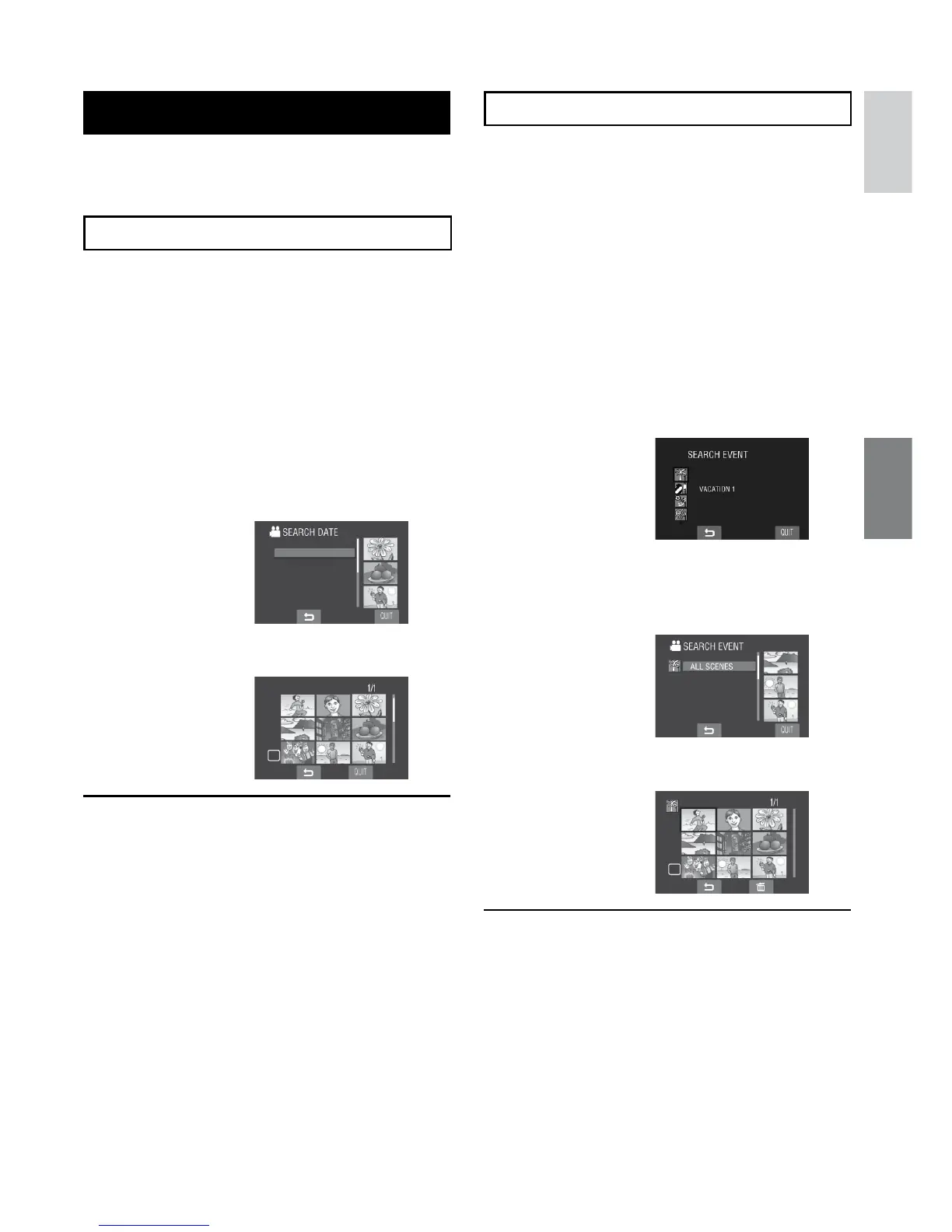
File Search Function
You can switch the index screen to the date
index screen or event screen and search a file
by the recording date or the event.
Date Index Screen
You can search the desired file by the
recording date.
Preparation:
•
Slide the mode switch to select ! or #
mode.
•
Press the SELECT PLAY/REC button to
select playback mode.
1
Select ?.
2
Select the recording date.
3
Select the file you want to play back.
L To return to the index screen
Select @.
L To quit the screen
Select [QUIT].
Event Screen
!
You can search the desired file by the event
that you registered the file to when recording.
(Z pg. 23) After searching by the event, you
can search by the recording date to narrow
down the search.
Preparation:
•
Slide the mode switch to select ! mode.
•
Press the SELECT PLAY/REC button to
select playback mode.
1
Select 4.
2
Select the event.
3
Select the recording date.
To display all the files, select [ALL
SCENES].
4
Select the file you want to play back.
L To return to the index screen
Select @.
L To change the event registration of a
file
See page 35.



 To Next Page
 Loading...