Managing Files (Continued)
Viewing File InformationFile Information
Preparation:
•
For ! mode: Pause the playback.
Alternatively, select the file on the index
screen.
•
For # mode: Play back the still image.
Alternatively, select the file on the index
screen.
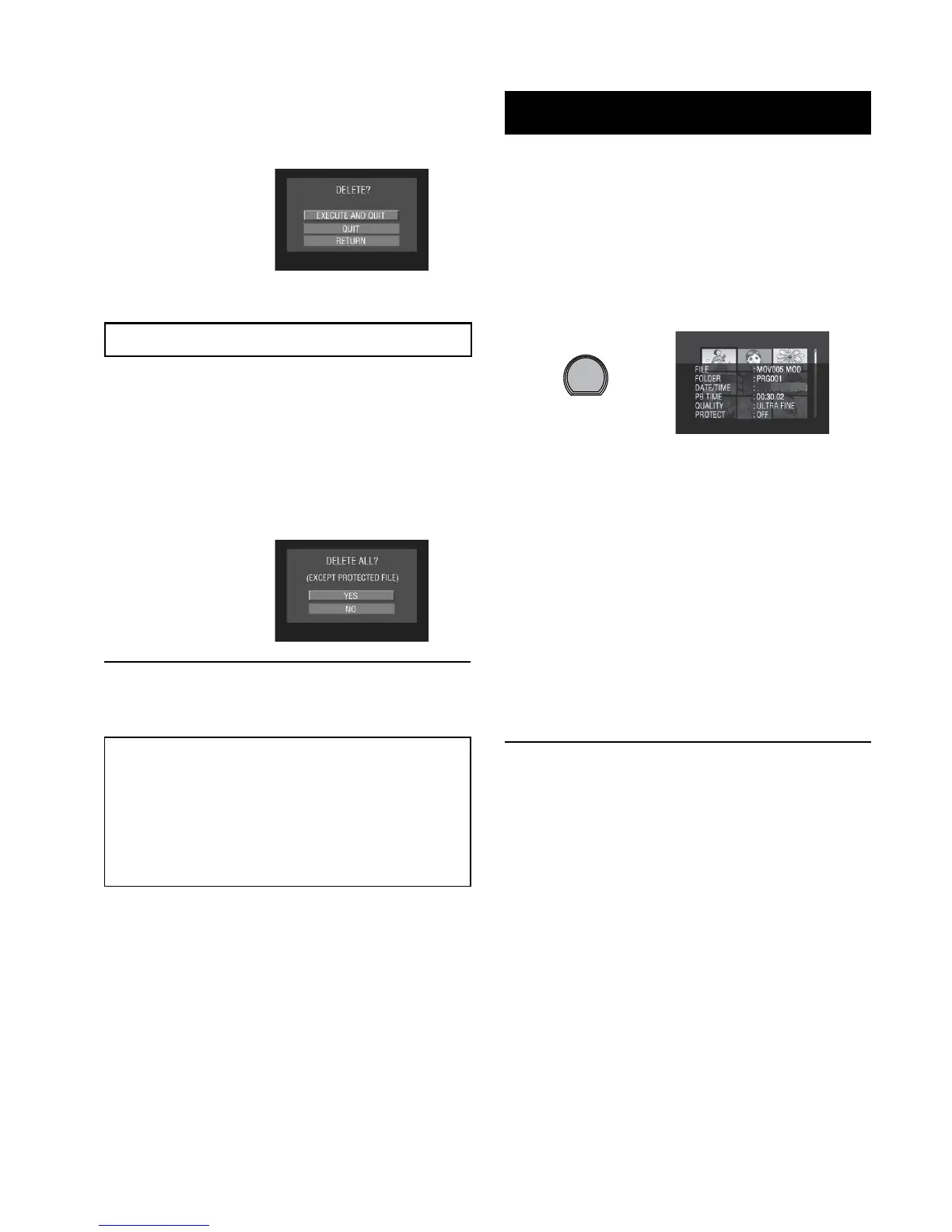
Press the INFO button.
•
FILE:
File name
•
FOLDER:
Folder name
•
DATE/TIME:
Date and time of the recording
•
PB TIME (for video files):
Playback time (length of the file)
•
SIZE (for still images):
Image size
•
QUALITY:
Image quality (
Z pg. 61)
•
PROTECT:
File protection status (
Z pg. 33)
L To turn off the file information display
Press the INFO button again.
6
Select [EXECUTE AND QUIT] (when
performing [DELETE]) or [YES]
(when performing [PROTECT]).
Deleting/Protecting All Files
After performing steps 1-2 (Z pg. 33)
3
Select [DELETE ALL] or [PROTECT
ALL].
4
When [DELETE ALL?] or [PROTECT
ALL?] appears, select [YES].
L To quit the screen
Select [QUIT].
L To release protection
Select the protected file in step 4
(“Deleting/Protecting Files” Z pg. 33).
L To release protection of all files
1) In step
3, select [CANCEL ALL].
2) Select [YES].



 To Next Page
 Loading...