Basic operations of disc/file playback
24
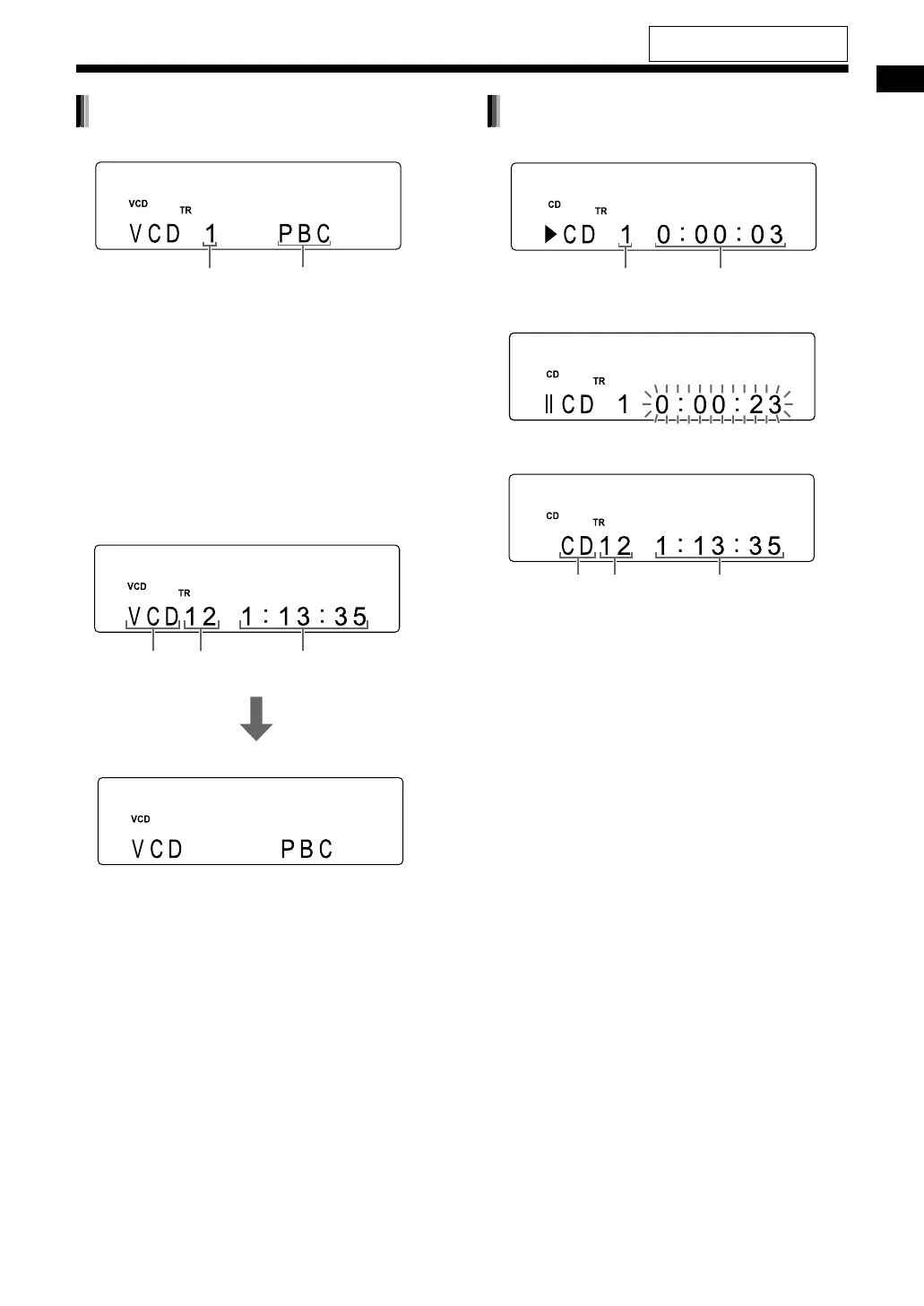
■ When a disc is played back
• You can use the menu screen to control play-
back of a PBC compatible disc.
• To cancel the PBC function, follow the instruc-
tions below.
- Specify the track number using the number
buttons when the disc is stopped.
- Specify the track number using
[PREVIOUS 4] or [NEXT ¢] when the
disc is stopped, and then press [DVD/CD 3].
• Press [RETURN] to return to the upper layer
during PBC playback.
■ When a disc is stopped
(When the PBC function is activated)
• When “RESUME” is displayed in the display win-
dow, refer to page 27.
■ When a disc is played back
■ When a disc is paused
■ When a disc is stopped
VCD/SVCD
Track number
Playback control
Total playback
time
Disc type Total number
of tracks
A few seconds
later
CD
Elapsed playback timeTrack number
Total playback
time
Disc type Total number
of tracks
For the locations of the remote
control buttons, refer to page 21.
EX-A3[J_C].book Page 24 Wednesday, December 27, 2006 3:53 PM


 To Next Page