Setting SMILE%
“SMILE%” allows you to set the items to display when faces are detected.
This item
is only displayed when “TOUCH PRIORITY AE/AF” is set to “FACE
TRACKING”.
This function is available for both videos and still images.
“Capturing Subjects Clearly (TOUCH PRIORITY AE/AF)” (A p. 34)
1
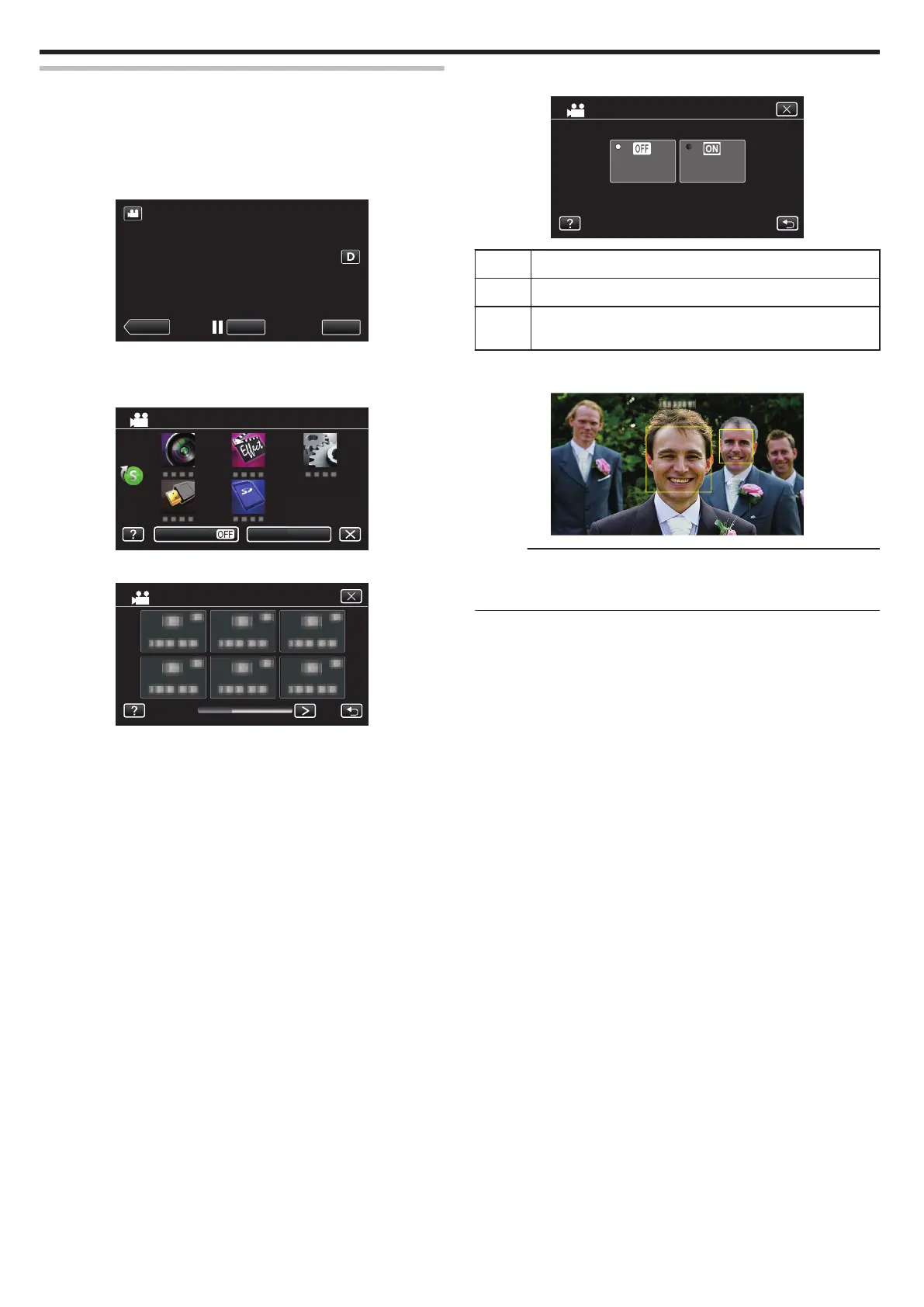
Tap “MENU”.
.
0
The top menu appears.
2
Tap “RECORD SETTING”. (Go to step 4.)
Alternatively, tap “SMILE%” in the shortcut menu. (Go to step 5.)
.
3
Tap “SMILE%”.
.
0
Tap 0 or 1 to move to the previous/next menu.
0
Tap L to exit the menu.
0
Tap J to return to the previous screen.
4
Tap the desired setting.
.
Setting Details
OFF Displays only the frames when faces are detected.
ON Displays the frames and smile levels (%) when faces are
detected.
0
Frame: Appears around detected faces.
Smile level: Appears in value (0 % - 100 %) for detected smiles.
.
Memo :
0
The
camera
is able to detect up to 16 faces. Smile levels will be displayed
for up to 3 of the largest faces displayed on the screen.
0
Some faces may not be detected depending on the shooting environment.
Recording
36


 To Next Page
 Loading...