Slow-motion (High-speed) Recording
You can
record videos in slow-motion by increasing the recording speed to
emphasize the movements, and play back the slow-motion video smoothly.
This is a handy function for checking movements, such as golf swings.
Recording Speed 300 fps
Image size 720×480
Maximum Recording Time 144 m
Maximum Playback Time 12 h
Image Size when Connected to Monitor 1920×1080
0
The playback time will be 5 times of the actual recorded time.
(Example: If the recorded time is 1 minute, the playback time will be 5
minutes.)
1
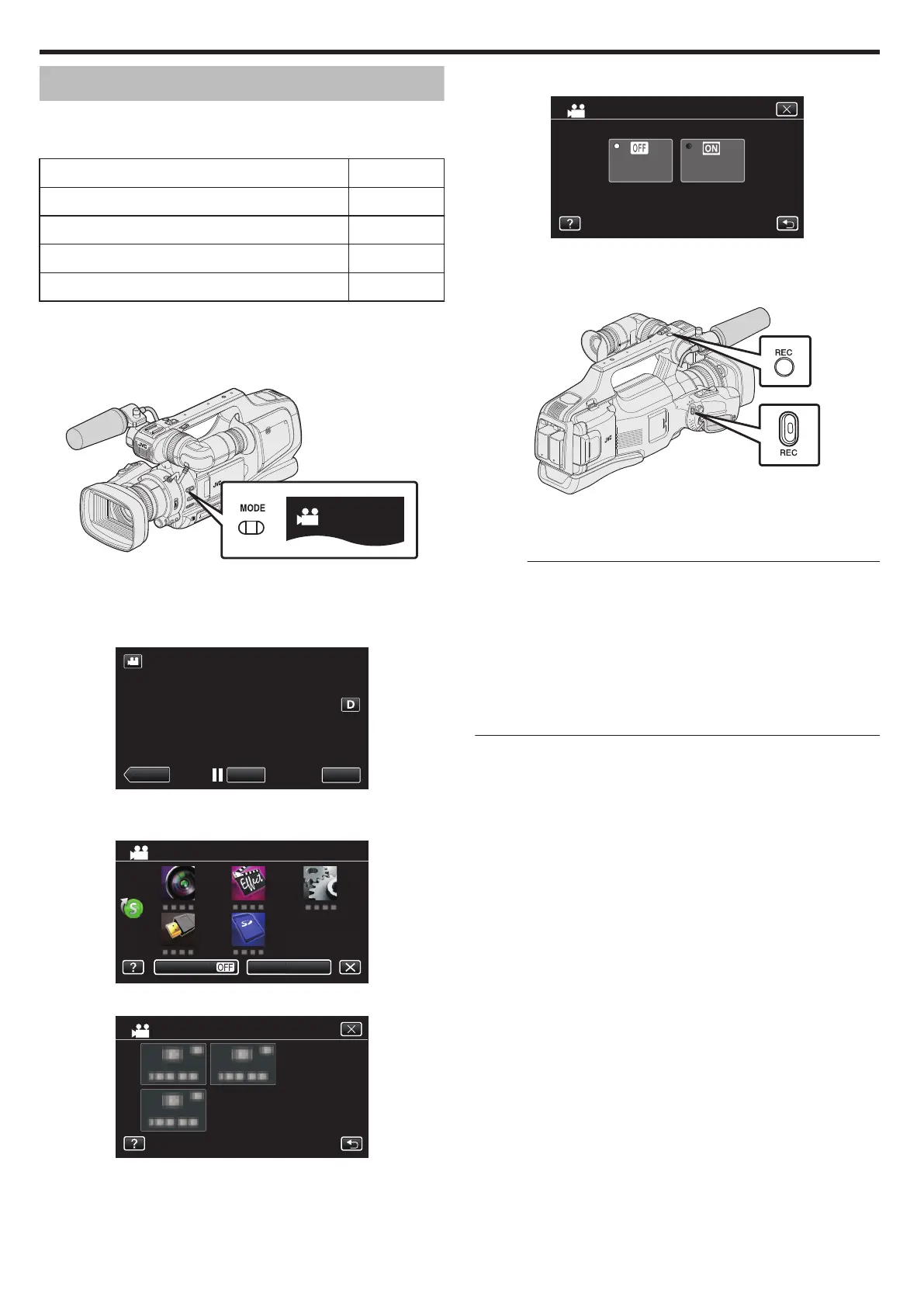
Check that the unit is in the video mode.
.
0
Check if video mode A is activated.
0
If still image mode (B) is activated, switch to video mode (A).
“Selecting Video/Still Image Recording Mode” (A p. 19)
2
Tap “MENU”.
.
0
The top menu appears.
3
Tap “SPECIAL RECORDING”.
.
4
Tap “HIGH SPEED RECORDING”.
.
0
Tap L to exit the menu.
0
Tap J to return to the previous screen.
5
Tap “ON”.
.
ON
OFF
HIGH SPEED RECORDING
0
When “ON” is tapped, 300 frames can be recorded in 1 second.
0
To cancel high-speed recording, tap “OFF”.
6
Start recording.
.
0
Press again to stop.
0
Settings of high-speed recording are not saved when the power is
turned off.
Memo :
0
Images may appear grainier than other videos. The image displayed on
the LCD monitor during recording may also appear grainier.
0
Audio sound is not recorded together with the video.
0
When high-speed recording is enabled, only the optical zoom can be
used.
0
During high-speed
recording, “TOUCH PRIORITY AE/AF” is set to “OFF”
. In addition, as image stabilizer is set to “OFF”, it is recommended that a
tripod be used, and recording be performed in a bright location with the
subject magnified as much as possible.
“Tripod Mounting” (A p. 15)
Recording
38


 To Next Page
 Loading...