EasyManua.ls Logo

JVC HR-D540EE - Video Circuit

JVC HR-D540EE
90 pages
Print Icon
To Next Page IconTo Next Page
To Previous Page IconTo Previous Page
Loading...
2.5
VIDEO
CIRCUIT
Note:
;
Unless
otherwise
specified,
all
test
points
and
adjustment
parts
are
lo
cated
on
the
MAIN
board.
2.
T
indicates
the
time
and
volts
division
setting
of
the
oscilloscope
(Use
10
:
1
probe).
Adjustment
[om
[eons
[AE
[
Sr
REC
color
L201-@
R220
PB
mode
1)
Connect
an
oscilloscope
to
L201-
@
(1C201-
level
and
(VIDEO
UNIT
|
(SP
REC
©
MH-2
color
bar
19)
pin
as
shown
in
Fig.
2-5-1
and
observe
color
ch
balance
board)
color
level)
|@SP
mode
signal
level.
2)
Set
the
MH-2
alignment
tape
into
the
cassette
housing,
play
back
the
color
bar
segment
of
MH-2
alignment
tape.
3)
Set the
tracking
of
the
FRONT
panel
to
the
Auto
tracking
off
position
by
simultaneously
pressing
the
“+”
and
‘’—"'
tracking
buttons.
4)
Adjust
by
pressing
the
“+’’
and
“—’’
track-
ing
buttons
of
the
Front
panel
for
maximum
level
of
the
color
waveform
and
make
a
note
of
the
higher
color
level
“A’’.
5)
Press
the
STOP
button
on
the
FRONT
panel
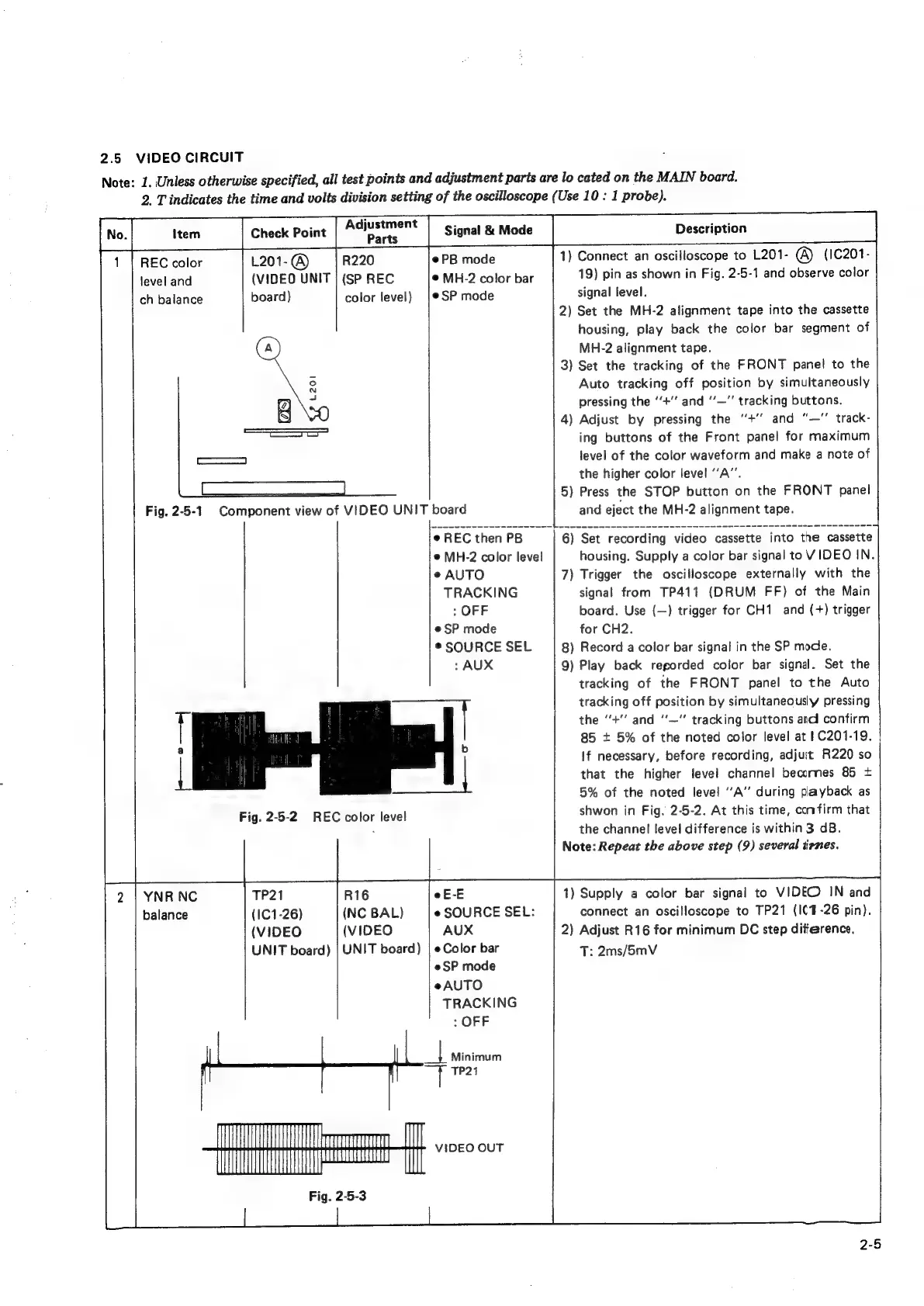
Fig.
2-5-1
Component
view
of
VIDEO
UNIT
board
|
and
eject
the
MH-2
alignment
tape.
©
REC
then
PB
6)
Set
recording
video
cassette
into
the
cassette
e
MH-2
color
level
housing.
Supply
a
color
bar
signal
to
VIDEO
IN.
e
AUTO
7)
Trigger
the
oscilloscope
externally
with
the
TRACKING
signal
from
TP411
(DRUM
FF)
of
the
Main
:
OFF
board.
Use
(—)
trigger
for
CH1
and
(+)
trigger
e
SP
mode
for
CH2.
©
SOURCE
SEL
8)
Record
a
color
bar
signal
in
the
SP
mode.
:
AUX
9)
Play
back
regorded
color
bar
signal.
Set
the
tracking
of
the
FRONT
panel
to
the
Auto
tracking
off
position
by
simultaneously
pressing
i
|
the
“+"’
and
‘‘—”
tracking
buttons
andl
confirm
AME
|
i
85
+
5%
of
the
noted
color
level
at
1C201-19.
If
necessary,
before
recording,
adjuit
R220
so
that
the
higher
level
channel
becornes
85
+
5%
of
the
noted
level
‘“A’’
during
payback
as
Fig.
2-5-2
REC
color
level
shwon
in
Fig.
2-5-2.
At
this
time,
confirm
that
.
the
channel
level
difference
is
within
3
dB.
Note:
Repeat
the
above
step
(9)
several
iirnes.
2
|
YNR
NC
TP21
R16
eE-E
1)
Supply
a
color
bar
signal
to
VIDEO
IN
and
balance
(IC1-26)
(NC
BAL)
e
SOURCE
SEL:
connect
an
oscilloscope
to
TP21
(I(4-26
pin).
(VIDEO
(VIDEO
AUX
2)
Adjust
R16
for
minimum
DC
step
ditference.
UNIT
board)
|
UNIT
board)
|
e
Color
bar
T:
2ms/5mV
@SP
mode
eAUTO
TRACKING
:
OFF
2-5

Related product manuals