EasyManua.ls Logo

JVC HR-D540EE - Controls, Indicators, and Connectors

JVC HR-D540EE
90 pages
Print Icon
To Next Page IconTo Next Page
To Previous Page IconTo Previous Page
Loading...
{
CONTROLS,
INDICATORS
AND
CONNECTORS
[Refer
to
diagrams
on
the
front
foldout
page.|
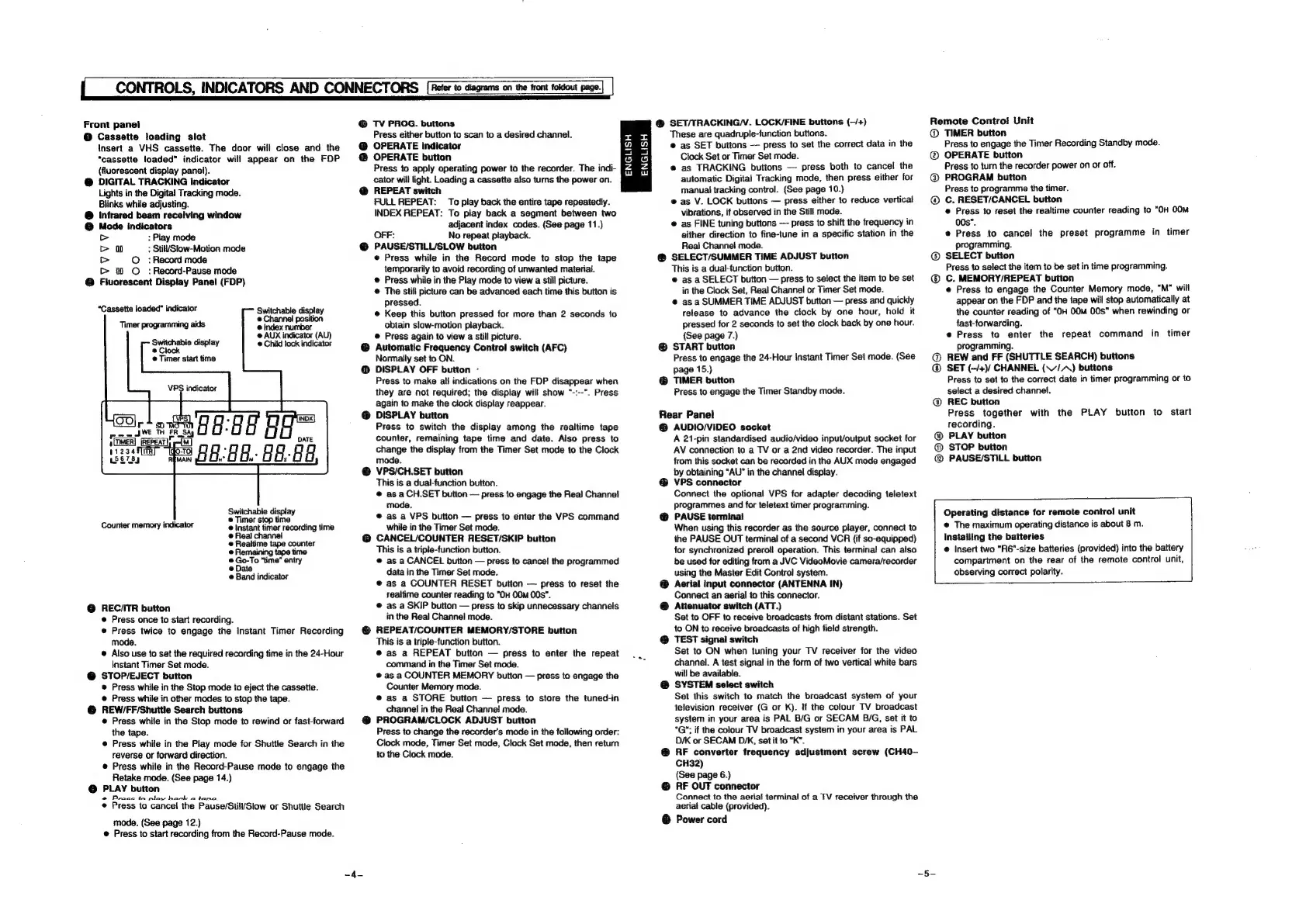
Front
panel
@
Cassette
loading
slot
Insert
a
VHS
cassette.
The
door
will
close
and
the
“cassette
loaded”
indicator
will
appear
on
the
FOP
(fluorescent
display
panel).
@
DIGITAL
TRACKING
indicator
Lights
in
the
Digital
Tracking
mode.
Blinks
while
adjusting.
®@
Infrared
beam
receiving
window
@
Mode
indicators
>
:
Play
mode
>
oO
:
Stil/Slow-Motion
mode
>
©
:
Record
mode
&
00
©
:
Record-Pause
mode
@
Fluorescent
Display
Panel
(FDP)
“Cassette
loaded”
indicator
Timer
programming
aids
Switchable
display
@
Clock
©
Timer
start
time
Switchable
display
@
Channel
position
@
Index
number
@
AUX
indicator
(AU)
@
Child
lock
indicator
VPS
indicator
Switchable
display
©
Timer
stop
time
,
@
instant
timer
recording
time
@
Real
channei
@
Realtime
tape
counter
@
Remaining
tape
time
®@
Go-To
“time”
entry
@
Date
Band
indicator
Counter
memory
indicator
@
REC/ITR
button
@
Press
once
to
start
recording.
@
Press
twice
to
engage
the
Instant
Timer
Recording
mode.
®
Also
use
to
set
the
required
recording
time
in
the
24-Hour
Instant
Timer
Set
mode.
@
STOP/EJECT
button
®
Press
while
in
the
Stop
mode
to
eject
the
cassette.
@
Press
while
in
other
modes
to
stop
the
tape.
@
REW/FF/Shuttle
Search
buttons
@
Press
while
in
the
Stop
made
to
rewind
or
fast-forward
the
tape.
@
Press
while
in
the
Play
mode
for
Shuttle
Search
in
the
reverse
or
forward
direction.
@
Press
while
in
the
Record-Pause
mode
to
engage
the
Retake
mode.
(See
page
14.)
@
PLAY
button
@
Press
to
play
back
-
tape.
@
Press
to
cancel
the
Pause/Stil/Slow
or
Shuttle
Search
mode.
(See
page
12.)
@
Press
to
start
recording
from
the
Record-Pause
mode.
@
TV
PROG.
buttons
Press
either
button
to
scan
to
a
desired
channel.
@
OPERATE
indicator
OPERATE
button
Press
to
apply
operating
power
to
the
recorder.
The
indi-
cator
will
light.
Loading
a
cassette
also
turns
the
power
on.
@
REPEAT
switch
FULL
REPEAT:
To
play
back
the
entire
tape
repeatedly.
INDEX
REPEAT:
To
piay
back
a
segment
between
two
adjacent
index
codes.
(See
page
11.)
OFF:
No
repeat
playback.
@
PAUSE/STILL/SLOW
button
@
Press
while
in
the
Record
mode
to
stop
the
tape
temporarily
to
avoid
recording
of
unwanted
material.
Press
while
in
the
Play
mode
to
view
a
still
picture.
@
The
still
picture
can
be
advanced
each
time
this
button
is
pressed.
@
Keep
this
button
pressed
for
more
than
2
seconds
to
obtain
slow-motion
playback.
@
Press
again
to
view
a
still
picture.
@
Automatic
Frequency
Control
switch
(AFC)
Normally
set
to
ON.
@
DISPLAY
OFF
button
-
Press
to
make
all
indications
on
the
FDP
disappear
when
they
are
not
required;
the
display
will
show
"-:--".
Press
again
to
make
the
clock
display
reappear.
@
DISPLAY
button
Press
to
switch
the
display
among
the
realtime
tape
counter,
remaining
tape
time
and
date.
Also
press
to
change
the
display
from
the
Timer
Set
mode
to
the
Clock
mode.
VPS/CH.SET
button
This
is
a
dual-function
button.
@
as
a
CH.SET
button
press
to
engage
the
Real
Channel
mode.
@
as
a
VPS
button
press
to
enter
the
VPS
command
while
in
the
Timer
Set
mode.
@
CANCEL/COUNTER
RESET/SKIP
button
This
is
a
triple-function
button.
@
as
a
CANCEL
button
press
to
cancel
the
programmed
data
in
the
Timer
Set
mode.
@
as
a
COUNTER
RESET
button
press
to
reset
the
sealtime
counter
reading
to
"OH
00m
00s".
®
as
a
SKIP
button
press
to
skip
unnecessary
channels
in
the
Real
Channel
mode.
@
REPEAT/COUNTER
MEMORY/STORE
button
This
is
a
tripie-function
button.
®
as
a
REPEAT
button
press
to
enter
the
repeat
command
in
the
Timer
Set
mode.
@
as
a
COUNTER
MEMORY
button
press
to
engage
the
Counter
Memory
mode.
@
as
a
STORE
button
press
to
store
the
tuned-in
channel
in
the
Real
Channel
mode.
@
PROGRAM/CLOCK
ADJUST
button
Press
to
change
the
recorder’s
made
in
the
following
order:
Clock
mode,
Timer
Set
mode,
Clock
Set
mode,
then
return
to
the
Clock
mode.
ENGLISH
ENGLISH
@
SET/TRACKING/V.
LOCK/FINE
buttons
(—/+)
These
are
quadruple-function
buttons.
e
as
SET
buttons
press
to
set
the
correct
data
in
the
Clock
Set
or
Timer
Set
mode.
e@
as
TRACKING
buttons
press
both
to
cancel
the
automatic
Digital
Tracking
mode,
then
press
either
for
manual
tracking
control.
(See
page
10.)
®
as
V.
LOCK
buttons
press
either
to
reduce
vertical
vibrations,
if
observed
in
the
Still
mode.
@
as
FINE
tuning
buttons
press
to
shift
the
frequency
in
either
direction
to
fine-tune
in
a
specific
station
in
the
Real
Channel
mode.
@
SELECT/SUMMER
TIME
ADJUST
button
This
is
a
dual-tunction
button.
@
as
a
SELECT
button
press
to
select
the
item
to
be
set
in
the
Clock
Set,
Real
Channel
or
Timer
Set
mode.
@
asa
SUMMER
TIME
ADJUST
button
press
and
quickly
release
to
advance
the
clock
by
one
hour,
hold
it
pressed
for
2
seconds
to
set
the
clock
back
by
one
hour.
(See
page
7.)
@
START
button
Press
to
engage
the
24-Hour
Instant
Timer
Set
mode.
(See
page
15.)
@
TIMER
button
Press
to
engage
the
Timer
Standby
mode.
Rear
Panel
@
AUDIO/VIDEO
socket
A
21-pin
standardised
audio/video
input/output
socket
for
AV
connection
to
a
TV
or
a
2nd
video
recorder.
The
input
from
this
socket
can
be
recorded
in
the
AUX
mode
engaged
by
obtaining
“AU”
in
the
channel
display.
VPS
connector
Connect
the
optional
VPS
for
adapter
decoding
teletext
programmes
and
for
teletext
timer
programming.
PAUSE
terminal
When
using
this
recorder
as
the
source
player,
connect
to
the
PAUSE
OUT
terminal
of
a
second
VCR
(if
so-equipped)
for
synchronized
preroll
operation.
This
terminal
can
also
be
used
for
editing
from
a
JVC
VideoMovie
camera/recorder
using
the
Master
Edit
Control
system.
®
Aerial
input
connector
(ANTENNA
IN)
Connect
an
aerial
to
this
connector.
@
Attenuator
switch
(ATT.)
Set
to
OFF
to
receive
broadcasts
from
distant
stations.
Set
to
ON
to
receive
broadcasts
of
high
field
strength.
@
TEST
signal
switch
Set
to
ON
when
tuning
your
TV
receiver
for
the
video
channel.
A
test
signal
in
the
form
of
two
vertical
white
bars
will
be
available.
@
SYSTEM
select
switch
Set
this
switch
to
match
the
broadcast
system
of
your
television
receiver
(G
or
K).
If
the
colour
TV
broadcast
system
in
your
area
is
PAL
B/G
or
SECAM
B/G,
set
it
to
"G";
if
the
colour
TV
broadcast
system
in
your
area
is
PAL
DK
or
SECAM
DIK,
set
it
to
°K".
@
RF
converter
frequency
adjustment
screw
(CH40—
CH32)
(See
page
6.)
@
RF
OUT
connector
Connect
to
the
aerial
terminal
of
a
TV
receiver
through
the
aerial
cable
(provided).
@
Power
cord
Remote
Control
Unit
TIMER
button
Press
to
engage
the
Timer
Recording
Standby
mode.
@
OPERATE
button
Press
to
turn
the
recorder
power
on
or
off.
@
PROGRAM
button
Press
to
programme
the
timer.
C.
RESET/CANCEL
button
@
Press
to
reset
the
realtime
counter
reading
to
“OH
00M
00s".
e
Press
to
cancel
the
preset
programme
in
timer
programming.
SELECT
button
Press
to
select
the
item
to
be
set
in
time
programming.
C.
MEMORY/REPEAT
button
@
Press
to
engage
the
Counter
Memory
mode,
“M"
will
appear
on
the
FDP
and
the
tape
will
stop
automatically
at
the
counter
reading
of
"0H
00m
00s”
when
rewinding
or
fast-forwarding.
@
Press
to
enter
the
repeat
command
in
timer
programming.
@
REW
and
FF
(SHUTTLE
SEARCH)
buttons
SET
(-/+)/
CHANNEL
(\//,
A)
buttons
Press
to
set
to
the
correct
date
in
timer
programming
or
to
select
a
desired
channel.
@
REC
button
Press
together
with
the
PLAY
button
to
start
recording.
@
PLAY
button
@
STOP
button
@
PAUSE/STILL
button
Operating
distance
for
remote
control
unit
@
The
maximum
operating
distance
is
about
8
m.
Installing
the
batteries
@
Insert
two
"R6"-size
batteries
(provided)
into
the
battery
compartment
on
the
rear
of
the
remote
control
unit,
observing
correct
polarity.

Related product manuals