Operation keys on source control screen
• The following explanations state the operation keys
for KW-V440BT, unless stated otherwise.
• The appearance of the operation keys may differ,
however the similar operation keys have the same
operations.
• See also “Common operation keys on source control
screen” on page8.
Touching the operation keys performs the following
actions:
1
[SSM ]*1
(Hold) Presets stations automatically.
[MONO]*1 Activates monaural mode for better FM
reception (stereo effect will be lost).
• The MONO indicator lights up while
monaural mode is activated.
• To deactivate, touch [MONO] again.
[TI]*1 (For FM RDS features)
Activates TI standby reception mode.
• When TI is activated, the unit is ready
to switch to traffic information if
available. The TI indicator lights up in
white.
• If the TI indicator lights up in orange,
tune into another station providing
Radio Data System signals.
• The volume adjustment for Traffic
Information is automatically
memorized. The next time the unit
switches to Traffic Information, the
volume is set to the memorized level.
• To deactivate, touch [TI] again.
TunerTuner
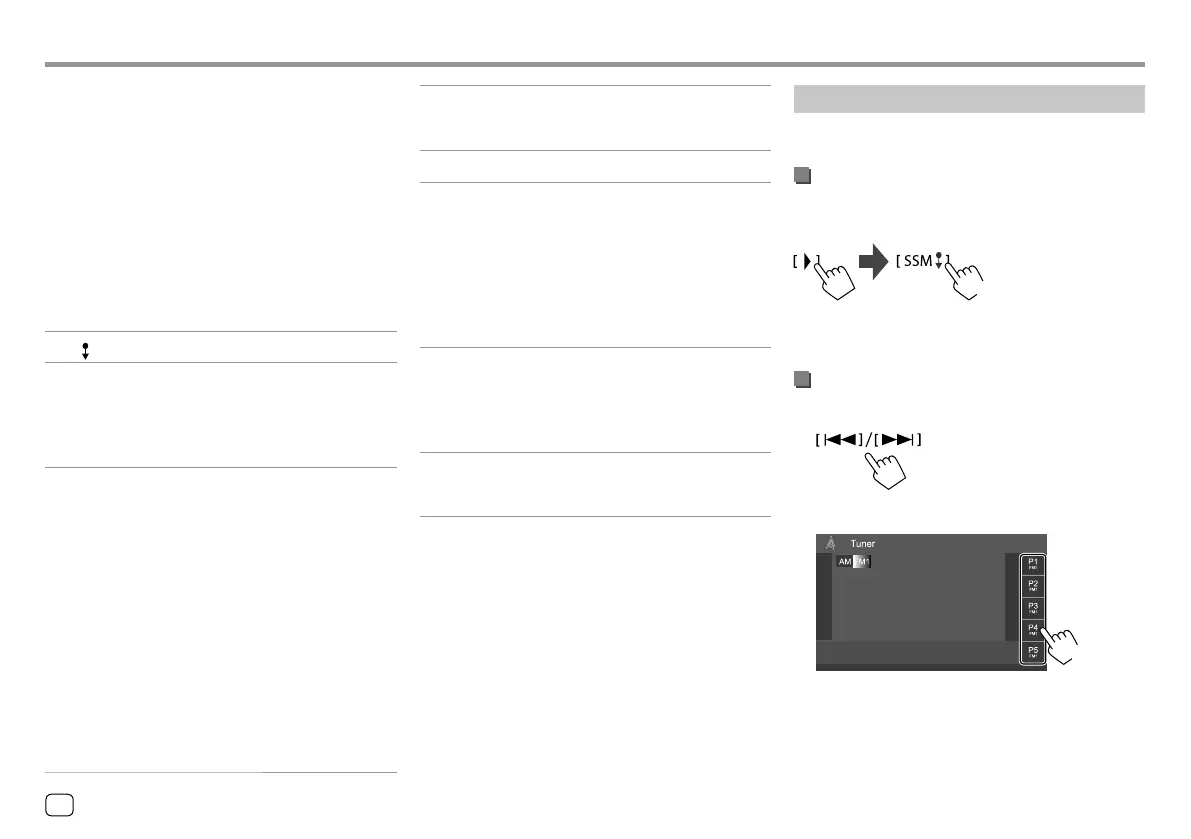
Presetting stations in the memory
You can preset five stations for each band.
Automatic presetting — SSM (Strong-
station Sequential Memory) (for FM only)
On the source control screen, touch as follows:
(Hold)
The local stations with the strongest signals are found
and stored automatically.
Manual presetting
1 Tune in to a station you want to preset.
2 Select a preset number to store into.
(Hold)
E.g. Tuner source control screen for KW-V440BT
The station selected in step 1 is stored into the
preset number [P1] to [P5] you have selected.
[MODE ]*1 Change the settings for the selected
tuner reception on <Tuner Mode>
screen. (Page 19)
9
[PTY]*1*2 (For FM RDS features)
Enters PTY search mode.
1 Touch [PTY].
2 Touch and hold a PTY code to search
for.
If there is a station broadcasting a
program of the same PTY code as you
have selected, that station is tuned in.
[SEEK]
Changes the seek mode for [
S]/[T].
• AUTO1 (Initial): Auto search
• AUTO2: Tunes in preset stations one
after another
• MANU: Manual search
[
S]/[T]
Searches for a station.
• The search method differs according
to the selected seek mode (see above).
*1 Appears only when FM is selected as the source.
*2 Only English/Spanish/French/German/Dutch/ Portuguese are
available for the text language here. If another language has
been selected in <Language> (Page 38), the text language
is set to English.
18
ENGLISH
00_KW-V2018ST_M_ENG.indb 1800_KW-V2018ST_M_ENG.indb 18 17/6/2017 7:35:47 AM17/6/2017 7:35:47 AM



 To Next Page