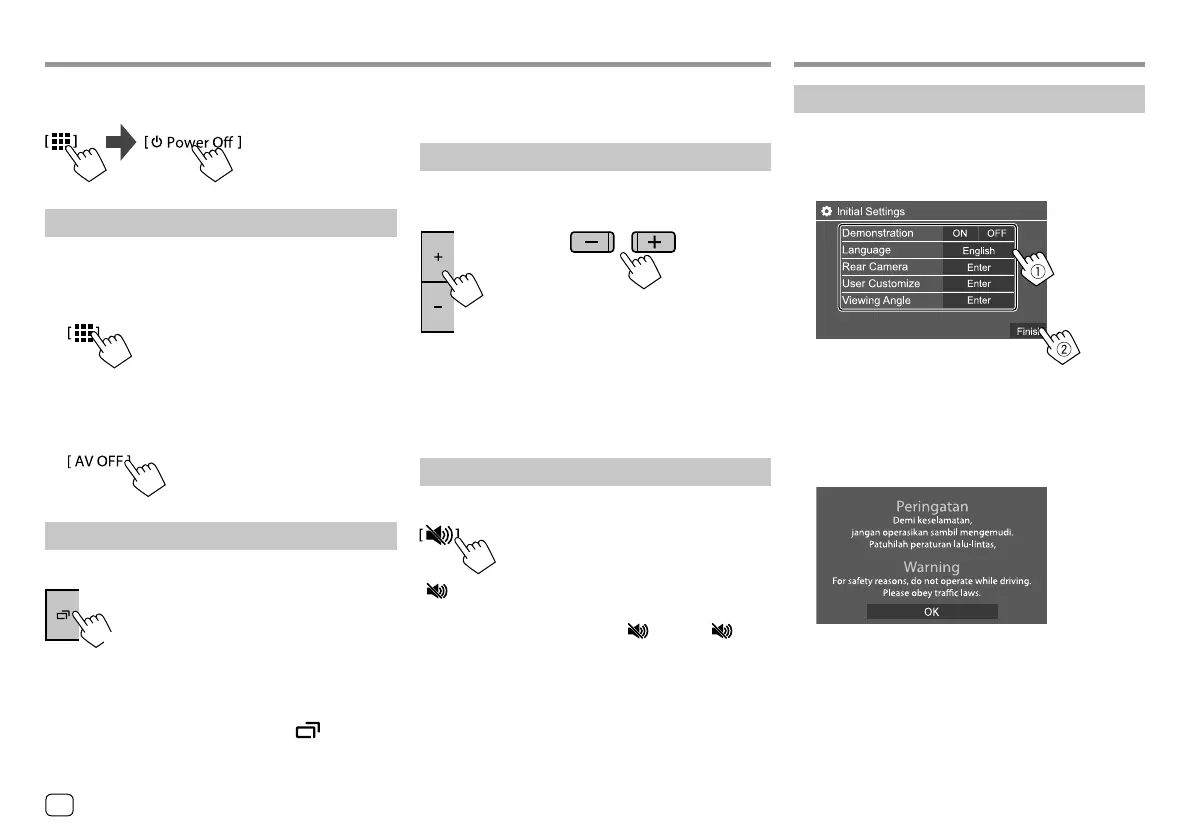
Initial settings
When you power on the unit for the first time or reset
the unit, the <Initial Settings> screen appears.
Perform the initial settings.
E.g. Initial settings screen for KW-V440BT
Once completed, Home screen appears.
For KW-V440BT Region 3, Indonesian models, a
caution message will appear.
Touch [OK] to confirm the caution message.
• The caution message appears each time you turn on
the unit.
Getting Started Getting Started
KW-V440BT/KW-V440BTM
On the Home screen, touch as follows:
Turning off the AV source
1 Display the source/option selection
screen.
On the Home screen, touch as follows:
2 Turn off the AV source.
On the source/option selection screen, touch as
follows:
Turning off the screen
KW-V340BT/KW-V340BTM
(Hold)
• The button illumination also lights off when you turn
off the screen.
To turn on the screen: Press and hold on the
monitor panel or touch the screen.
Basic OperationsBasic Operations
• For KW-V440BT/KW-V440BTM: See “Using the
pop-up short-cut menu” on page 8.
Adjusting the volume
KW-V340BT/
KW-V340BTM
KW-V440BT/
KW-V440BTM
You can adjust the volume (00 to 35) by pressing + to
increase and pressing – to decrease.
• Holding + increases the volume continuously to
level 15.
Attenuating the sound
On the source control screen, touch as follows:
[ ] becomes blue.
To cancel attenuation: Touch [ ] again. ([ ]
becomes white.)
4
ENGLISH
00_KW-V2018ST_M_ENG.indb 400_KW-V2018ST_M_ENG.indb 4 17/6/2017 7:35:44 AM17/6/2017 7:35:44 AM



 To Next Page