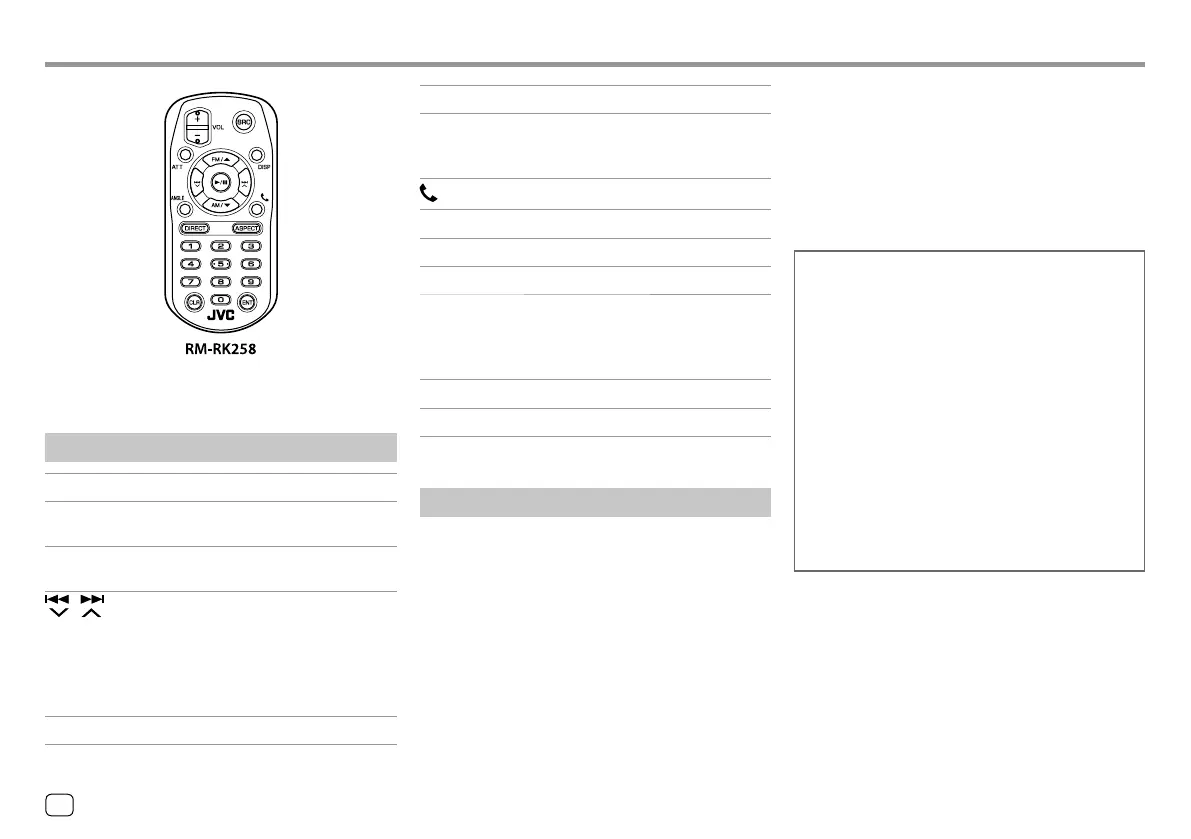
Aim the remote controller directly at the remote
sensor on the unit. (Page 41)
Basic operations
ATT Attenuates/restores the sound.
DISP Displays the current source control
screen.
FM/
J/AM/K
• Selects the band.
• Selects a title/item/folder.
/
• Tuner:
– Searches for stations
automatically. (Press)*
– Searches for stations manually.
(Hold)*
• Selects a track. (Press)
VOL +/VOL – Adjusts the volume level.
Remote ControllerRemote Controller
SRC Selects the source.
I/W
• Starts/pauses playback.
• Tuner: Changes the seek mode
(AUTO1, AUTO2, MANU).
Answers incoming calls.
0 – 9 Enters a number.
1 – 5 Enters a preset station number.
ANGLE Not used for this unit.
ASPECT Changes the aspect ratio.
• To check the current aspect ratio
setting, operate on the touch panel.
(Page<?>)
DIRECT Enters direct search mode.
CLR Erases the misentry.
* The search method differs according to the selected seek mode.
Searching for an item directly
While listening to the Tuner or during disc playback,
you can search for a station frequency/chapter/title/
folder/file/track directly using the number buttons.
• To search for a track from the VCD menu, perform
during PBC playback.
1 Press DIRECT to enter the search mode.
• Each time you press DIRECT, the item to search
for changes.
2 Press a number button to select a desired
item (station frequency/chapter/title/
folder/file/track).
• To erase a misentry, press CLR.
3 Press ENT to confirm.
To exit the search mode: Press DIRECT.
JVC Remote APP
JVC Remote is an application that connects and
controls compatible JVC car receivers via Bluetooth®
like a wireless remote control.
You can also operate this unit from a Smartphone
using JVC Remote APP.
This application can display the source information
of this unit on the smartphone’s screen, and enables
the user to make an audio setting using the graphic
user interface of this application.
This application also works as a free standalone
music player application, when your Smartphone is
not connected to this unit.
• For details, visit
<www.jvc.net/car/app/jvc_remote/>.
42
ENGLISH
04_KW_V340BT_M_Body02.indd 4204_KW_V340BT_M_Body02.indd 42 18/7/2017 10:26:49 AM18/7/2017 10:26:49 AM



 To Next Page