Bluetooth®Bluetooth®
Bluetooth settings
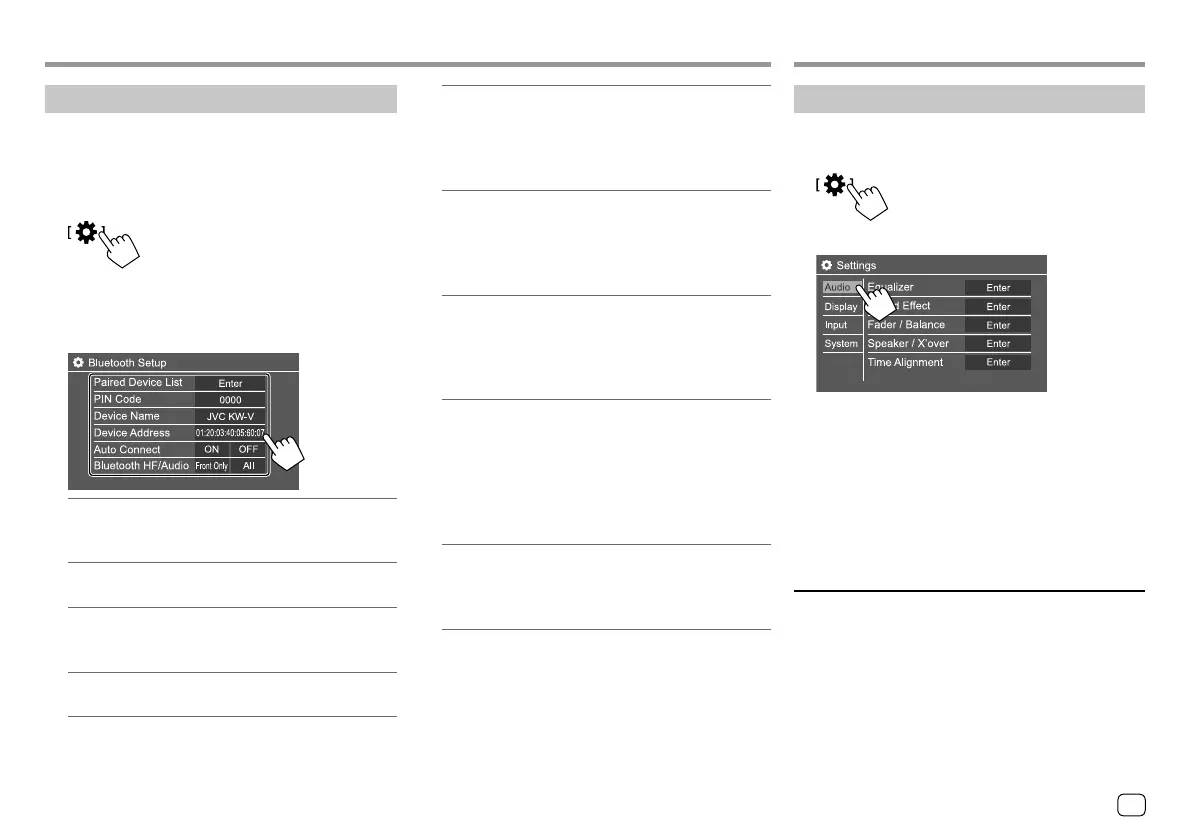
You can change various settings for using Bluetooth
devices on the <Bluetooth Setup> screen.
1 Display the <Bluetooth Setup> screen.
On the Home screen, touch as follows:
Then, on the <Settings> screen, touch as follows:
[System] <Bluetooth Setup> : [Enter]
2 Make the settings.
<Paired Device List>
Display the list of registered devices. You can
connect a device or delete registered devices.
<PIN Code>
Change the PIN code of the unit.
<Device Name>
Show the device name of this unit to be shown on
the Bluetooth device — JVC KW-V.
<Device Address>
Show the device address of the unit.
<Auto Connect>
• ON (Initial): Automatically establishes a
connection with the last connected Bluetooth
device when the unit is turned on.
• OFF: Cancels.
<Bluetooth HF/Audio>
Select the speakers used for Bluetooth mobile
phones and Bluetooth audio players.
• Front Only: Front speakers only.
• All (Initial): All speakers.
<Auto Response>
• ON: The unit answers the incoming calls
automatically in 5 seconds.
• OFF (Initial): The unit does not answer the calls
automatically. Answer the calls manually.
<Auto Pairing>
• ON (Initial): Establishes pairing automatically
with the Android or iOS device (such as iPhone)
connected via USB. (Auto pairing may not work
for some devices depending on the Android/iOS
version.)
• OFF: Cancels.
<Initialize>
Touch and hold [Enter] to reset all settings you
have made for using Bluetooth mobile phones and
Bluetooth audio players.
Settings Settings
Audio settings
Display the <Audio> screen.
On the Home screen, touch as follows:
Then, on the <Settings> screen, touch [Audio].
E.g. Audio settings screen for KW-V440BT
You cannot change the <Audio> screen in the
following situations:
• When the AV source is turned off.
• When the Bluetooth phone is used (making or
receiving a call, during a call, or while voice dialling).
• During navigation guidance.
<Equalizer>
The following adjustments are memorized for each
source until you adjust the sound again. If the source
is a disc, the adjustments are stored for each of the
following categories.
• DVD/VCD
• CD
• DivX/MPEG1/MPEG2/MP3/WMA/WAV/AAC/FLAC
You cannot adjust the sound when the unit is in
standby.
31
ENGLISH
03_KW_V340BT_M_Body01.indd 3103_KW_V340BT_M_Body01.indd 31 5/7/2017 4:04:10 PM5/7/2017 4:04:10 PM



 To Next Page