Pandora®Pandora®
Operation keys on source control screen
• The appearance of the operation keys may differ,
however the similar operation keys have the same
operations.
• See also “Common operation keys on source control
screen” on page8.
Touching the operation keys performs the following
actions:
5
[ ]
Adds the current artist to the station list.
[
]
Adds the current track to the station list.
[
]
Bookmarks the current track.
[
]
Switches the device on <Smartphone
Setup> screen. (Page 38)
6
[ ]
Displays the list selection screen.
[
]
Thumbs down to the current track and
skips to the next track.
[
]
Registers the current track as a favorite.
[
I/W ]
Starts/pauses playback.
[
T ]
Skips the current track.
• Not available when the Pandora skip
reaches its limit.
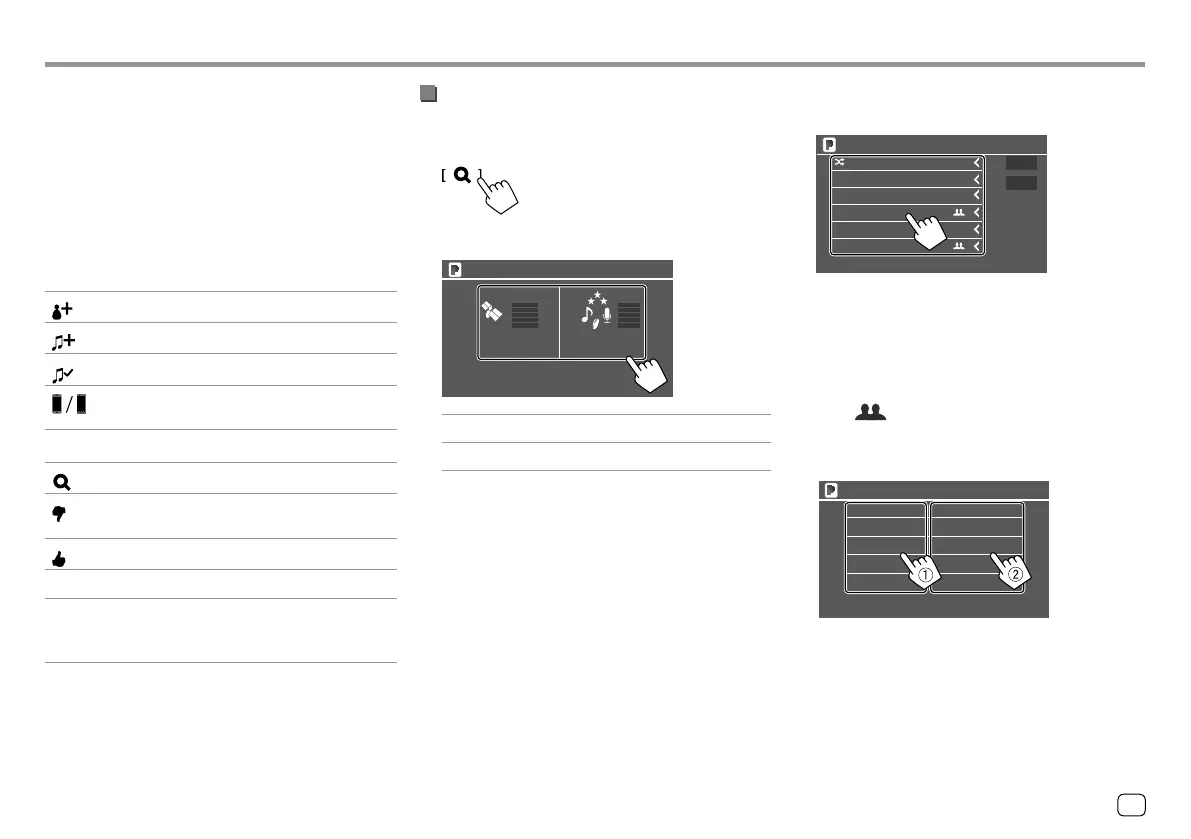
Selecting a station from the list
1 Display the list selection screen.
On the source control screen, touch as follows:
2 Select the list type.
Station List Genre List
Pandora
[Station List]
Selects from the station names.
[Genre List]
Selects from the genres.
3 Select a station from the list.
On the station list
Shuffle
By Date
By Name
Station Name
Station Name
Station Name
Station Name
Station Name
Pandora
• To play all the songs in the registered stations
randomly, touch [Shuffle].
• To sort the list in reverse chronological order,
touch [By Date].
• To sort the list in alphabetical order, touch [By
Name].
• The indicator appears on the right of the
item when the station is shared.
On the genre list
Genre Name 1 Song Name 1
Genre Name 2 Song Name 2
Genre Name 3 Song Name 3
Genre Name 4 Song Name 4
Genre Name 5 Song Name 5
Pandora
1 Select a genre.
2 Select a station.
The selected station is added to the station list.
21
ENGLISH
00_KW-V2018ST_M_ENG.indb 2100_KW-V2018ST_M_ENG.indb 21 17/6/2017 7:35:48 AM17/6/2017 7:35:48 AM



 To Next Page