SpotifySpotify
1 Playing time/playback status
2 Track information
• Touching [H] scrolls the text if not all of the text
is shown.
• Touching [ ]/[ ] changes the displayed
information between artist ( ) and album ( ).
3 Picture data
4 Only for KW-V340BT/KW-V340BTM: Playback
source items shown on the Home screen.
• Touching the playback source item changes the
playback source.
5 Displays/hides other available operation keys*
6 Progress bar
7 Operation keys*
* See “Operation keys on source control screen” below.
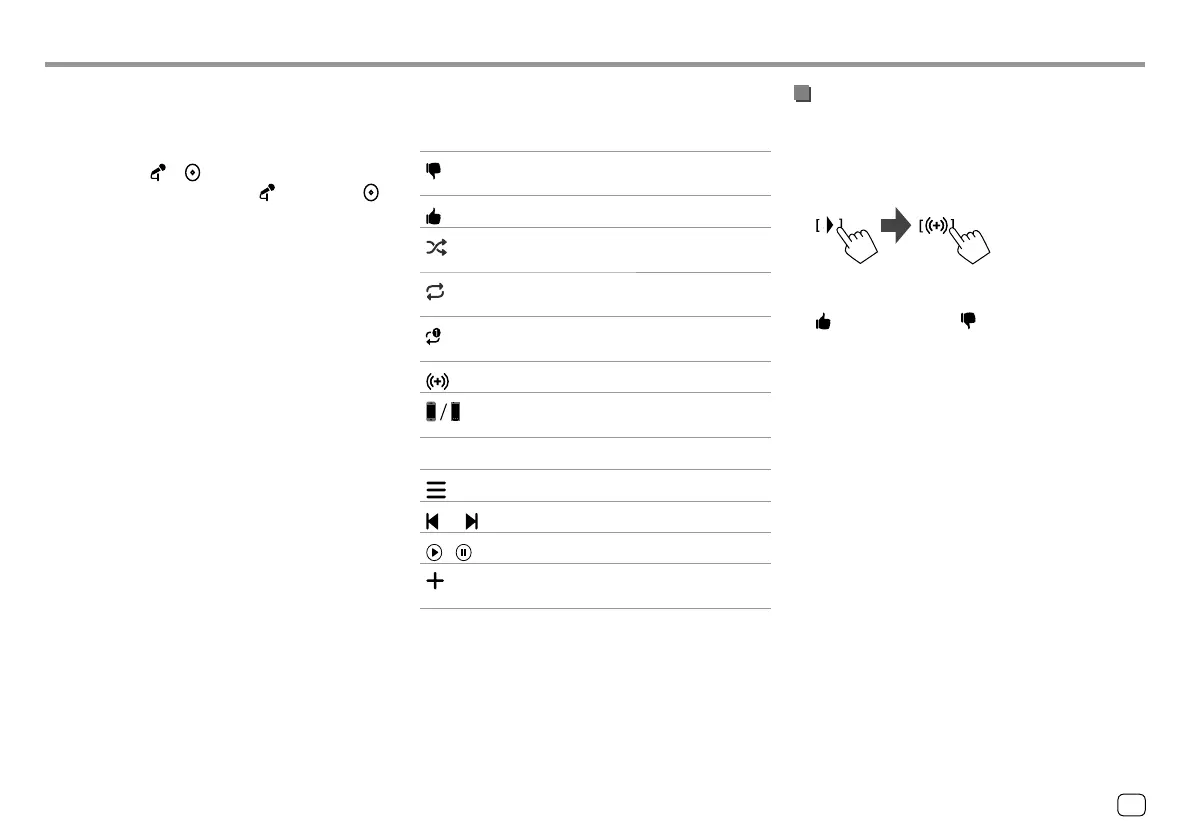
Operation keys on source control screen
• The following explanations state the operation keys
for KW-V440BT, unless stated otherwise.
• The appearance of the operation keys may differ,
however the similar operation keys have the same
operations.
• See also “Common operation keys on source control
screen” on page8.
Touching the operation keys performs the following
actions:
5
[ ]*1
Thumbs down to the current track and
skips to the next track.
[
]*1
Registers the current track as a favorite.
[
]*2*3
Activates/deactivates shuffle playback
mode.
[
]*2
Repeats all tracks/cancels the repeat
playback.
[
]*2*3
Repeats the current track/cancels the
repeat playback.
[
]
Creates a new station.
[
]
Switches the device on <Smartphone
Setup> screen. (Page38)
7
[ ]
Displays the Spotify menu screen.
[
]*3[ ]
Selects a track.
[
][ ]
Starts (
I)/pauses (W) playback.
[
]
Saves the current track/artist to <Your
Music>.
*1 Not available for tracks in a playlist.
*2 Not available for tracks in the Radio.
*3 Available only for premium account users.
Creating your station (Start Radio)
Start Radio is to start a radio channel based on the
currently played track.
Create your station.
On the source control screen, touch as follows:
Station is created and playback starts automatically.
• You can personalize your station using thumb up
([ ]) or thumb down ([ ]).
– You cannot thumb up or down while playing tracks
in a playlist.
– Personalizing stations may not be available
depending on the track.
23
ENGLISH
00_KW-V2018ST_M_ENG.indb 2300_KW-V2018ST_M_ENG.indb 23 17/6/2017 7:35:48 AM17/6/2017 7:35:48 AM



 To Next Page