Bluetooth®Bluetooth®
To use alphabet search in the phone book
1 Touch [ A-Z].
2 Touch the first letter you want to search for on
the keypad.
To search for a number, touch [1,2,3...].
3 Select a contact you want call from the list.
To display other phone numbers in the same
contact
You can store up to 10 phone numbers per
contact.
1 Touch [ ].
2 Select a contact you want call from the list.
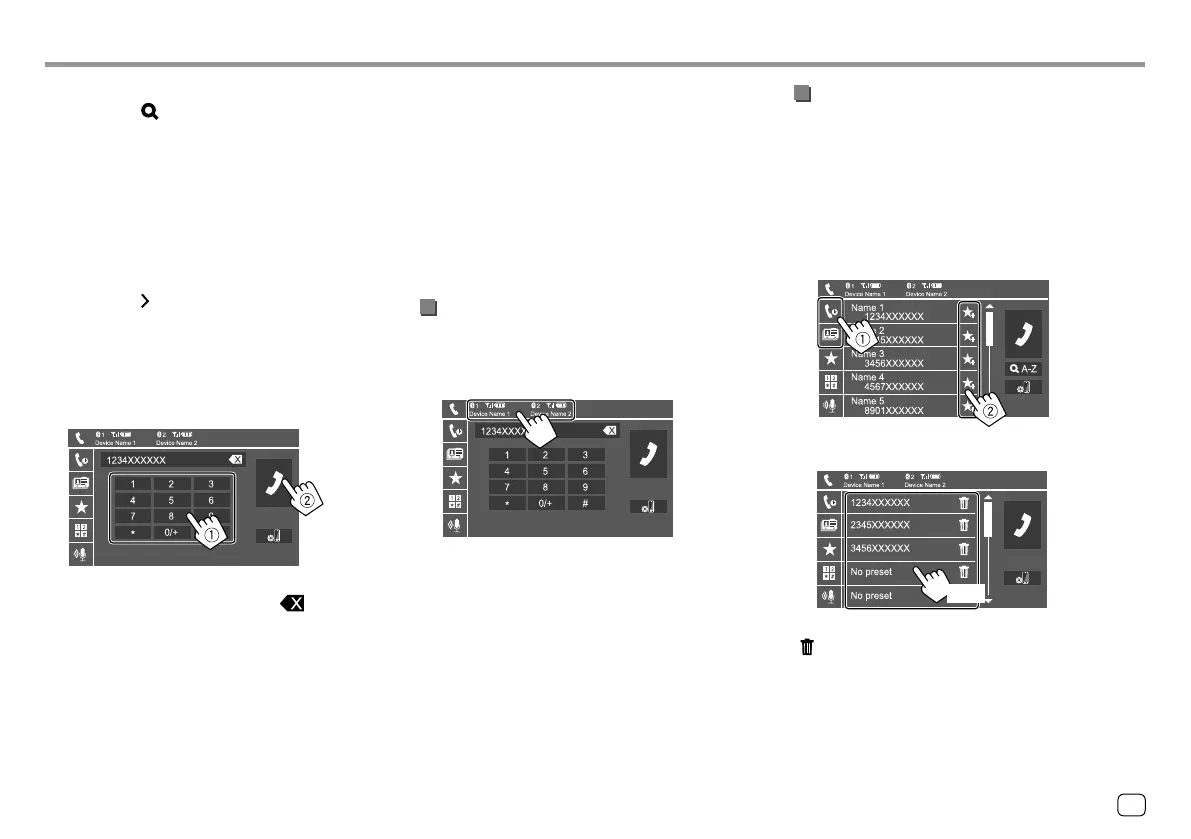
When item 4 is selected in step 2:
Enter the phone number (1), then make a
call (
2).
• To enter “+”, touch and hold [0/+].
• To delete the last entry, touch [ ].
When item 5 is selected in step 2:
Say the name of the person you want to
call.
• Available only when the connected mobile
phone has a voice recognition system.
• If the unit cannot find the target, “Please speak
into the microphone” appears. Touch [Start],
then say the name again.
• To cancel voice dialling, touch [Cancel].
Switching between two connected devices
You can change the device to use when 2 devices are
connected.
On the phone control screen:
The active device is highlighted.
Presetting phone numbers
You can preset up to five phone numbers.
1 Display the phone control screen.
On the Home screen, touch [Phone]. (See also
page 6.)
2 Select call history or phone book calling
method (
1), then select a contact (2) to
preset.
3 Select a preset number to store into.
(Hold)
To delete the contact in the preset number: Touch
[ ] besides the contact on the preset list.
29
ENGLISH
00_KW-V2018ST_M_ENG.indb 2900_KW-V2018ST_M_ENG.indb 29 17/6/2017 7:35:50 AM17/6/2017 7:35:50 AM



 To Next Page