29
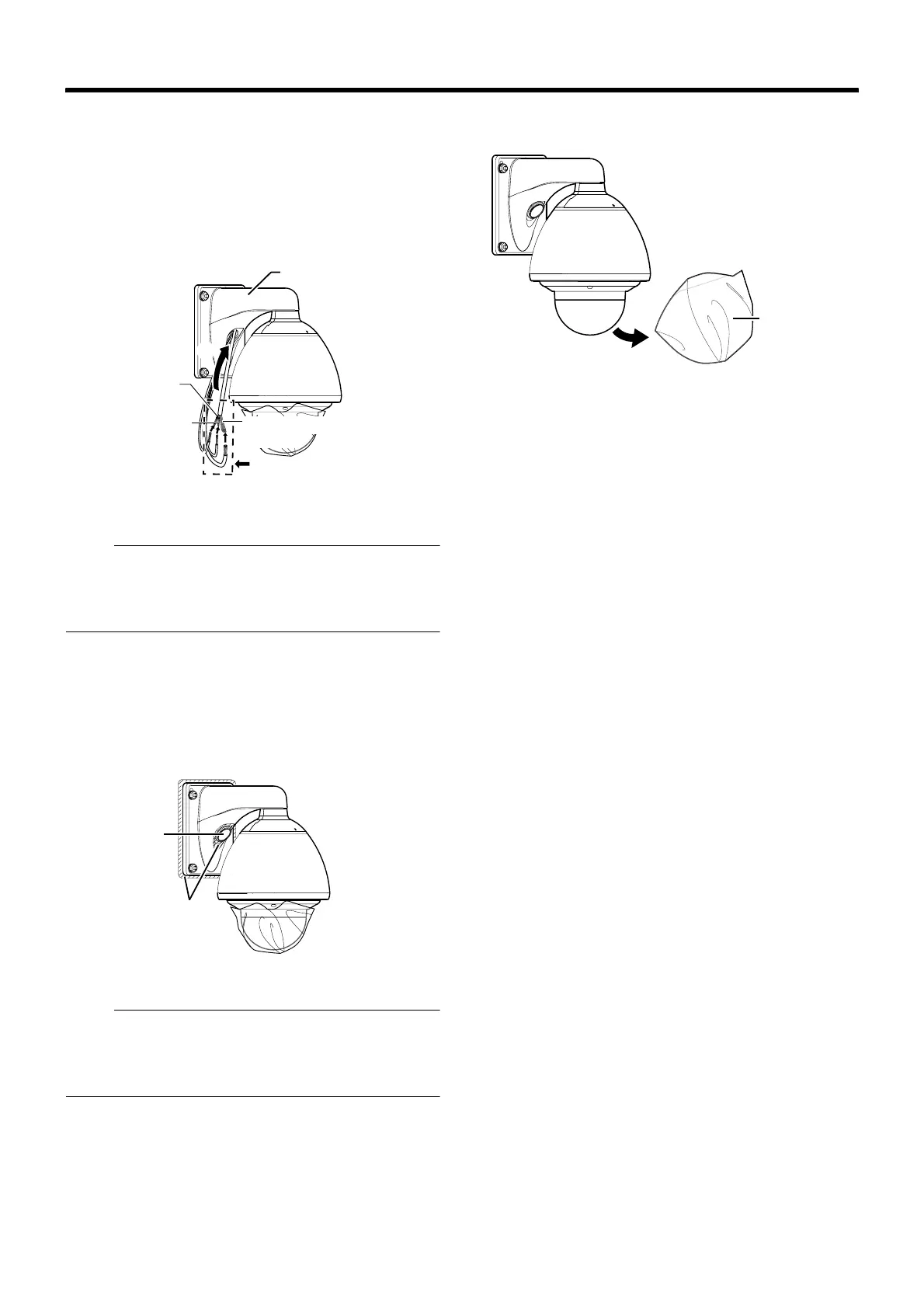
3 Connecting the alarm cable and control signal
cable
A Connect the cables.
B After the connection is complete, wind the waterproof
tape (cohesive).
C Push the cables into the arm of the camera.
Note :
● For cables that are not used, be sure to wrap the ends
individually with insulating tape.
● For safety reasons, turn on the power only after all the
connection is complete.
4 Mount the cap
5 Seal the cable connection hole and around the
mounting surface of the camera with waterproof
seal (GE silicone).
Note :
● Ensure that waterproof treatment is performed.
Otherwise, the camera may malfunction due to rain water
seepage.
● Use GE silicone or its equivalents as the sealing material.
6 Remove the dome cover protective sheet
B
C
A
Wind the waterproof tape
(cohesive)
Alarm Input 2 to 6/Alarm Output 2
cable
Alarm Input 1/
Alarm Output 1
Cable
Control signal
cable
Arm
4
5
Waterproof treatment
Cap
Dome cover
protective sheet



 To Next Page