56
Detailed setting
When the camera is at the home position, the Motion Detect
function will activate when there is a movement in the
images.
This item sets the locations (non-detection areas) where
movement will not be detected.
䡵 Preparation
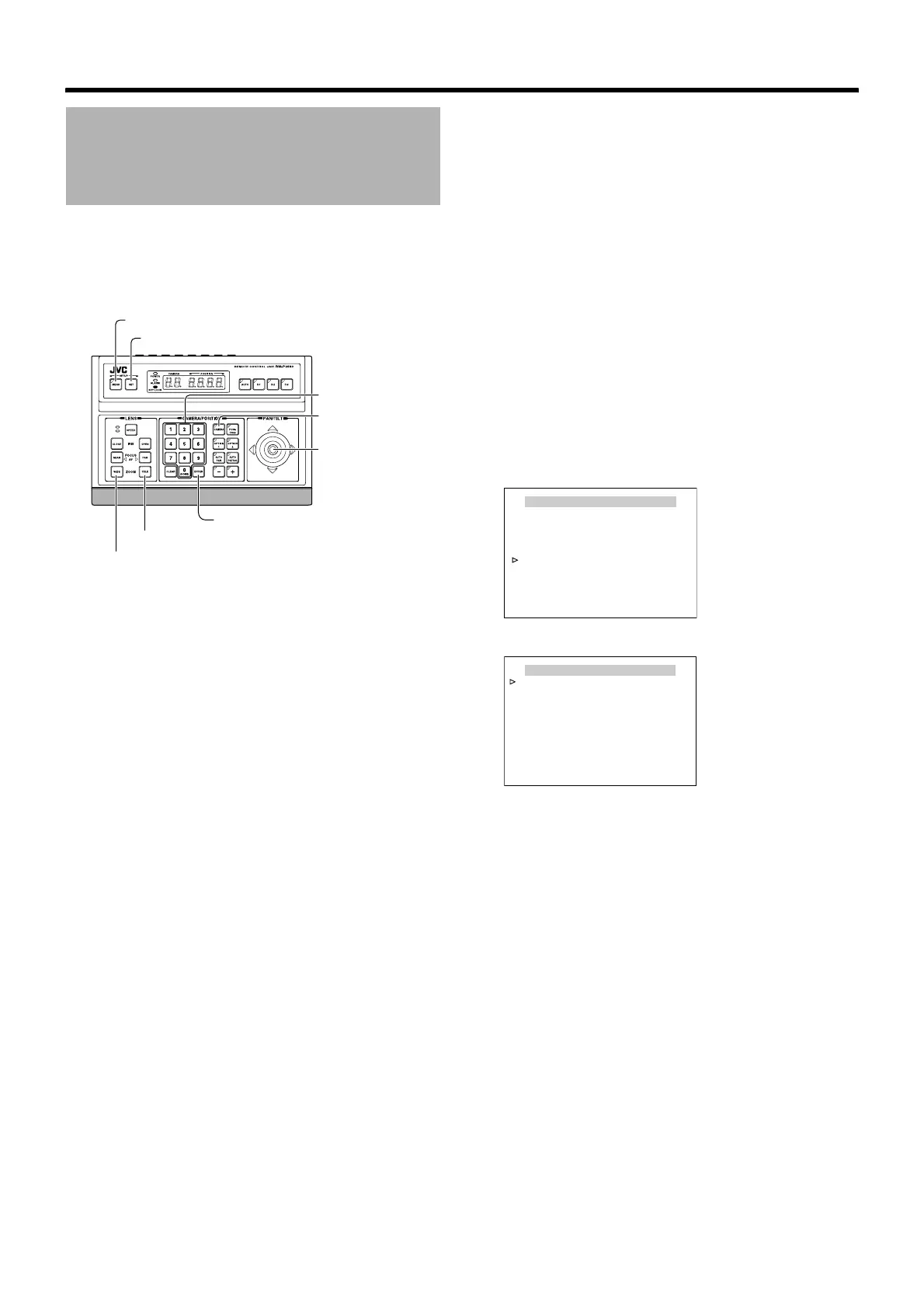
1 Select a camera (A RM-P2580 Instruction Manual)
[CAMERA] button B Numeric keypad (camera
number) B [ENTER] button
● Images from the selected camera are output.
2 Display the [MENU] screen (A Page 34)
● The [MENU] screen is displayed.
3 Select the [CAMERA FUNCTION1] screen
● Shift up and down the [PAN/TILT] lever, move the
cursor (Z) to the [CAMERA FUNCTION1] item and
press the [SET] button.
● The [CAMERA FUNCTION1] screen is displayed.
4 Open the [HOME M.DETECT (ALARM)] screen
● Move the cursor (Z) to the [HOME M.DETECT] item,
shift the [PAN/TILT] lever to the left and right and select
[ALARM].
● Press the [SET] button to display the [HOME
M.DETECT (ALARM)] screen.
Home Motion Detect
(Alarm) Setting
[MENU] button
[SET] button
[CAMERA] button
[PAN/TILT] Lever
Numeric keypad
[ENTER] button
[TELE] button
[WIDE] button
CAMERA FUNCTION1
V. PHASE - - -
POS. TITLE LOC. UP-L
PRIVATE MASK..
MANUAL DISPLAY ON
HOME M. DETECT.. ALARM
D. ZOOM MAX X2
STABILIZER OFF
<
MENU
>
RETURN
<
SET
>
SUB MENU
HOME M.DETECT(ALARM)
LEVEL NORMAL
AREA EDIT..
TIME 5s
DEMONSTRATION..
<
MENU
>
RETURN
[HOME M.DETECT (ALARM)] screen
[CAMERA FUNCTION1] screen



 To Next Page