60
Detailed setting
This feature sets the panning (horizontal) area during
manual operation.
䡵 Preparation
1
Select a camera (
A
RM-P2580 Instruction Manual)
● [CAMERA] button B Numeric keypad (camera number)
B [ENTER] button
● Images from the selected camera are output.
2 Display the [MENU] screen (A Page 34)
● The [MENU] screen is displayed.
3 Select the [CAMERA FUNCTION2] screen
● Shift up and down the [PAN/TILT] lever, move the
cursor (Z) to the [CAMERA FUNCTION2] item and
press the [SET] button.
● The [CAMERA FUNCTION2] screen is displayed.
4 Open the [M.PAN LIMIT POS.SET] screen
● Move the cursor (Z) to the [M.PAN LIMIT] item, shift
the [PAN/TILT] lever to the left and right and select
AONB.
5 Press the [SET] button
[M.PAN LIMIT POS.SET] (left position) appears.
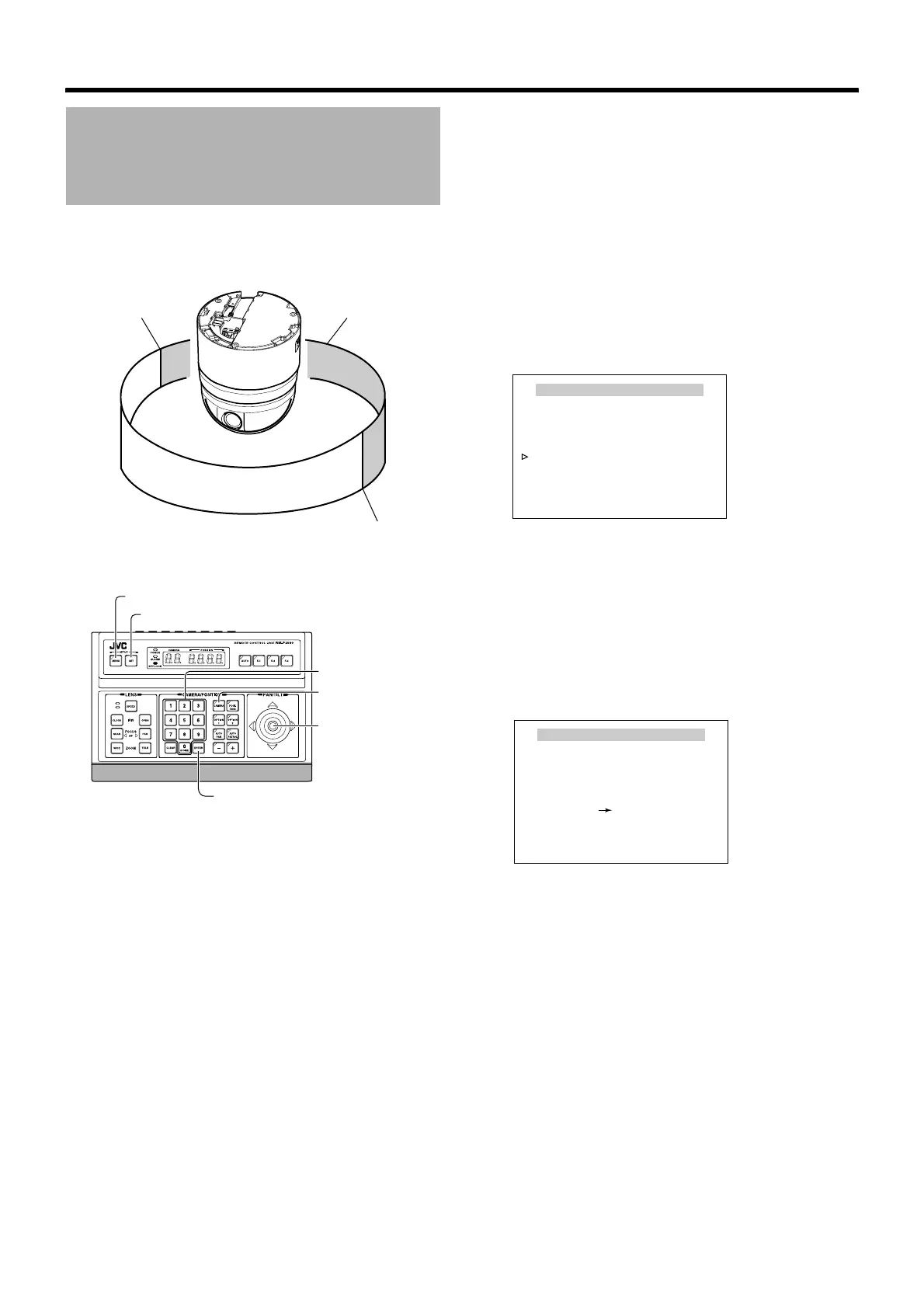
Manual Pan Limit Setting
Right limit
Prohibited area for
manual operation
Left limit
Effective area for
manual operation
[MENU] button
[SET] button
[CAMERA] button
[PAN/TILT] Lever
Numeric keypad
[ENTER] button
CAMERA FUNCTION2
FLIP DIGITAL
VAR. P / T SPEED ON
EASY AF OFF
AF FOR IR OFF
TILT LIMIT 0°
M. PAN LIMIT OFF
AUTO RETURN..
<
MENU
>
RETURN
[CAMERA FUNCTION2] screen
M.PAN LIMIT POS. SET
<MENU>RETURN <SET>L/R
[L]POS.SETTING
<SET>INVALID
DURING PAN MOVEMENT
[M.PAN LIMIT POS.SET] screen
(left position)



 To Next Page