64
Detailed setting
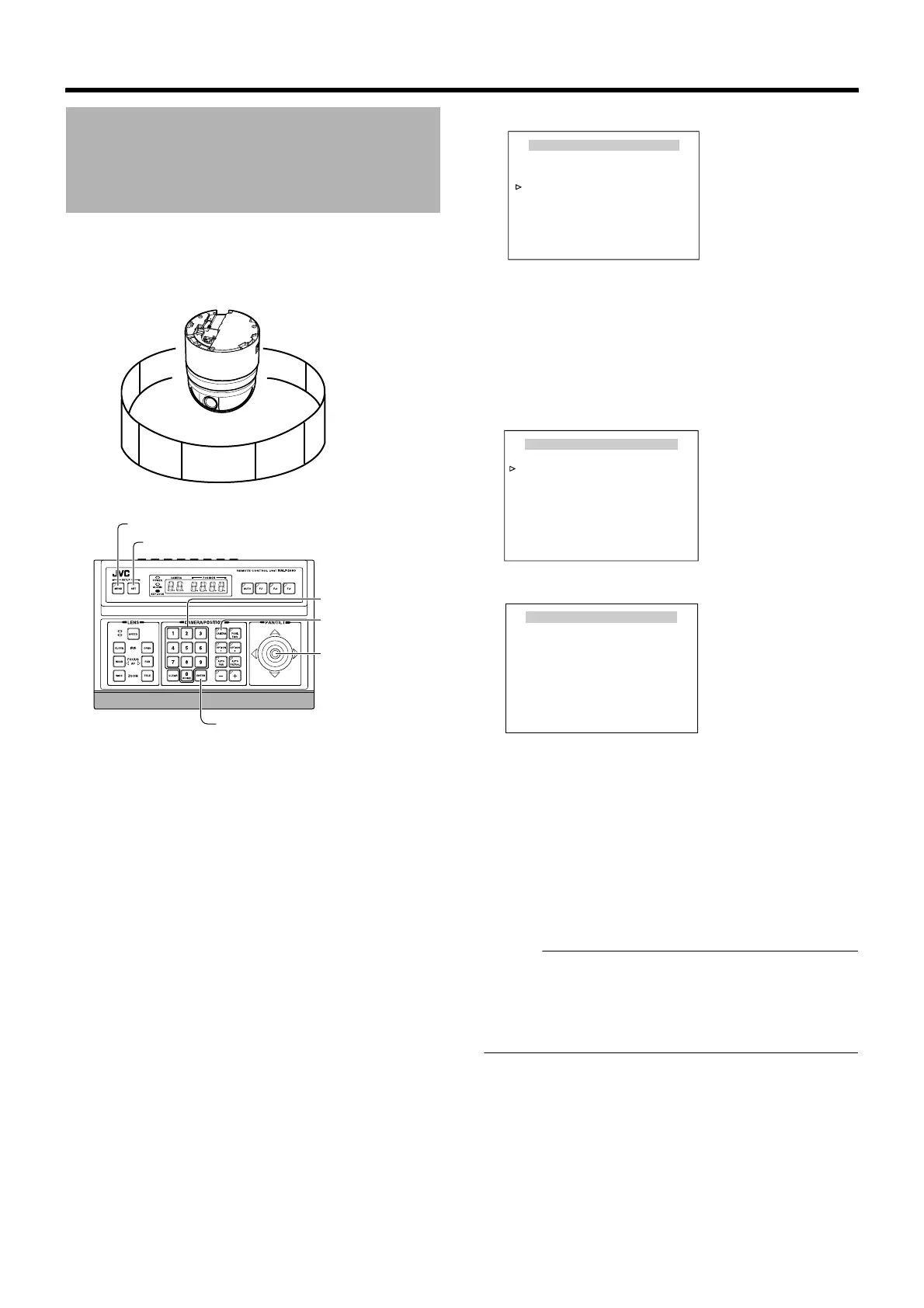
When the basic axis direction N (north) is set, this function
divides the 360⬚ panning (horizontal rotation) area into 8
areas and displays N, NE, E, SE, S, SW, W, NW respectively
for each area when the camera is panned (rotated
horizontally) manually.
䡵 Preparation
1
Select a camera (
A
RM-P2580 Instruction Manual)
● [CAMERA] button B Numeric keypad (camera number)
B [ENTER] button
● Images from the selected camera are output.
2 Display the [MENU] screen (A Page 34)
● The [MENU] screen is displayed.
3 Select the [CAMERA TITLE/ALARM] screen
● Shift up and down the [PAN/TILT] lever, move the
cursor (Z) to the [CAMERA TITLE/ALARM] item and
press the [SET] button.
● The [CAMERA TITLE/ALARM] screen is displayed.
䡵 Setting
1
Move the cursor (
Z
) to [AREA DISPLAY], shift the
[PAN/TILT] lever to the left and right to select
A
DIR
B
,
and press the [SET] button
● The [DIRECTION STANDART AXIS] screen is
displayed.
2 Shift the [PAN/TILT] lever to the left and right
and set the basic axis direction (N)
3 Press the [MENU] button
● The directional axis start position is set and the
direction is displayed on the top left of the screen.
● The direction is displayed respectively as N (north), NE
(northeast), E (east), SE (southeast), S (south), SW
(southwest), W (west) and NW (northwest).
Memo :
● Tilt, zoom and focus operations are available when this
menu is displayed.
● When the directional axis start position is already set and
this menu is activated, the camera will move to the
configured directional axis start position.
Area Display Mode Setting
(Direction)
NE
SW
E
N
NW
SE
W
East West
[MENU] button
[SET] button
[CAMERA] button
[PAN/TILT] Lever
Numeric keypad
[ENTER] button
MENU
LANGUAGE ENGLISH
CAMERA FUNCTION1..
CAMERA FUNCTION2..
CAMERA TITLE/ALARM..
CAMERA ALC..
CAMERA VIDEO..
AUTO PAN/PATROL/TRACE..
POS.FUNCTION SET..
FACTORY SETTINGS..
<
MENU
>
EXIT
<
SET
>
SUB MENU
[MENU] screen
CAMERA TITLE / ALARM
<
MENU
>
RETURN
<
SET
>
SUB MENU
CAM.TITLE EDIT..
AREA DISPLAY.. DIR
ALM. TITLE SIZE DOUBLE
ALM. TITLE COLOUR WHITE
ALARM TITLE EDIT..
ALARM INPUT..
ALARM OUTPUT..
[CAMERA TITLE/ALARM] screen
<MENU>RETURN
DIRECTION STANDARD AXIS
SET UP STANDARD AXIS(N)
[DIRECTION STANDART AXIS] screen



 To Next Page