58
Detailed setting
This item sets the function to automatically track objects with
movement when the camera is at the home position.
Using this feature enables automatic tracking to be
performed according to changes in the brightness at the
home position.
䡵 Preparation
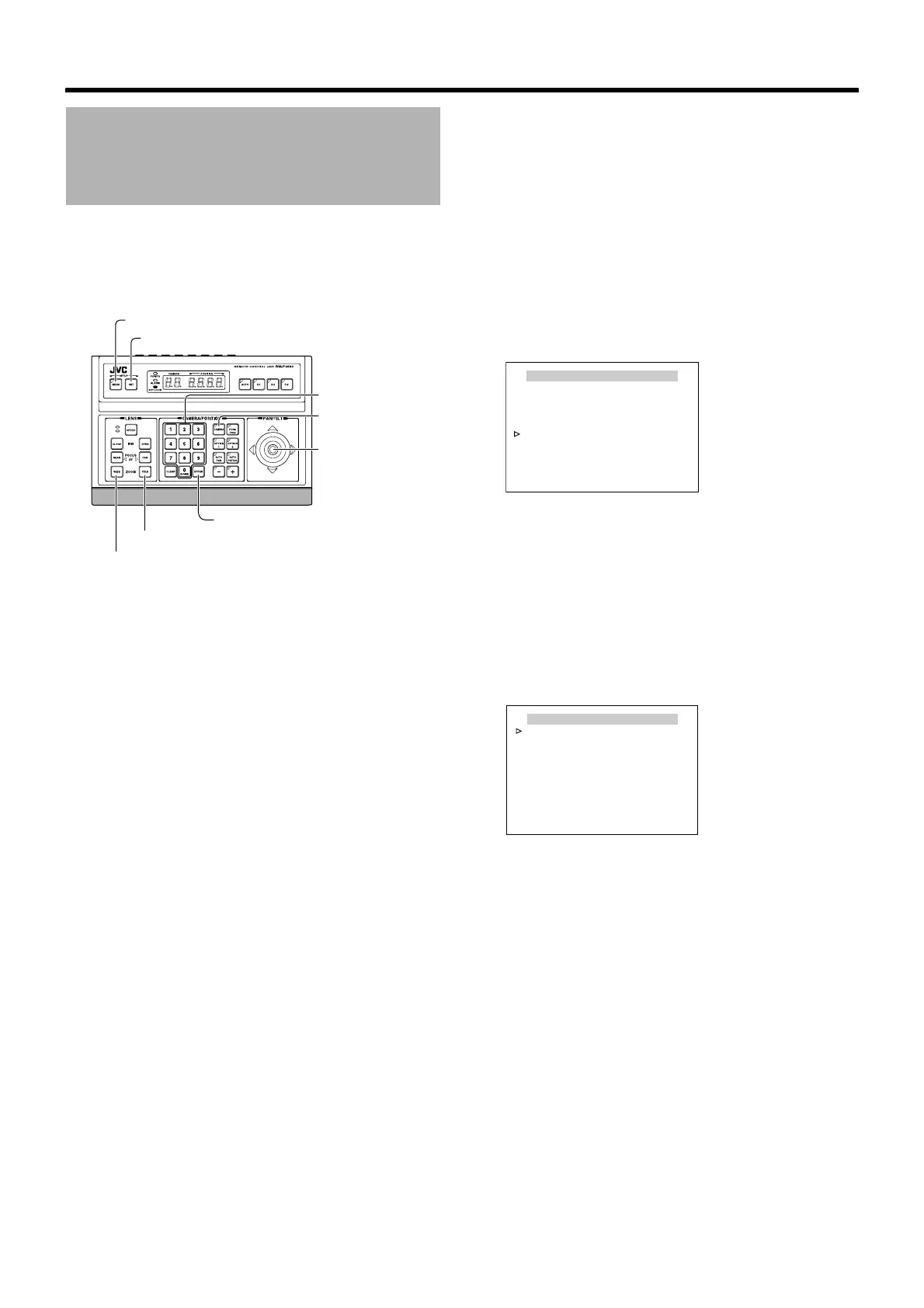
1 Select a camera (A RM-P2580 Instruction Manual)
[CAMERA] button B Numeric keypad (camera
number) B [ENTER] button
● Images from the selected camera are output.
2 Display the [MENU] screen (A Page 34)
● The [MENU] screen is displayed.
3 Select the [CAMERA FUNCTION1] screen
● Shift up and down the [PAN/TILT] lever, move the
cursor (Z) to the [CAMERA FUNCTION1] item and
press the [SET] button.
● The [CAMERA FUNCTION1] screen is displayed.
4 Open the [HOME M.DETECT (TRACKING)]
screen
● Move the cursor (Z) to the [HOME M.DETECT] item,
shift the [PAN/TILT] lever to the left and right and select
[TRACKING].
● Press the [SET] button to display the [HOME
M.DETECT (TRACKING)] screen.
HOME M.DETECT
(TRACKING) Setting
[MENU] button
[SET] button
[CAMERA] button
[PAN/TILT] Lever
Numeric keypad
[ENTER] button
[TELE] button
[WIDE] button
CAMERA FUNCTION1
V. PHASE - - -
POS. TITLE LOC. UP-L
PRIVATE MASK..
MANUAL DISPLAY ON
HOME M. DETECT.. TRACKING
D. ZOOM MAX X2
STABILIZER OFF
<
MENU
>
RETURN
<
SET
>
SUB MENU
[CAMERA FUNCTION1]
screen
HOME M.DETECT(TRACKING)
<
MENU
>
RETURN
LEVEL NORMAL
RESTART TIME OFF
DEMONSTRATION..
[HOME M.DETECT (TRACKING)]
screen



 To Next Page