74
Detailed setting
Each light source has its own color temperature. Therefore,
when the main light source lighting an object is changed, set
the [W.BALANCE] item to AAWCB and adjust the white
balance again.
䡵 Preparation
1
Select a camera (
A
RM-P2580 Instruction Manual)
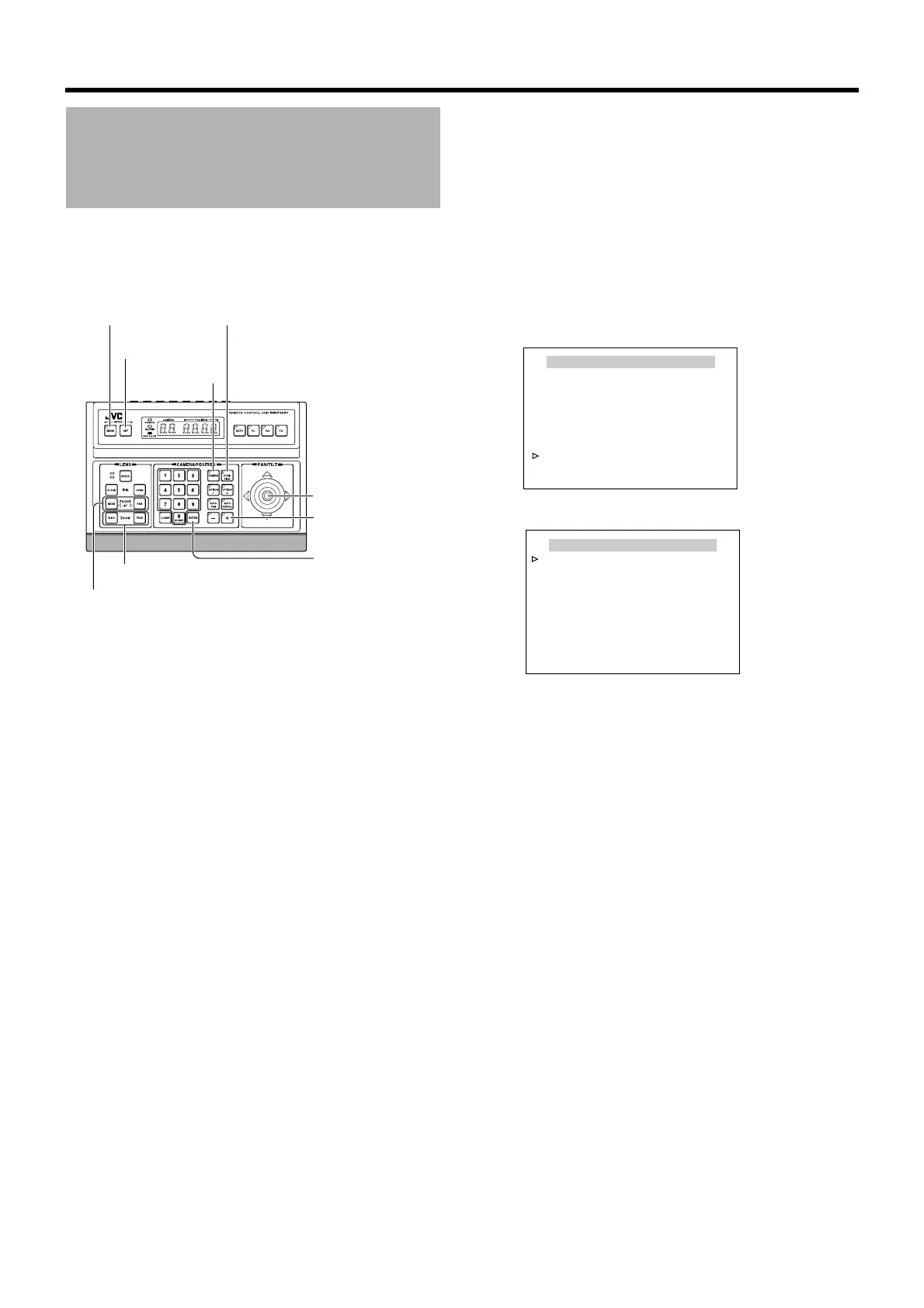
● [CAMERA] button B Numeric keypad (camera number)
B [ENTER] button
● Images from the selected camera are output.
2 Display the [MENU] screen (A Page 34)
3 Shift up and down the [PAN/TILT] lever, move the
cursor (Z) to the [POS.FUNCTION SET..] item
and press the [SET] button
The [POS.FUNCTION SET HOME] screen is displayed.
Auto White Balance Setting
[MENU] button
[SET] button
[CAMERA]
button
[PAN/TILT] Lever
[ENTER] button
[FOCUS (NEAR) (FAR)] button
[ZOOM(WIDE)(TELE)] button
[POSITION] button
[+] button
<
MENU
>
RETURN
<
SET
>
SUB MENU
POS.FUNCTION SET HOME
POSITION TITLE..
IRIS MODE AUTO
ExDR MODE OFF
ExDR LEVEL ---
BLC MODE OFF
W. BALANCE ATW-W
R GAIN ---
B GAIN ---
MENU
LANGUAGE ENGLISH
CAMERA FUNCTION1..
CAMERA FUNCTION2..
CAMERA TITLE/ALARM..
CAMERA ALC..
CAMERA VIDEO..
AUTO PAN/PATROL/TRACE..
POS. FUNCTION SET..
FACTORY SETTINGS..
<
MENU
>
EXIT
<
SET
>
SUB MENU
[POS.FUNCTION SET HOME]
screen
[MENU] screen



 To Next Page