18
ABSORmatic
®
plus.
9.3 Utility program "User
System"(2050)
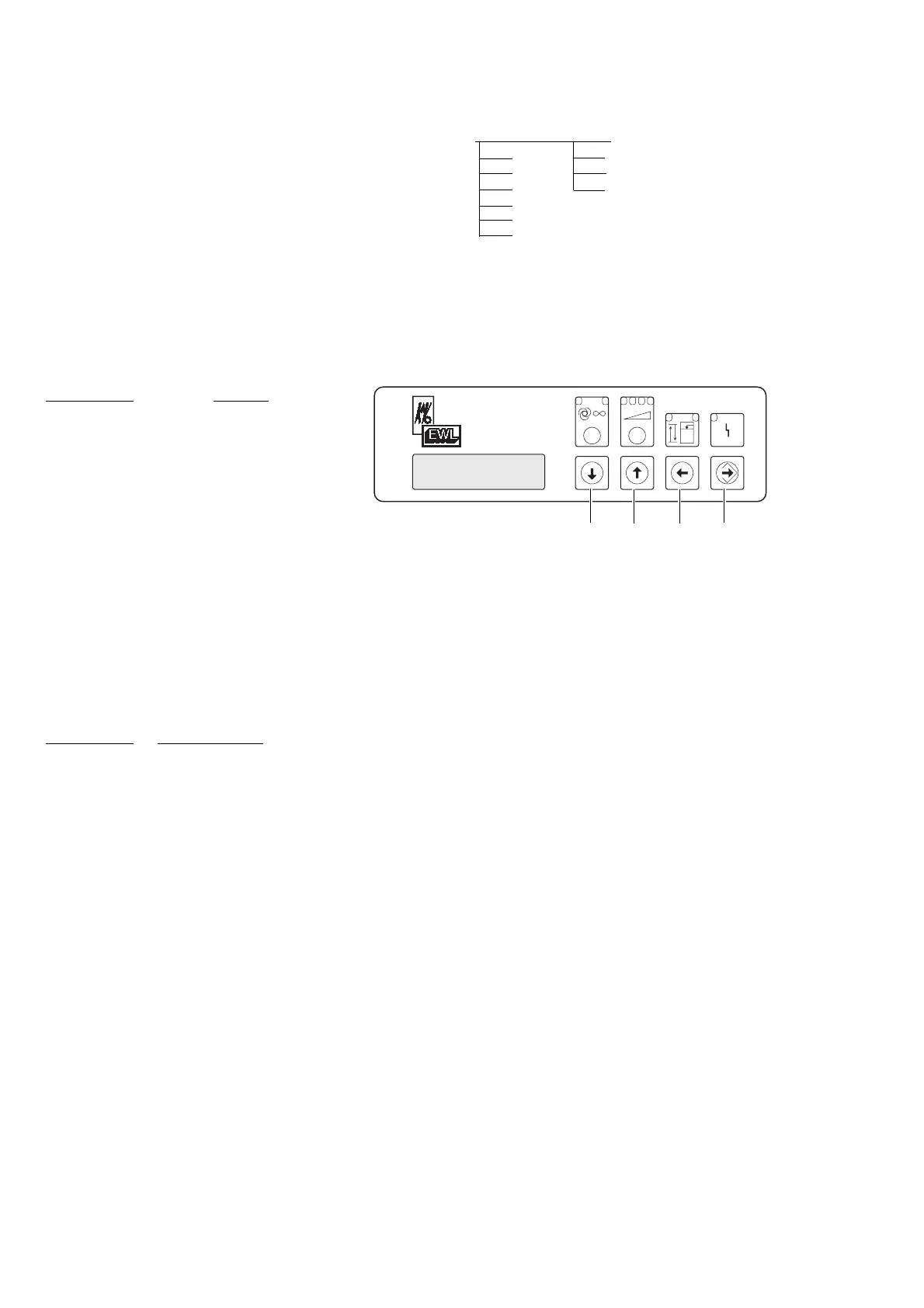
Press pushbutton "up" or "down" and
select utility program "User System". Press
pushbutton "Enter" .
Select workplace (AP1/AP2/AP3) with
pushbutton "up" or "down" and press
"Enter" .
Actuating pushbutton "up" or "down"
and press "Enter" .
Select the required suction volume
(24/36/48/72 unities) for that particular
workplace with pushbutton or and
store the value with "Enter" .
Factory setting: 24 unities
Actuating pushbutton "up" or "down"
and select operating mode "optimum"
and press pushbutton "Enter" . Select
"yes" or "no" with pushbutton "up" or
"down" .
"Optimum-operating mode = yes"
This workplace obtains the selected suction
power. Other workplaces will be blocked
in case there is not enough suction power
available.
"Optimum-operating mode = no"
This workplace optains the selected suction
power if available. Other workplaces are
not blocked, the suction power ca drop
below the selected value.
with pushbutton "Enter" store (memo-
raise) selected value.
Factory setting: Optimum = no
Û
Á
ˇ
˝
(2050) 9.3 Set up total system: 2051 WP1 2061 WP Suction power 24, 36, 48, 72 l/s
2052 WP2 2062 WP Optional Yes (1), no (2)
2053 WP3 2063 WP Detection Current (10), control input
2054 WP21 2064 WP Adapt unit? No (15), HF (17)
2055 WP22
2056 WP23
2957 WP24











 To Next Page