19
ABSORmatic
®
plus.
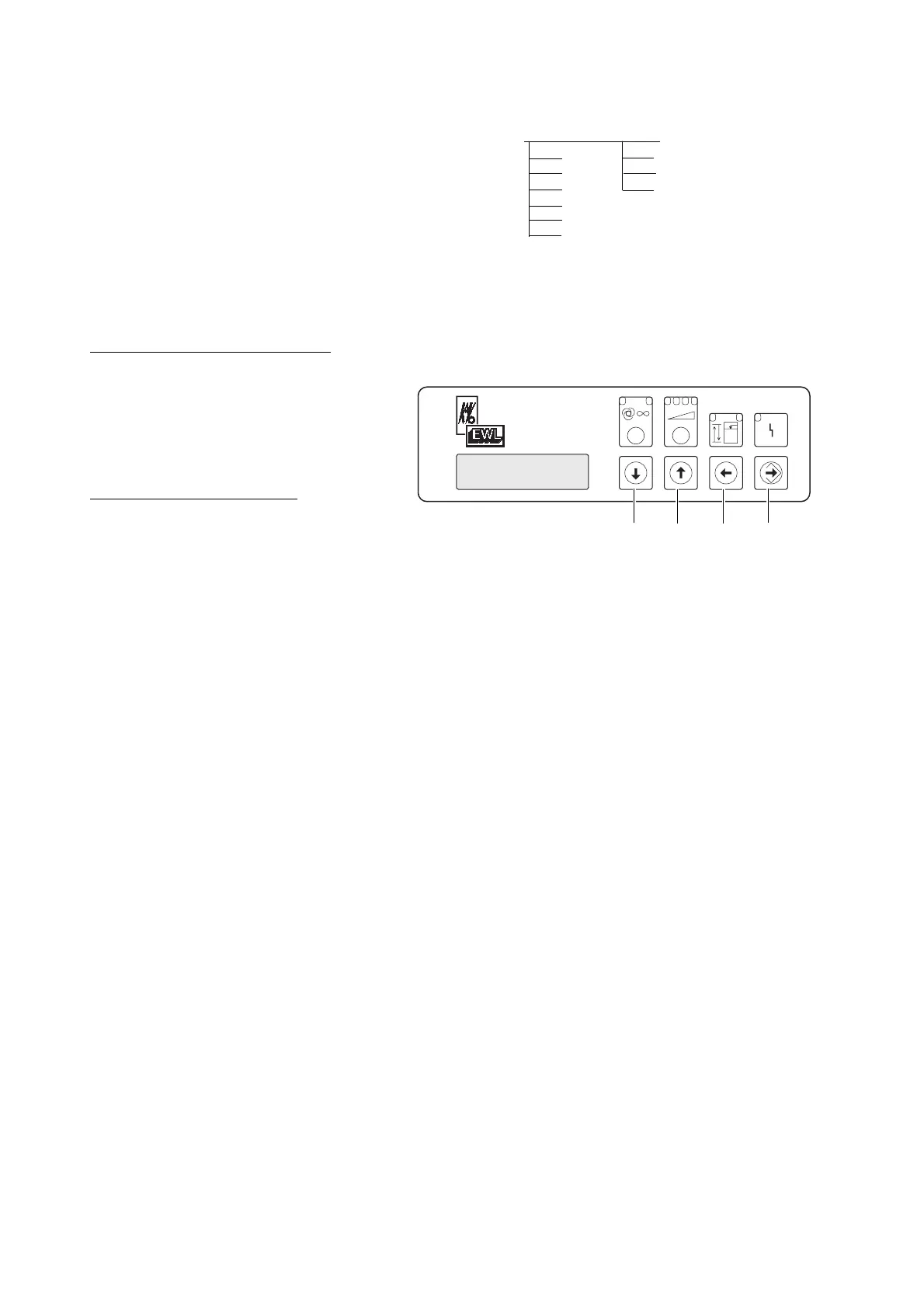
Actuating pushbutton "up" or "down"
select oparating mode "Identification".
Then press pushbutton "Enter" select
with pushbutton "up" or "down" cur-
rent, control-input or continious operation.
Identification = Current: This workplace is
put into operation by connecting an electri-
cal load to the socket.
Identification = Control-input: This work-
place is put into operation by using a con-
trol-signal i.e. footswitch.
Identification = Continious operation: This
workplace is set for continious operation.
Store selection with puhbutton "Enter" .
Factory setting: Identification = Current
Actuating pushbutton "up" or "down"
to select operating mode: "unit adap-
tion" and press pushbutton "Enter" .
Select with pushbutton "up" or "down"
HF or no. In case a HF-Unit should be
connected to the workplace, this workplace
must be adapted to HF.
Factury setting: Unit adaptions = no
By pressing the foil switch “back“ Á the
assist programm can be left again.
Û
Á
ˇ
˝
(2050) 9.3 Set up total system: 2051 WP1 2061 WP Suction power 24, 36, 48, 72 l/s
2052 WP2 2062 WP Optional Yes (1), no (2)
2053 WP3 2063 WP Detection Current (10), control input
2054 WP21 2064 WP Adapt unit? No (15), HF (17)
2055 WP22
2056 WP23
2957 WP24











 To Next Page