❶ Fn function key ❷ Foldable footrest ❸ Rubber anti-slip feet
❹ Mac/Win Change over switch ❺ Bluetooth / Wired /2.4G three mode switch
❻ Detachable Type-C interface
2、Three mode functions、Power on/off/Auto sleep
1)Wired mode、Power on/off/Auto sleep
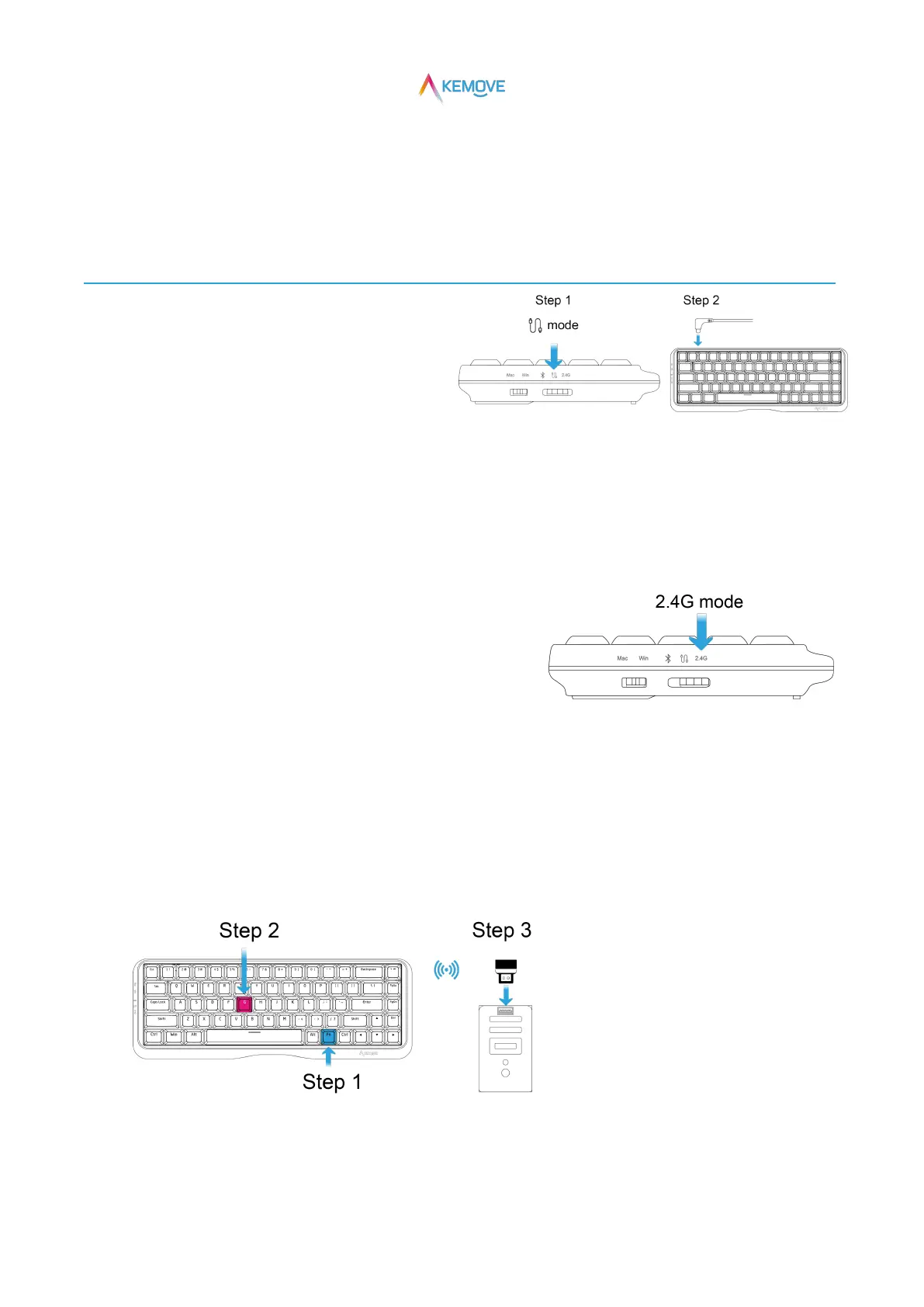
①Enter "wired mode" and power on:
·Step 1:Three mode switches switch to "wired mode";
·Step 2:The type-C interface is inserted into the data cable (the machine is turned on at this time);
②Automatic sleep and shutdown:
·If no operation is performed, the backlight will go out and sleep automatically after 5 minutes by default.;
·Unplug the data cable in "wired mode", that is, shutdown;
2)2.4G mode、Power on/Auto sleep
①Enter "2.4G mode" and power on:
·Three mode switches switch to "2.4G mode" (at this time, it is on);
②Keyboard connected to computer:
·Step 1:When pressing FN, the G key will light up and prompt;
·Step 2:Keep Fn pressed, and then press the G key (press and hold for 3S at the same time),
and the G key will flash white, that is, it will enter the pairing state;
·Step 3:Directly plug the 2.4G receiver into the USB interface of the computer to automatically and quickly connect
(the light of the G key returns to normal after the connection is successful);
③Auto sleep:
· If no operation is performed, the backlight will go out and sleep automatically after 5 minutes by default.;


 To Next Page