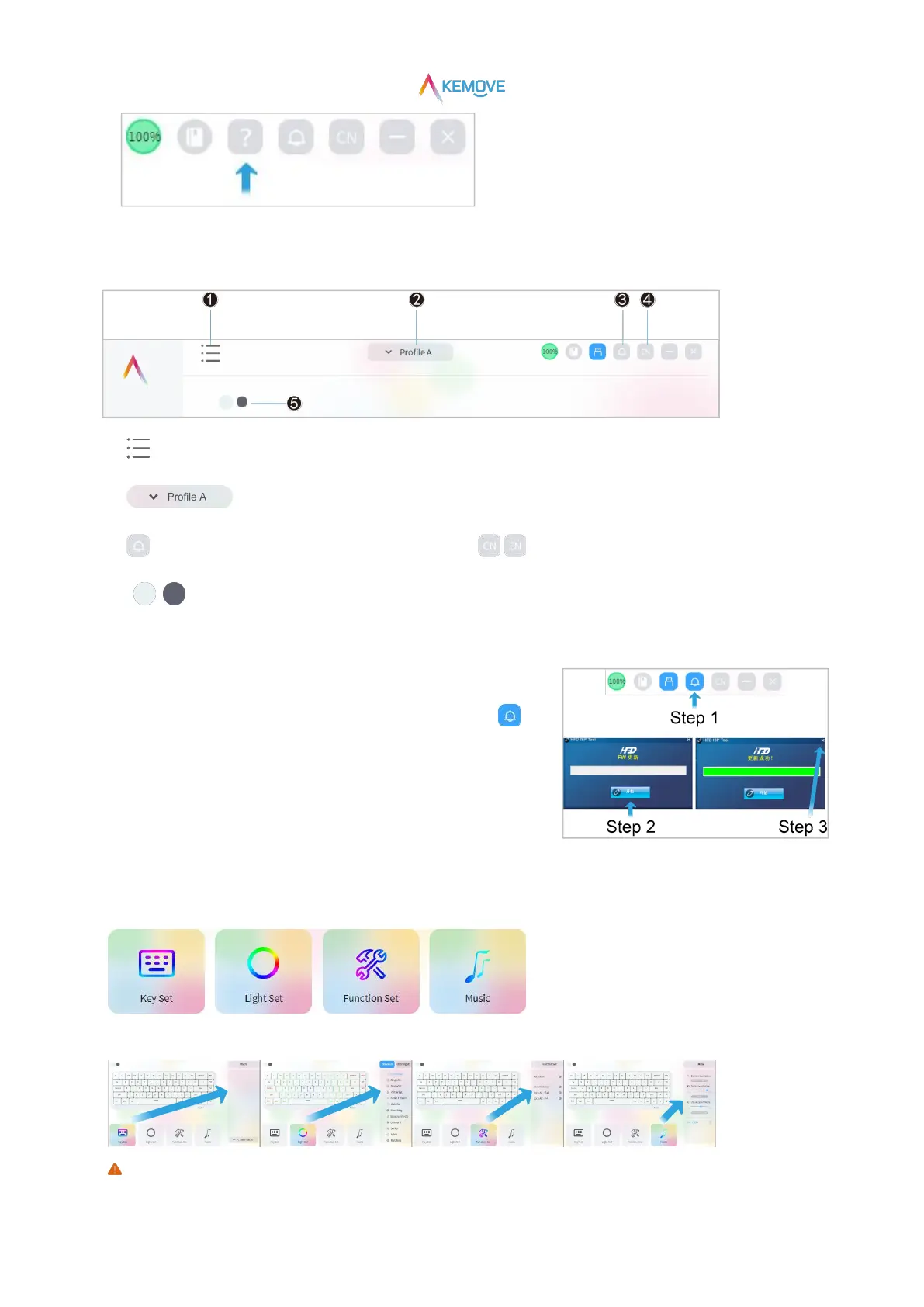
3)Drive function introduction
❶ :Reset,import,export
❷ :There are Profile A、B、C、D in total,corresponding to profile 1、2、3、4 respectively
❸ :Online upgrade (firmware update) ❹ / :Language switching
❺ :Keyboard main image color switching
4)Drive online upgrade
·Step 1:Click the icon in the upper right corner of the drive interface: ;
·Step 2:Pop up the online upgrade dialog box and click "start";
·Step 3:When the progress bar runs, it displays "update succeeded!", Click "X"。
5)Drive four setting modules
①The four setting modules are "Key Set", "Light Set", "Function Set" and "Music";
②For each setting module, there are setting items corresponding to the current module on the right;
After the “Key Set”、“"Light Set”are saved successfully, the settings are still valid even if the keyboard is disconnected


 To Next Page