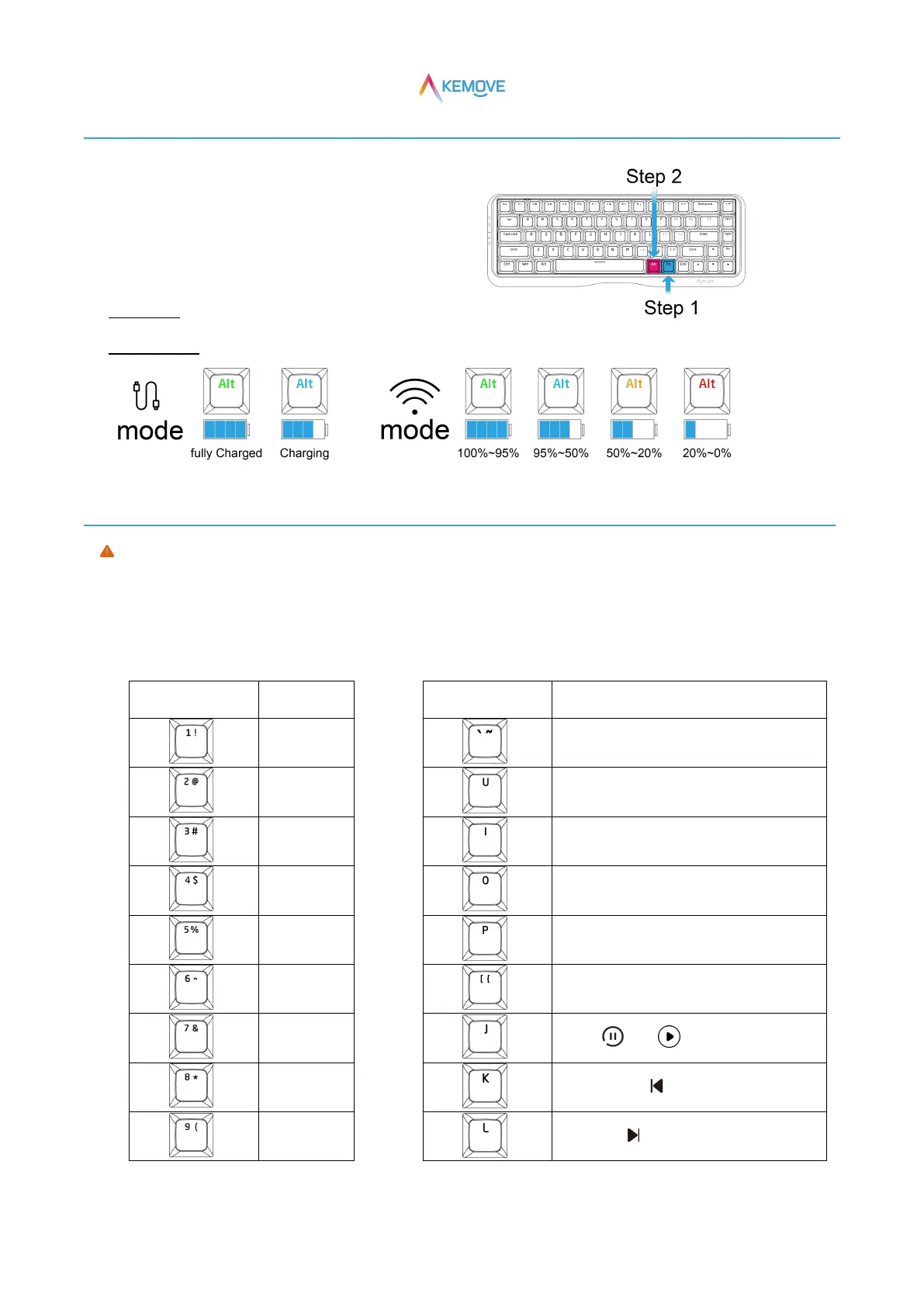
4、Power display
·Check the right Alt key color to judge the power:
·Step 1:Press Fn;
·Step 2:Keep Fn pressed, and then press the right Alt key
to view the right Alt key color;
·Wired mode:Fully charged-green light、charging-Blue light;
·Bluetooth mode:100%~95%-green light、95%~50%-Blue light、50%~20%-yellow light、Less than 20%-red light;
5、Function key combination
Instructions for key operation of Fn function combination key:
·Fn+ combination designation key, correct step: press Fn first, and then press the combination designation key
(for example: Fn+M, the correct step is to press Fn first, and then press M)。
1)Extended key function
Scroll lock([{ Key on red light)


 To Next Page