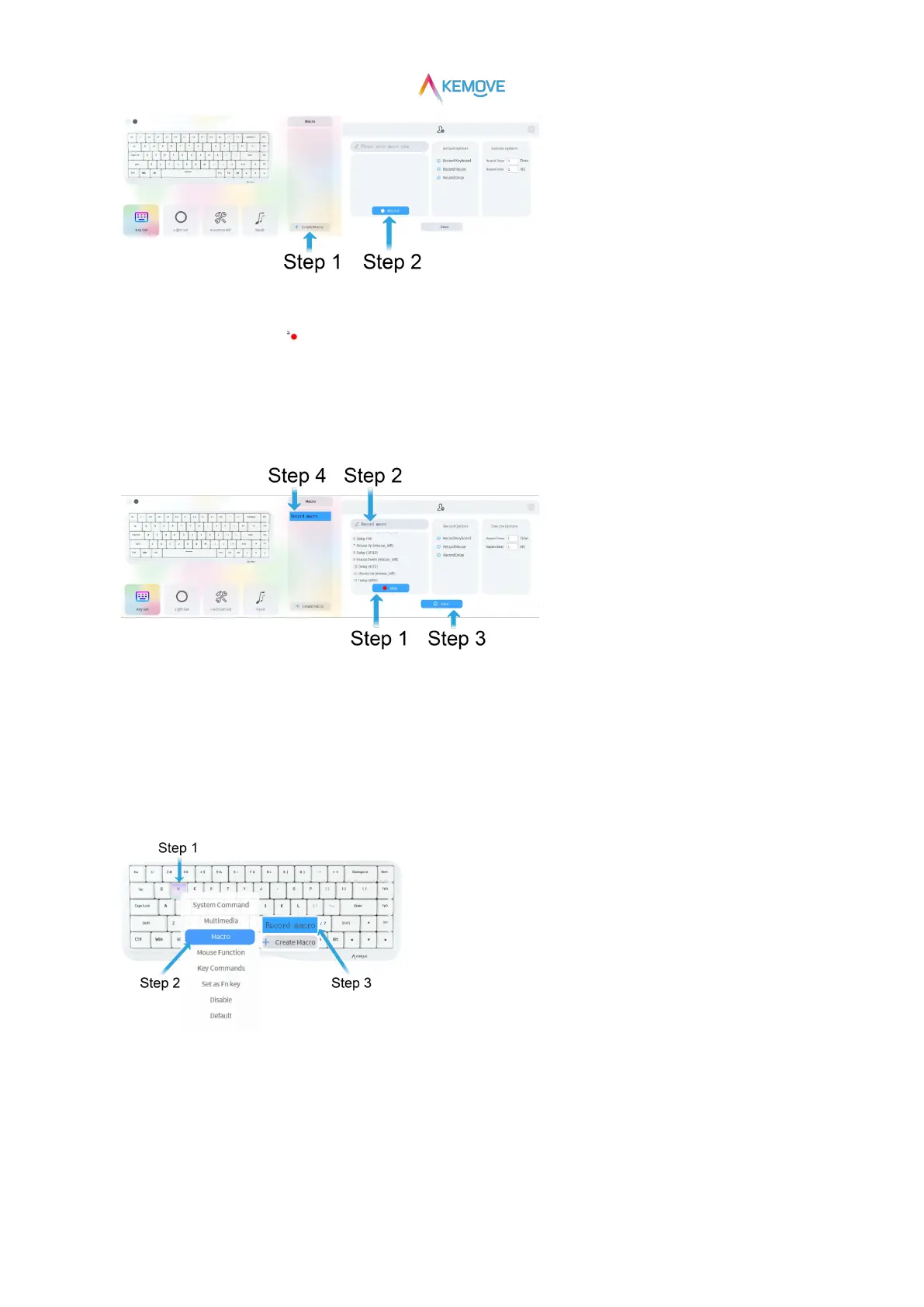
②Save macro:
·Step 1:After recording, click“ Stop”;
·Step 2:"macro name" in the input box;
·Step 3:Then click“√ Save”;
·Step 4:After saving successfully, the saved macro file will be visible in the "Macro" box on the right side of the driver interface;
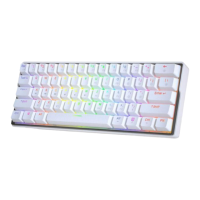
③Using macro:
·Step 1: when the mouse is moved to any key position, it will change color and prompt to select (as shown in the figure: key w);
·Step 2: click with the left mouse button to pop up the secondary page and move it to the "Macro" position;
·Step 3: automatically pop up the recorded macro file. Click the required macro file with the left mouse button, and the setting is
successful (in this case, press the W key to trigger macro recording);
④Key recovery:*Restore to the original key position method, the same as “6、1)②Key recovery”。
6.3)Key Set: Mouse Function
·Step 1: when the mouse moves to any key position, it will change color and prompt to select;


 To Next Page