from the drive。
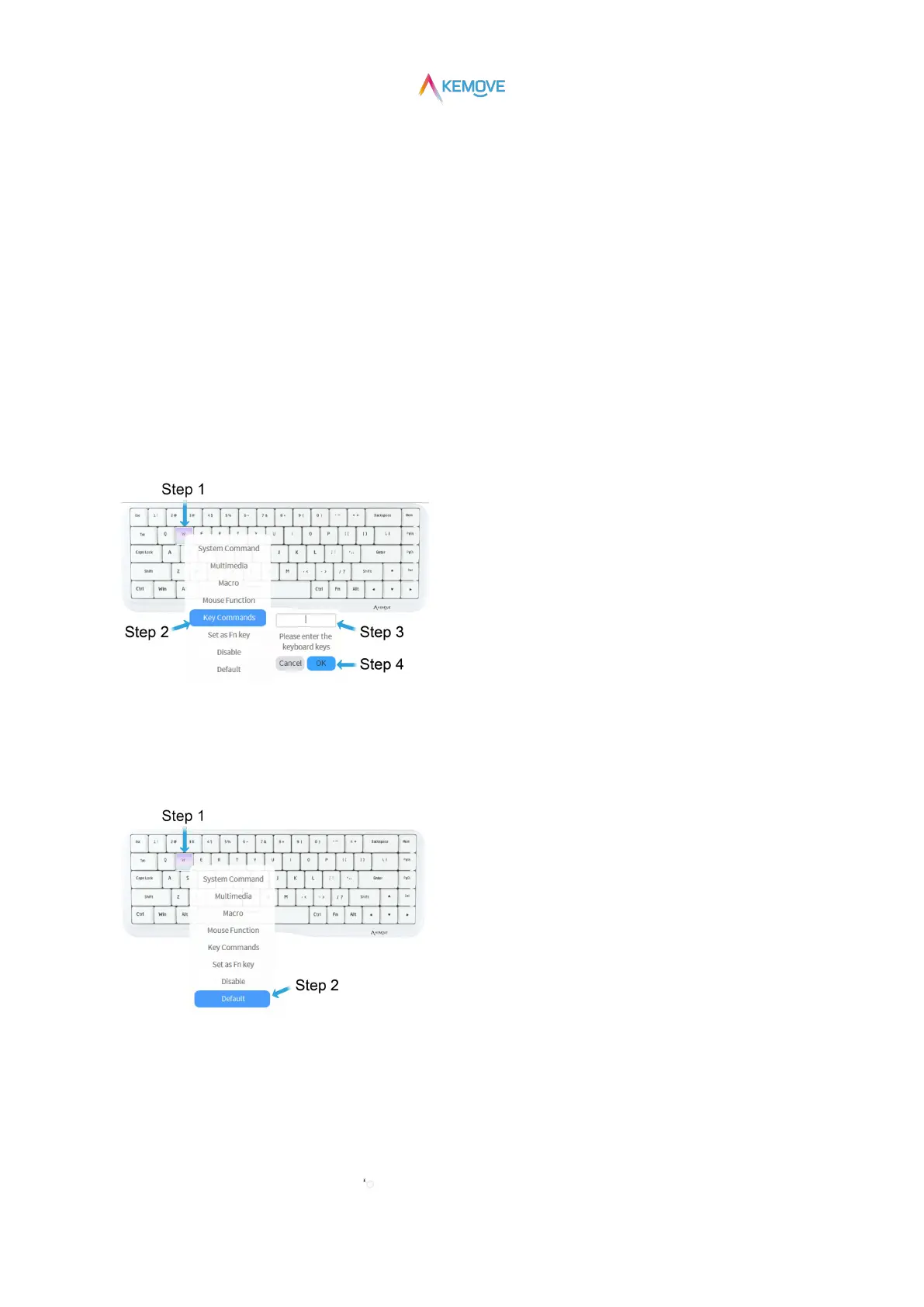
6.1)Key Set: key change and recovery
①Key change:
·Step 1: when the mouse is moved to any key position, it will change color and prompt to select
(as shown in the figure: key W);
·Step 2: click with the left mouse button to pop up the secondary page and move it to the "Key Commands" position;
·Step 3: automatically pop up the keyboard key input box and input the key position to be changed;
·Step 4: click "OK" to change the key successfully
(if you enter "1" and click "OK", it means that the "W" key has been changed to the digital "1" key);
②Key recovery:
·Step 1: move the mouse to the key position to be restored, and click the left mouse button to pop up the secondary page;
·Step 2: move the mouse to the "Default" position and click to restore the original key position;
6.2)Key Set: Macro
①Record macro:
·Step 1:Click "+ Create Macro" on the right side of the drive interface;
·Step 2:After the dialog box pops up, click “ Record”;



 To Next Page