01/28/02
Page 8.1
Setup
Kent Pad Printer Canada Inc.
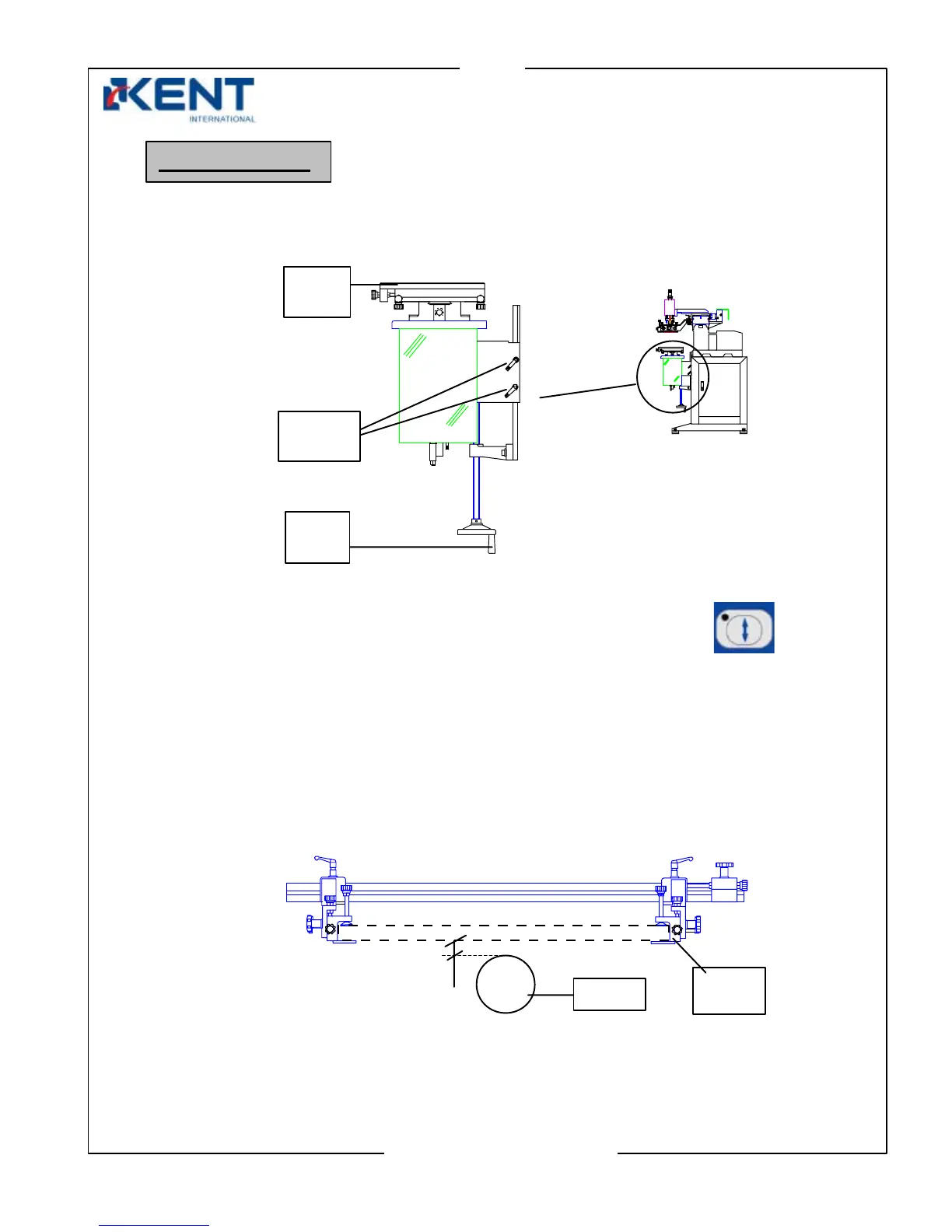
1. Adjusting height of worktable
- Turn your machine on and enter manual mode.
Press worktable up/down key to move worktable in the up position.
- Loosen both locking screws.
- Mount object on holding jig/platform.
- Turn hand wheel to adjust worktable.
Because at this stage the screen is not mounted yet, try to use the frame holder as a
reference point. Object should come up to approximately 2 mm below screen frame.
- Once finished, tighten locking screws.
Machine setup
Locking
screws
Hand
wheel
Work
table
Frame
holde
2 mm
Object



 To Next Page