01/28/02
Page 8.2
Setup
Kent Pad Printer Canada Inc.
2. Mounting & adjusting the screen
Mounting the screen
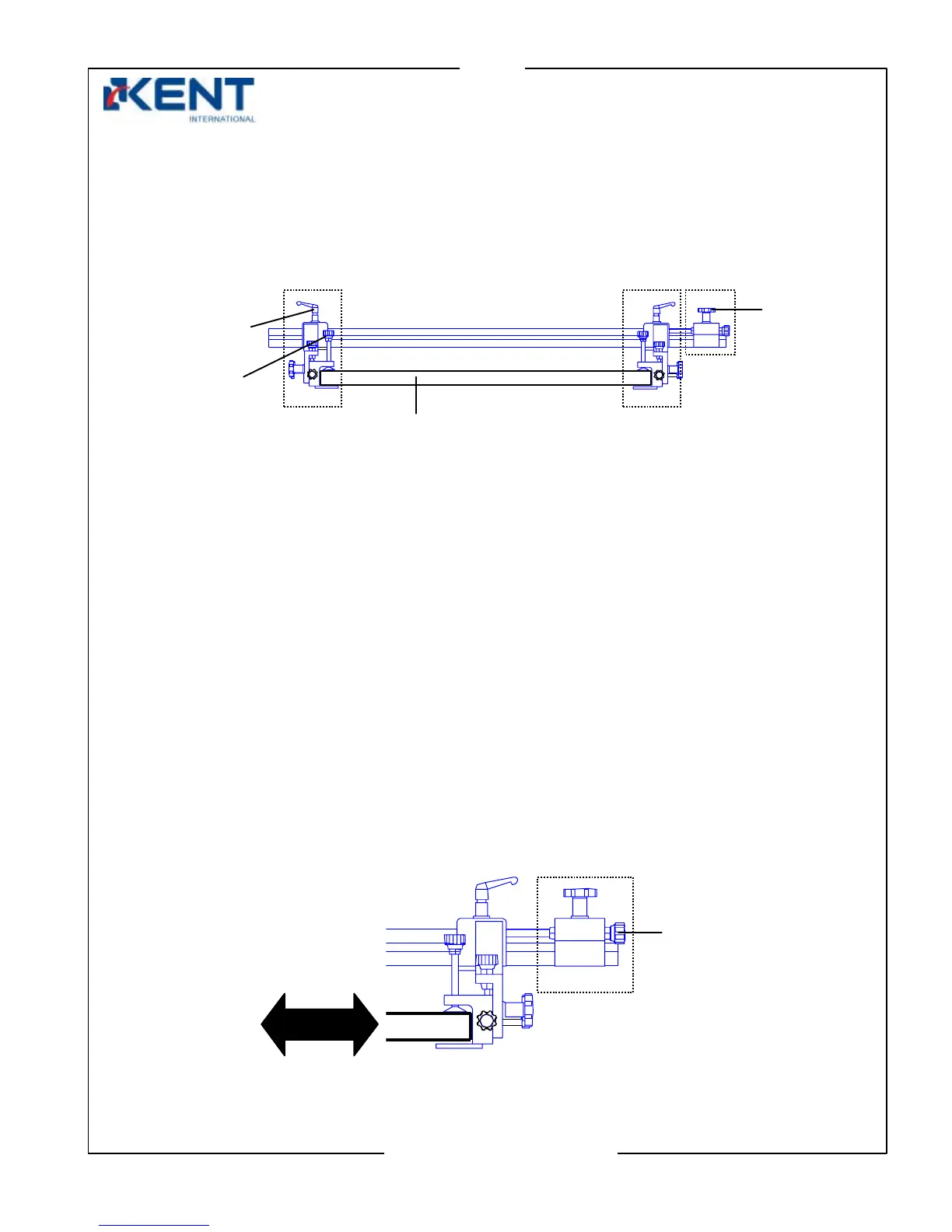
- Release locking handle on both screen holders & locking knob of fine adjustment.
Both screen holders can now be positioned manually appropriately according to the
screen width.
- Release clamp knobs on both screen holders.
- Insert screen.
- When screen is mounted fasten knob screws, locking knob & handles.
Adjusting the screen
Adjusting position of screen horizontally
- Release locking handle on both screen holders.
- Make sure locking knob of fine adjustment is fastened securely and use the fine
adjustment knob to move the screen left or right. Try to center screen with product.
Clamp
knob
Locking
handle
Locking
knob
Screen holde
- Left side
Fine
adjustment
Screen holde
- Right side
Fine
adjustment
knob
screen



 To Next Page