01/28/02
Page 9.2
Work Table
Kent Pad Printer Canada Inc.
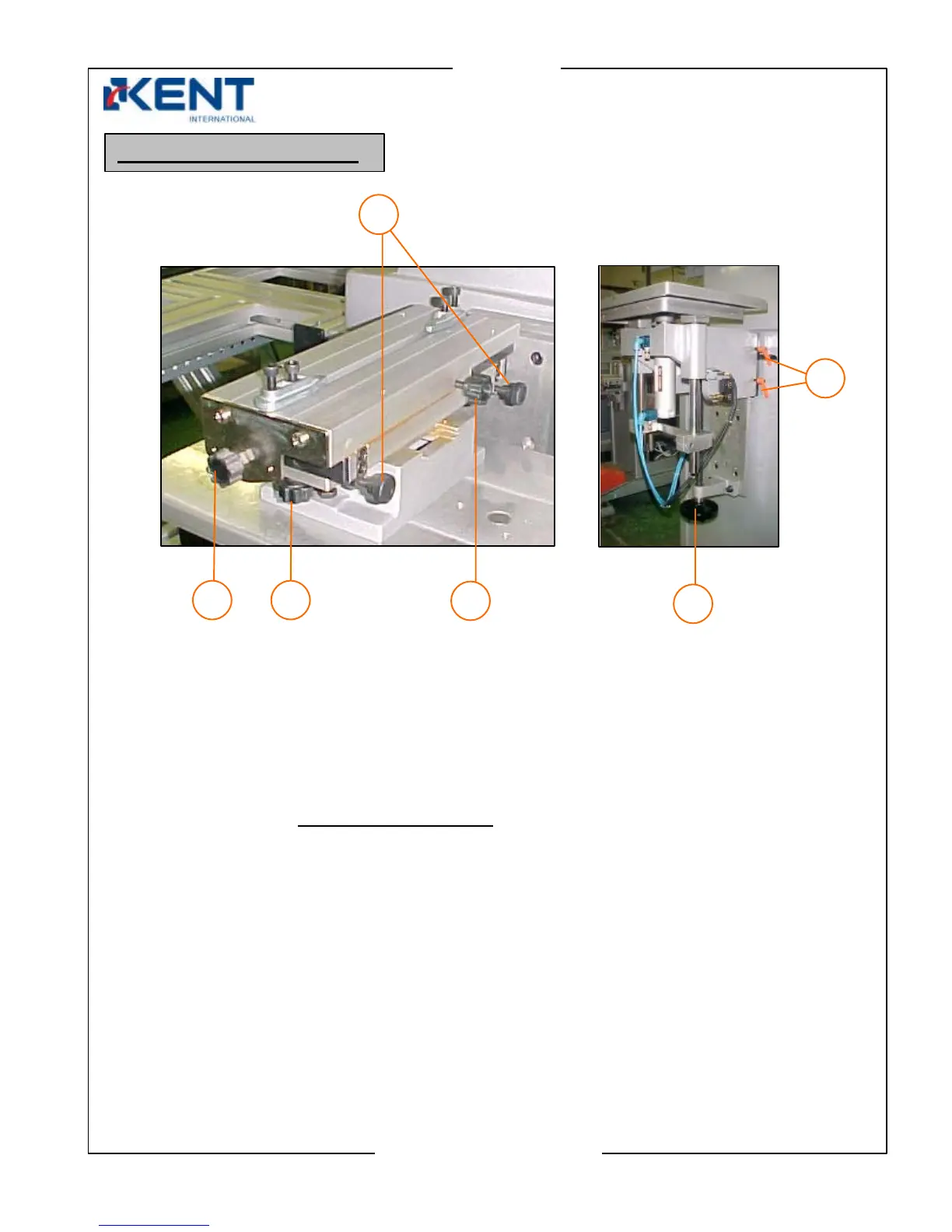
In/out Adjustment
- Loosen 3
- Turn adjustment knob 1 to move worktable in or out
- When proper position is found tighten 3
Angle Adjustment
- Loosen 2 (x2) on both sides of worktable
- Turn both angle adjustment knobs 4 simultaneously
in opposite directions to rotate the worktable.
- When proper angle is found tighten 2 (x2)
Up/Down Adjustment
- Loosen orange locking handles 6
- Turn hand wheel 5 to move worktable up or down
- When proper position is found secure by locking handles 6
Work Table Adjustment
2
3
4
1
5
6



 To Next Page