01/28/02
Page 6.2
Kent Pad Printer Canada Inc.
Control
Turning your Printer On
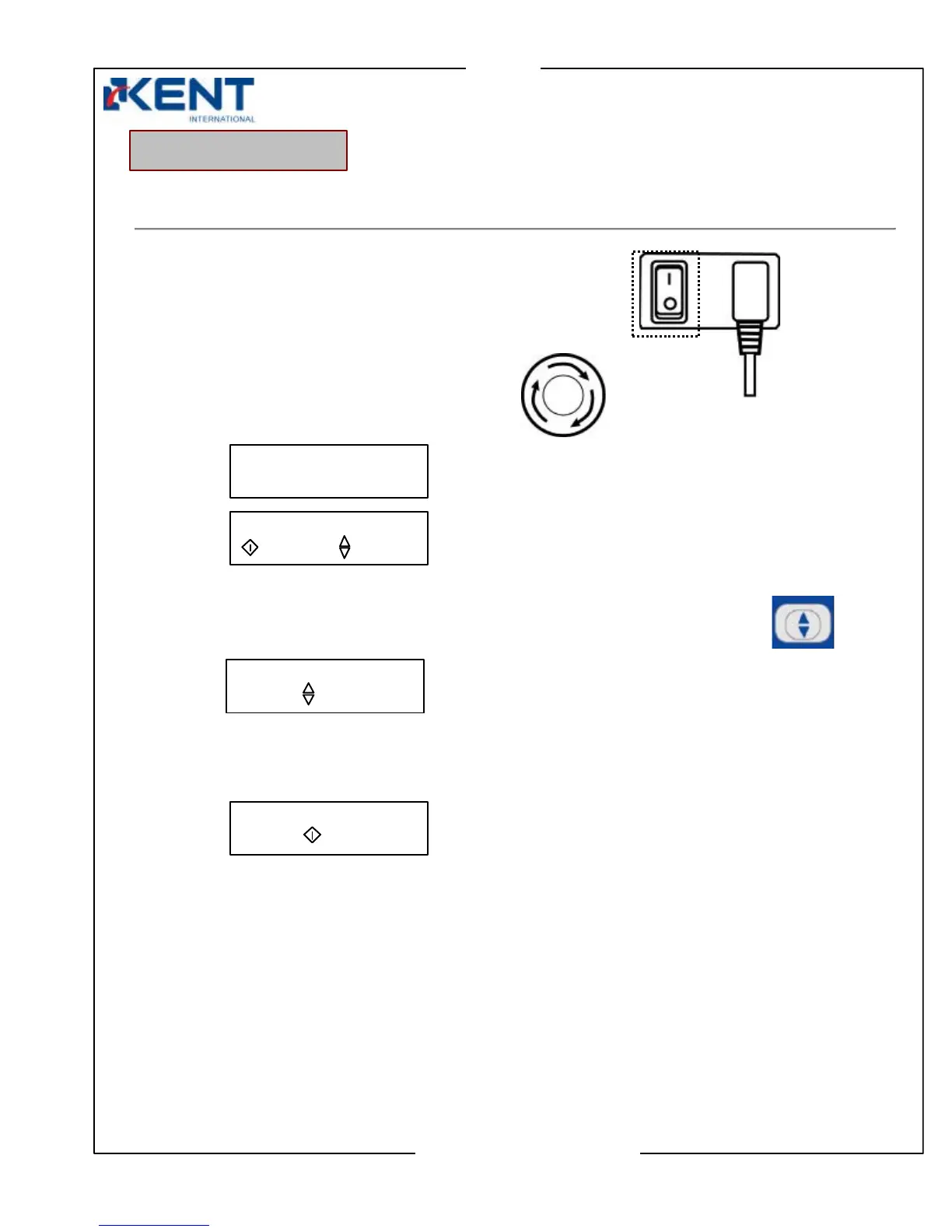
1. Turn power switch ON (at the back of machine body).
2. Release panic switch by turning it clockwise.
Display
Then
3. Press setting key to select which printing setup (round or flat) machine is using.
Display
4. Press start key to accept selection and activate compressed air inside machine.
Display
Machine is now ready to operate
Choose one of the following options to continue.
- For Manual Mode (adjustments & simulations) go to page 4.3
- For Machine Settings & special features go to page 4.4
- For Activating Printing Mode go to page 4.6
- For Stopping go to page 4.6
Control Sequence
KENT ENG. LTD.
SCREEN PRINTER
FLAT PRINT
PRESS “ “ SW
ROUND PRIN
:START :SETUP
FLAT
PRESS “ “ TO ROUND



 To Next Page