01/28/02
Page 6.1
Kent Pad Printer Canada Inc.
Control
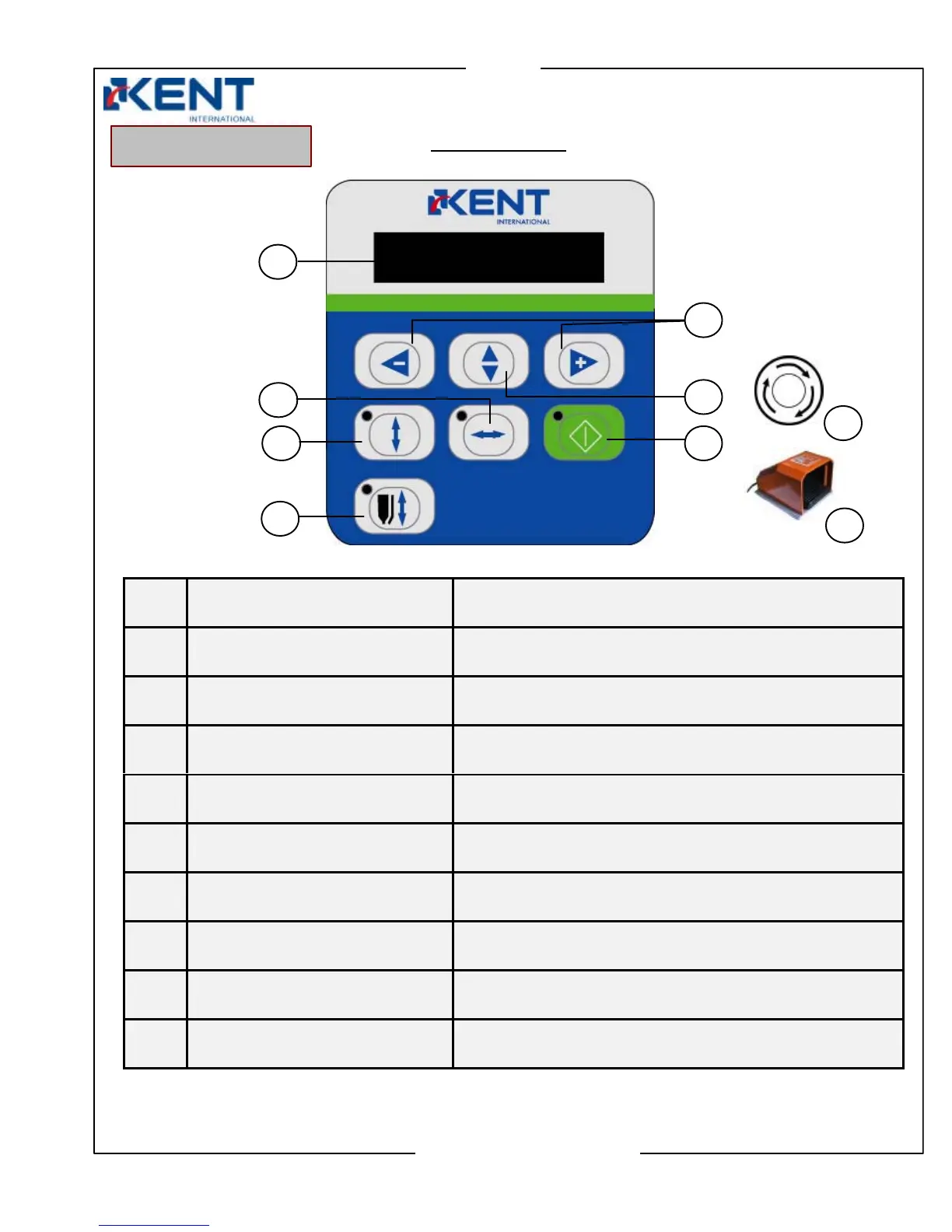
Control Features
No. Components Main Functions
1. Control Display
Display printer’s control information
2. Squeegee Left/Right key**
Manual mode key: squeegee moves left or right
**Round Print: screen moves left or right
3. Screen Up/Down key
Manual mode key: screen moves up or down
4. Squeegee Up/Down key
Manual mode key: squeegee/flooder moves up or down
5. Left (-) and Right (+) keys
To select printer setting parameters
6. Setting key
To enter and select printer settings and special features
7. Start key
To activate compressed air, accept new settings
8. Panic Switch
To stop in emergency
9. Foot Switch
To stop in any modes
3
4
Front Control Panel
1
7
2
5
6
9
8



 To Next Page