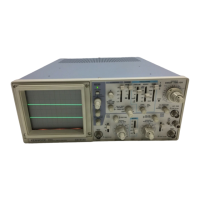
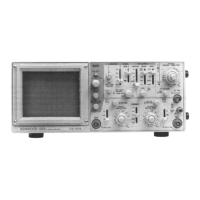
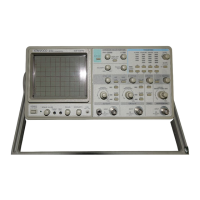
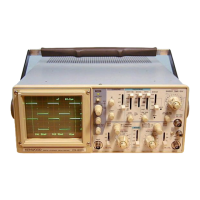
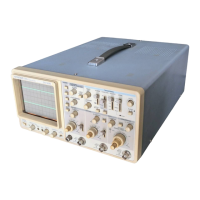
ICS-1022,
1021,
1012
(2) MAGNIFIED SWEEP OPERATION
Since merely shortening the sweep time to magnify a por-
tion of an observed waveform can result in the desired por-
tion disappearing off the screen, such magnified display
should be performed using the MAGNIFIED SWEEP.
Using the POSITION control, adjust the desired portion
of waveform to the CRT. Pull out the PULLx 10 MAG
con-
trol to magnify the display 10 times. For this type of
display the sweep time is the SWEEP TIME/DIV setting
divided by 10.
(3) X-Y OPERATION
For some measurements, an external horizontal deflection
signal is required. This is also referred to as an X-Y
measurement, where the Y input provides vertical deflec-
tion and X input provides horizontal deflection.
X-Y operation permits the oscilloscope to perform many
types of measurements not possible with conventional
sweep operation. The CRT display becomes an electronic
graph of two instantaneous voltages. The display may be a
direct camparison of two voltages such as during phase
measurement, frequency measurement with Lissajous
waveforms.
To use an external horizontal input, use the following pro-
cedure;
1.
Set the TRIG MODE switch to X-Y the position.
2.
Use the channel 1 probe for the vertical input and the
channel 2 probe for the horizontal input.
3. Adjust the amount of horizontal deflection with the CH2
VOLTS/DIV and VARIABLE controls.
4.
The CH2 (vertical) POSITION (Q) control now serves
as the horizontal position control, and the * POSITION
control is disabled.
5. All sync controls are disconnected and have no effect.
(4) VIDEO SIGNAL OBSERVATION
The VIDEO FRAME/LINE switch permits selection of ver-
tical or horizontal sync pulse for sweep triggering when
viewing composite video waveforms. In the LINE position,
horizontal sync pulses are selected as triggers to permit
viewing of horizontal line of video. This is also the position
used for viewing all non-video waveforms. In the FRAME
position,
vertical sync pulses are selected as triggers to
permit viewing of vertical fields and frames of video. When
observing the video waveforms, stable display is obtained
on the screen regardless the TRIG LEVEL @ control.
At most points of measurement, a composite video signal
is of the polarity, that is, the sync pulses are negative and
the video is positive. In this case, use " —" SLOPE.
If the waveform is taken at a circuit point where the video
waveform is inverted, the sync pulses are positive and the
video is negative. In this case, use " + " SLOPE.
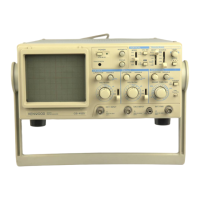
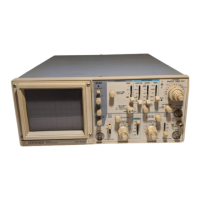
CS-1020,, 1010
(2) MAGNIFIED SWEEP OPERATION
Since merely shortening the sweep time to magnify a por-
tion of an observed waveform can result in the desired por-
tion disappearing off the screen, such magnified display
should be performed using the MAGNIFIED SWEEP.
Using the POSITION control, adjust the desired portion
of waveform to the CRT. Pull out the PULLx 10 MAG
con-
trol to magnify the display 10 times. For this type of
display the sweep time is the SWEEP TIME/DIV setting
divided by 10.
(3) X-Y OPERATION
For some measurements, an external horizontal deflection
signal is required. This is also referred to as an X-Y
measurement, where Y input provides vertical deflection
and the X input provided horizontal deflection. The horizon-
tal input may be a sinusoidal wave, such as used for phase
measurement, or an external sweep voltage. This input
voltage must be about 100 millivolts per division of deflec-
tion (usually 1 volt or more peak-to-peak will provide
satisfactory results). X and Y positions are ajusted using
the «*• POSITION ® and £ POSITION © controls
respectively. To use an external horizontal input, use the
following procedure.
1.
Set the TRIG MODE switch to the X-Y position.
2.
Connect the external horizontal signal source through a
cable to the EXT TRIG INPUT jack.
3. Adjust the amount of horizontal deflection with the
VARIABLE control, which adjusts the gain to the
horizontal amplifier.
4.
All sync contol are disconnected and have no effect.
(4) VIDEO SIGNAL OBSERVATION
The VIDEO FRAME/LINE switch permits selection of ver-
tical or horizontal sync pulse for sweep triggering when
viewing composite video waveforms. In the LINE position,
horizontal sync pulses are selected as triggers to permit
viewing of horizontal line of video. This is also the position
used for viewing all non-video waveforms. In the FRAME
position,
vertical sync pulses are selected as triggers to
permit viewing of vertical fields and frames of video. When
observing the video waveforms, stable display is obtained
on the screen regardless the TRIG LEVEL ® control.
At most points of measurement, a composite video signal
is of the polarity, that is, the sync pulses are negative and
the video is positive. In this case, use " —" SLOPE.
If the waveform is taken at a circuit point where the video
waveform is inverted, the sync pulses are positive and the
video is negative. In this case, use " + " SLOPE.
18



 To Next Page