Basic Operations
11English
Initial Settings
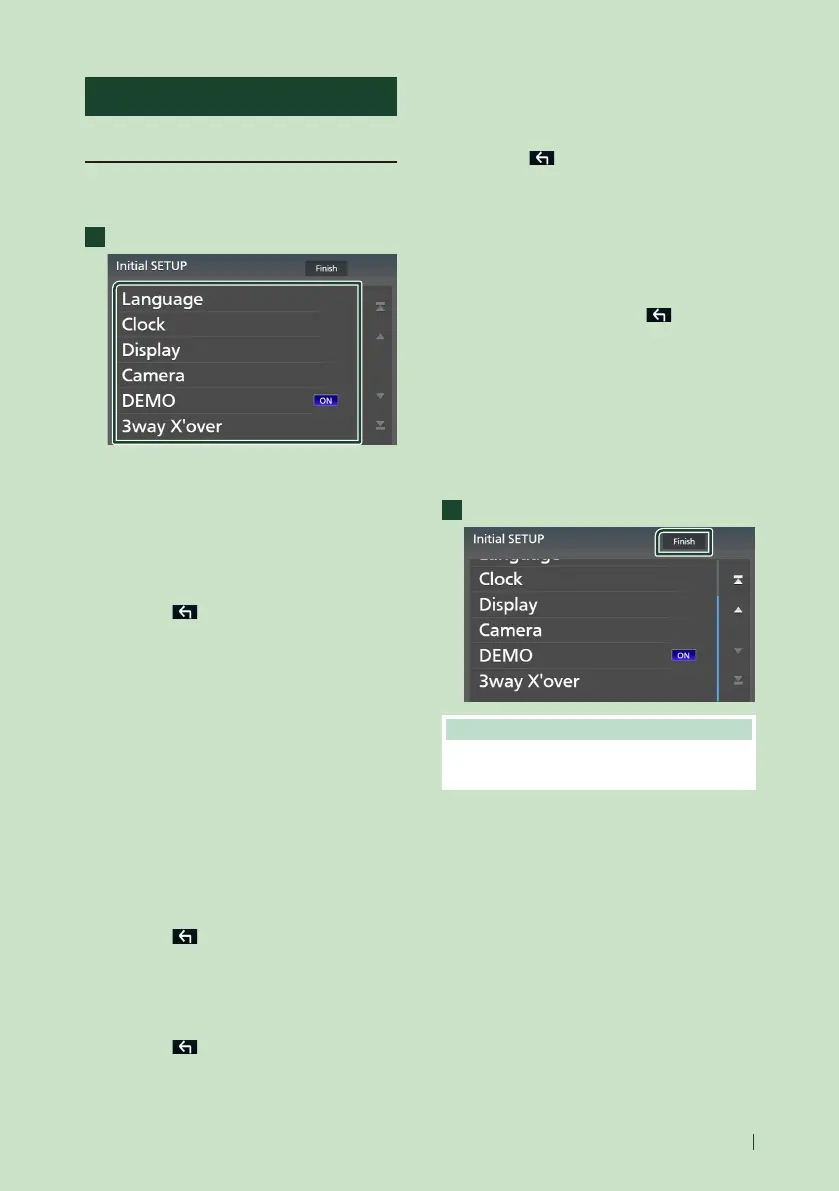
Initial SETUP
Perform this setup when you use this unit first
time.
1
Set each item as follows.
■ [Language]
Select the language used for the control
screen and setting items. Default is “British
English(en)”.
1 Touch [Language].
2 Touch [Language Select].
3 Select the desired language.
4 Touch [
].
For details, see User Interface Setup
(P.71).
■ [Clock]
Sets the synchronization of the clock and
adjusts it.
For details, see Calendar/clock settings
(P.12).
■ [Display]
Set the key illumination color.
If it is hard to see the image on the screen
even, adjust the viewing angle.
1 Touch [Display].
2 Touch [Key Colour].
3 Select the desired color.
4 Touch [
].
(Except DMX8520DABS / DMX8020S)
5 Touch [Display Adjustment].
6 Adjust a viewing angle and a tilt position.
7 Touch [
].
For details, see Display Adjustment
(P.14).
(DMX8520DABS / DMX8020S only)
5 Touch [Viewing Angle].
6 Select a viewing angle.
7 Touch [
].
For details, see Viewing Angle (P.14).
For details, see Display Setup (P.74).
■ [Camera]
Set the parameters for the camera.
1 Touch [Camera].
2 Set each item and touch [
].
For details, see Camera Setup (P.65).
■ [DEMO]
Set the demonstration mode. Default is “ON”.
■ [3way X'over]
Displays the message screen.
For details, see 3-way speaker system setup
(P.78).
2
Touch [Finish].
NOTE
• These settings can be made from the SETUP
menu. See Setup (P.70).



 To Next Page
 Loading...



