Controlling Audio
82
■ [SW Level]
Adjust the subwoofer volume. This setting
is not available when Subwoofer is set to
“None”. See Speaker / X’over setup (P.79).
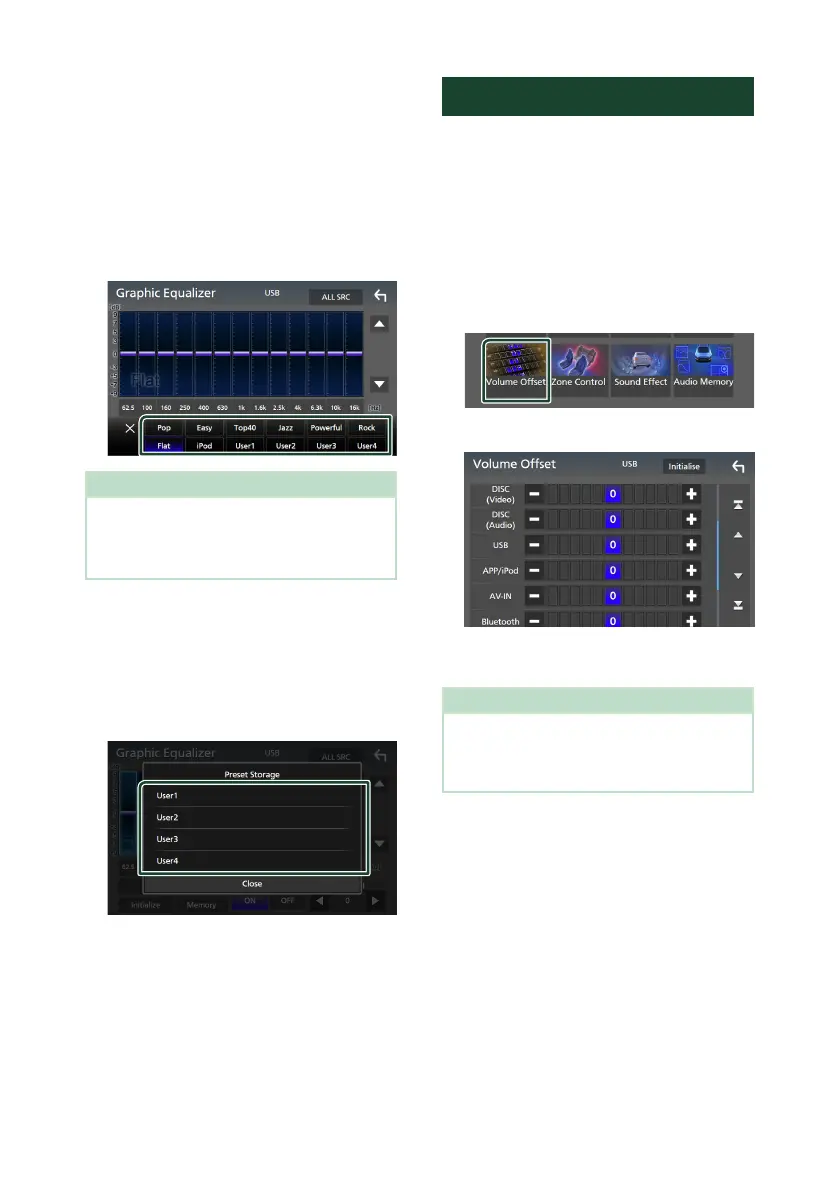
Ñ Recall the EQ curve
1
Touch [Preset Select].
2
Select an EQ curve.
NOTE
• [iPod] is available for the iPod and Apple CarPlay
sources and it is connected via USB.
• [iPod] is also available for the Apple CarPlay
source that is connected wirelessly.
Ñ Save the EQ curve
1
Adjust the EQ curve.
2
Touch [Memory].
3
Select where to save.
Volume Offset
Finely adjust the volume of the current source
to minimize the difference in volume between
different sources.
1
Press the [MENU] button.
Popup menu appears.
2
Touch [Audio].
Audio screen appears.
3
Touch [Volume Offset].
4
Touch [+] or [-] to adjust the level.
■ [Initialise]
Returns to the initial settings.
NOTE
• If you have increased the volume first, then
reduce the volume using “Volume Offset”.
Switching the current source to another source
suddenly may output extremely loud sound.


 To Next Page
 Loading...




