Disc
30
■ To switch among picture angles
Touch [Angle]. Each time you touch this key,
picture angles are switched.
* These keys may not function depending on
the disc.
Ñ Highlight control
Highlight control lets you control the DVD
menu by touching the menu key directly on
the screen.
1
Touch [Highlight] on the Menu Control
screen.
2
Touch your desired item on the screen.
NOTE
• The highlight control function is cancelled
automatically if you do not operate for a
predetermined period of time.
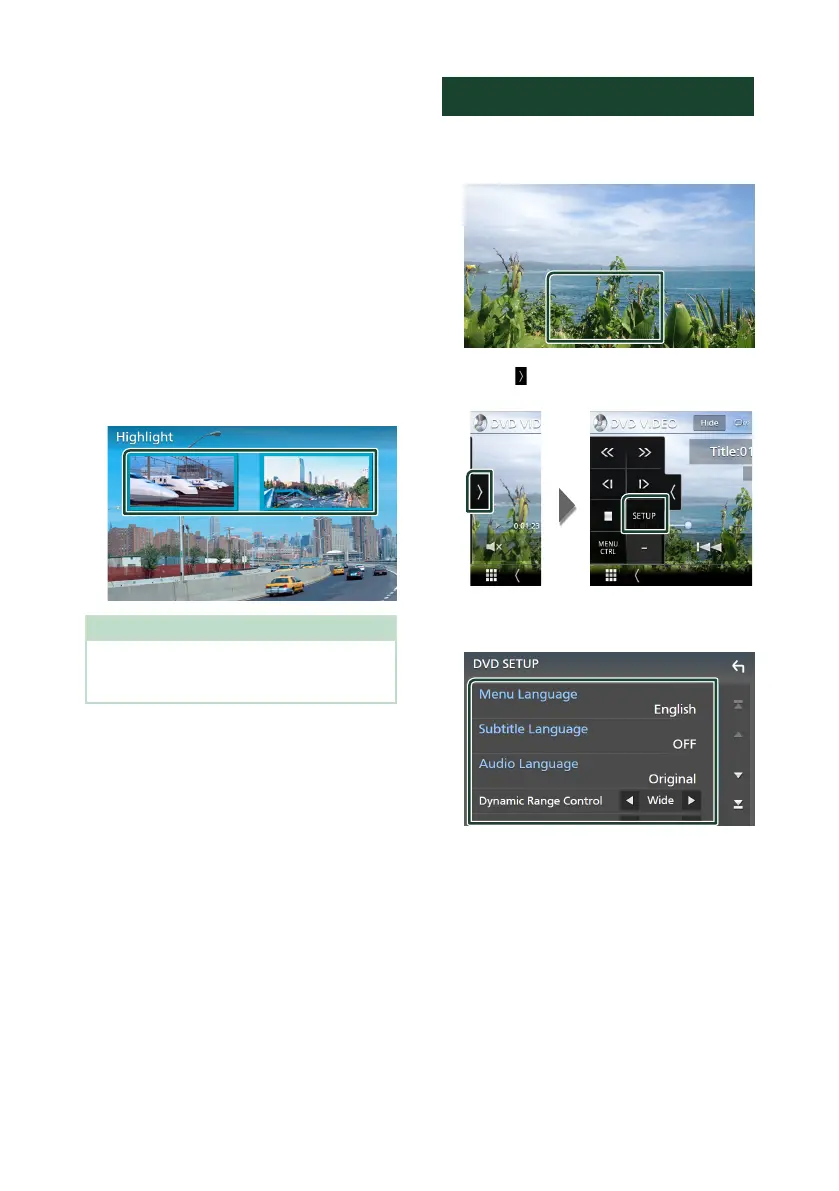
DVD SETUP
You can set up the DVD playback functions.
1
Touch the framed area during playback.
2
Touch [ ] on the left side of the screen.
Touch [SETUP].
DVD SETUP screen appears.
3
Set each function as follows.
■ [
Menu Language]/[Subtitle Language]/
[Audio Language]
See Language setup (P.31).
■ [Dynamic Range Control]
Sets the dynamic range.
[Wide]: The dynamic range is wide.
[Normal]: The dynamic range is normal.
[Dialog] (Default): Makes the total sound
volume larger than the volumes in other
modes. This is effective only when the
Dolby Digital software is in use.


 To Next Page
 Loading...



