31
4.1 Operation modes
4. Control unit operation
4.2 Control Unit Buttons
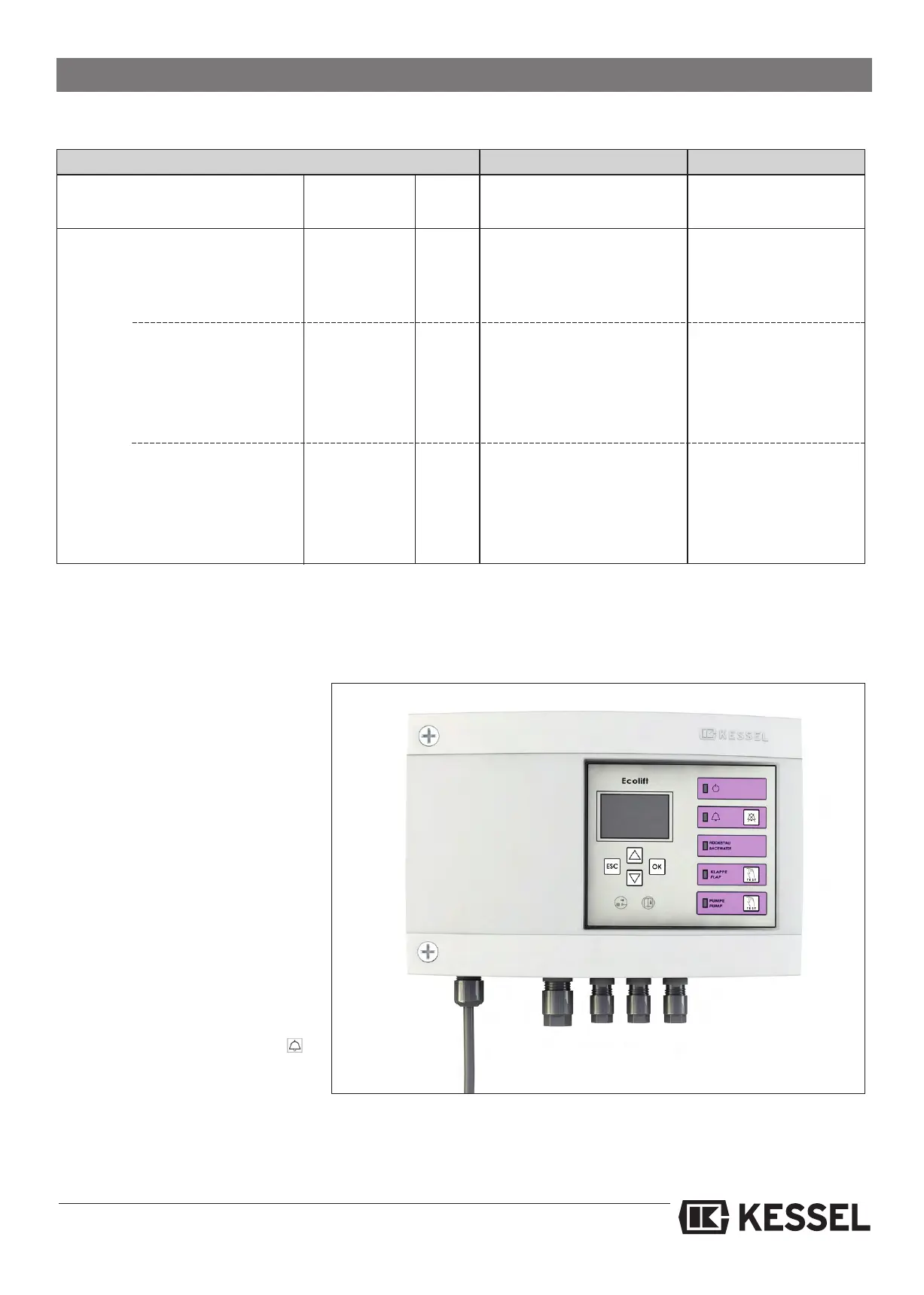
Alarm-Button
The audible alarm can be de-activated by
pressing the Alarm button on the control
unit. The Alarm LED will continue to blink
to show the operator that the backwater
condition is still present.
Pump test button (TEST)
The pump can be activated and tested
(for example during maintenance) by
pressing the test button on the control
unit. The operation of the pump will be
confirmed by the blinking pump LED on
the control unit.
4.3 Decommissioning (unplugging the
unit)
Caution: After the control unit has been
unplugged, press the Alarm button
on the control unit for at least 5 seconds
until a beep is heard. This procedure sets
the two 9-volt batteries inside the control
unit into sleep mode.
Normal operation Power
-LED green LED on off
Alarm-LED red off blinks (every second)
Backwater
Flap closing Power
-LED green LED on off
Alarm-LED red off off
Backwater-LED orange blinks off
Flap-LED orange blinks blinks (every second)
Pump-LED orange off off
Flap is closed
Power-LED green LED on off
Alarm-LED red off off
Backwater-LED orange blinks blinks
Flap-LED orange LED on off
Pump-LED orange off off
Audible alarm beeping beeping
Pump pumping Power-LED green LED on off
Alarm-LED red off off
Backwater-LED orange blinks blinks
Flap-LED orange LED on off
Pump-LED orange LED on off
Audible alarm beeping beeping
Power operation Battery operation






 To Next Page